VEED vs OpenShot
VEED vs OpenShot compares browser captions with free desktop editing. See export limits, costs, project handoffs, and the better choice for your footage.
On this page
VEED vs OpenShot favors VEED for speech-led clips that need automatic subtitles and styled captions. OpenShot is my pick for free desktop editing with your own media files. The decision turns on where the work happens: an online caption workflow or a local timeline you keep on your computer.
VEED vs OpenShot at a glance
OpenShot's current manual includes a Caption effect accepting SRT and VTT. That makes the choice more interesting than automatic captions versus no captions: VEED can generate the text, while OpenShot can use timed text you've already prepared. If a translator hands you an SRT, transcription may be unnecessary.
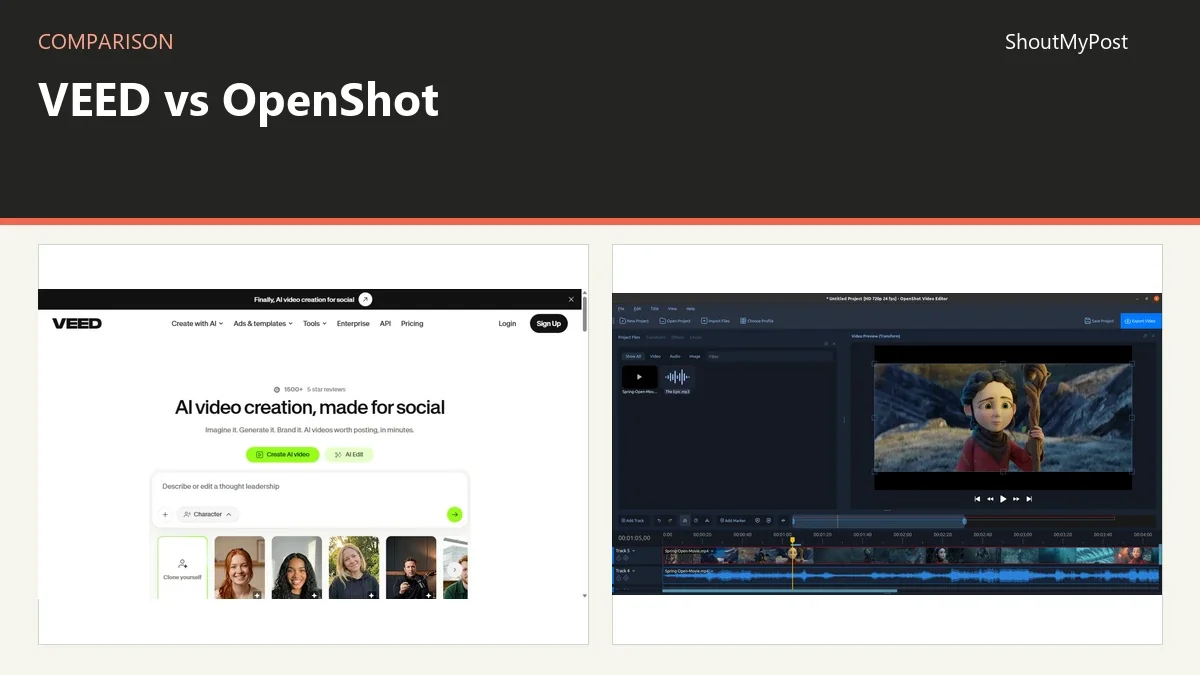
The VEED listing and OpenShot listing show the two products. Facts below come from their official pages, checked October 9, 2026.
| Factor | VEED | OpenShot | Official source; checked |
|---|---|---|---|
| Free offering | Free account with export limits and watermark | Free desktop editor | VEED export and watermark help; OpenShot download, Oct 9 |
| Paid price | Paid plans start above the free tier; exact US billing terms unavailable | No subscription needed for the desktop editor | VEED pricing; OpenShot download, Oct 9 |
| Output resolution | Free 720p; Creator up to 1080p; Pro, Studio, Enterprise up to 4K | Choose an export video profile | VEED export help; OpenShot manual, Oct 9 |
| Platform | Web editor; Android and iOS export documented | Windows, Linux, macOS Intel; supported Chrome OS setup | VEED export help; OpenShot download, Oct 9 |
| Captions | Automatic transcription, styles, translation options | Caption effect with SRT and VTT | VEED subtitle help; OpenShot Effects, Oct 9 |
| Project handoff | Render video and download output | Save OSP project and export video separately | VEED download help; OpenShot Projects, Oct 9 |
| Integrations | VEED APIs offered separately | libopenshot and Cloud API offered separately | Official product navigation and API pages, Oct 9 |
| Open source | Online service isn't an open-source desktop editor | Yes | Official product pages, Oct 9 |
| Recent maintenance | Export help updated Aug 21, 2026 | Official download offers 4.0.1 | VEED export help; OpenShot download, Oct 9 |
| File location | Uploaded project media; rendering on VEED servers | Media and project files on your computer | VEED export help; OpenShot Projects, Oct 9 |
Captions: VEED starts with the spoken words
For a presenter describing a new feature, VEED removes the initial job of typing every sentence. Open Subtitles, choose the spoken language, and generate the text. You can then correct a product name, change timing, and apply a style without assembling separate title images for each line.
That is the strongest reason to choose it. A subtitle-focused job often involves much more wording than cutting. If you have one usable take and fifty sentences to caption, a transcription step is a meaningful part of the work. VEED's manual and file-upload routes also give you a way to start from approved wording.
OpenShot takes a different starting point. The Effects manual documents SRT and VTT input for the Caption effect and an editor for cues. You can style caption text and animate its appearance. It is a good fit when your subtitle file is already finished or the video needs only a small amount of on-screen dialogue.
The weakness is the extra work before that effect can display the right words. Don't choose OpenShot assuming its Caption effect performs the same automatic transcription as VEED's subtitle tool. Likewise, don't choose VEED for a fully approved SRT merely because it advertises AI transcription: uploading the existing file may be the sensible route.
Winner for starting from spoken audio: VEED.
Editing: OpenShot keeps a local timeline
OpenShot's quick tutorial starts by importing media, arranging clips on tracks, previewing, and exporting. That is the familiar structure of a desktop editing project. A title, music file, still image, and camera clip can sit together in the timeline while you change their placement.
The local approach is attractive for material already stored on a workstation. You don't have to choose a web-storage plan to keep adding source clips. Your available disk space and the computer doing the editing shape the job instead. A finished client video can remain alongside its source footage in the same project folder.
VEED gives you a web editor around uploaded media. Its value is strongest when captions, social layouts, and quick variations are part of the delivery. It avoids making a newcomer learn a separate desktop application before making a captioned clip, though that convenience also ties the project to an account and online processing.
Neither product's marketing tells you how long your own complex edit will render. A ten-minute interview with captions and a heavily layered montage are different jobs. For a local montage, my preference is OpenShot; for turning a prepared talking-head clip into a captioned version, VEED has the more direct starting point.
Winner for a local multi-clip edit: OpenShot.
Costs: pay for the caption workflow only if it helps
OpenShot's desktop software is free and open source. The current download page offers Windows, Linux, and macOS packages, with a documented Chrome OS route. There is no paid desktop tier to buy for an ordinary export.
VEED has a free start and paid tiers. Its pricing page didn't expose complete US-dollar billing terms on October 9, so I won't attach a monthly figure to a plan without its billing period. Its help center does make the export distinction clear: Free is 720p, Creator reaches 1080p, and Pro, Studio, and Enterprise reach 4K.
For someone delivering a single short lesson, the choice is whether VEED's caption and styling work saves enough effort to justify the tier needed for that output. For someone who already has subtitles and wants a local edit, paying for automatic generation may add little. Put the actual delivery format beside the plan features before making the choice.
Free VEED exports carry a watermark according to its watermark help page. OpenShot's free desktop workflow doesn't add a subscription watermark. If your final handoff must look like your client's work, that difference affects the usable free option, not just an optional extra.
Winner for avoiding a software subscription: OpenShot.
Handoffs: a video file and an editable project do different jobs
VEED's output workflow ends with a rendered video page and a downloadable MP4. That is convenient for a reviewer who only needs to watch the result. Send the output when the next person is approving the captions, not when they need to reconstruct every edit in another program.
OpenShot saves its timeline as an OSP project, while the exported video is a separate file. The project refers to the media you imported. A colleague taking over the edit needs the media as well as the project; the MP4 is for viewing the finished work.
This matters during a tool change. A rendered VEED video can become media in an OpenShot project, but it arrives as a finished image-and-audio sequence. You won't get the original editable VEED caption boxes and cuts simply by importing that video. Preserve source clips and subtitle files if you want to rebuild the work.
For a short promotional clip, rebuilding a few cuts may be acceptable. For an interview series with many corrected names, losing editable captions would create more work. My pick for a long-lived local source archive is the OpenShot project plus media folder; for a finished browser-review handoff, VEED's output page is convenient.
Winner for keeping a local editable archive: OpenShot.
What users say
In a March 2025 caption discussion, a VEED user liked automatic generation but couldn't find the word-by-word pop-in effect they wanted. Replies debated readability. The current dynamic-subtitles guide now names animated presets, so the interesting choice is which style helps your viewer read the sentence.
A January 2025 OpenShot thank-you post describes frustration with a more complex editor and appreciation for OpenShot's approach. For someone learning to place clips and music, that preference is easy to understand. The number of controls on the screen can matter more than a long feature list.
OpenShot isn't free of export problems. Issue #5765, opened in May 2025, reports a failed 720p H.264 export on version 3.2.1 with a std::bad_array_new_length error. The current download is 4.0.1, but keep a saved project and identify your installed version when reporting an error.
Choose VEED if
- Your starting material is a finished spoken clip needing transcription.
- You want subtitle styles and translation in the same web workflow.
- The account tier covers your final resolution and delivery needs.
Choose OpenShot if
- You want free desktop editing of media already on your computer.
- You have an SRT or VTT file and need to place it over an edit.
- You want to retain a local project folder for future revisions.
Other options
Shotcut combines a desktop timeline with subtitle import, editing, and speech-to-text. Blender makes more sense when video is part of animation or compositing. Audacity is a separate choice for detailed voice editing before the picture edit. Browse the video-editing category for the wider field.
FAQ
Can OpenShot use translated captions?
Yes, if you supply a supported timed subtitle file such as SRT or VTT. The Caption effect displays the text you provide; it doesn't turn that file into a translation service. Ask your translator for timing that matches the final edit, especially if you removed a section after the translation was prepared.
Can VEED export audio by itself?
Yes. After rendering a project, the Download control offers MP3 as well as MP4 and GIF. That can provide an audio handoff for a spoken recording. VEED's download help says the project must be exported first, so a draft in the editor isn't the same thing as a downloadable audio file.
Is OpenShot available for a Chromebook?
Yes, through the Chrome OS setup documented on OpenShot's download page. That route needs Linux support and an Intel or AMD processor. It isn't a browser-only edition you can open as a website, so a school or managed Chromebook that doesn't allow the Linux environment may prevent this particular installation route.
Sources
VEED pricing, automatic subtitles, dynamic subtitles, watermark, export, and download help; OpenShot download, quick tutorial, Projects, Effects, and API documentation. Official pages checked October 9, 2026. The three linked community and issue pages supply the experience reports.
Related articles
Current evidence
Verified facts
Each value shows its source and when it was checked.
No shared facts have current source and check-date evidence yet. Facts without that evidence are left out.