remove.bg vs Pixlr: A Cutout Workflow That Lasts
Compare remove.bg vs Pixlr before the standalone remove.bg closure. See the transition, editing trade-offs and how to keep reusable cutouts and source files.
On this page
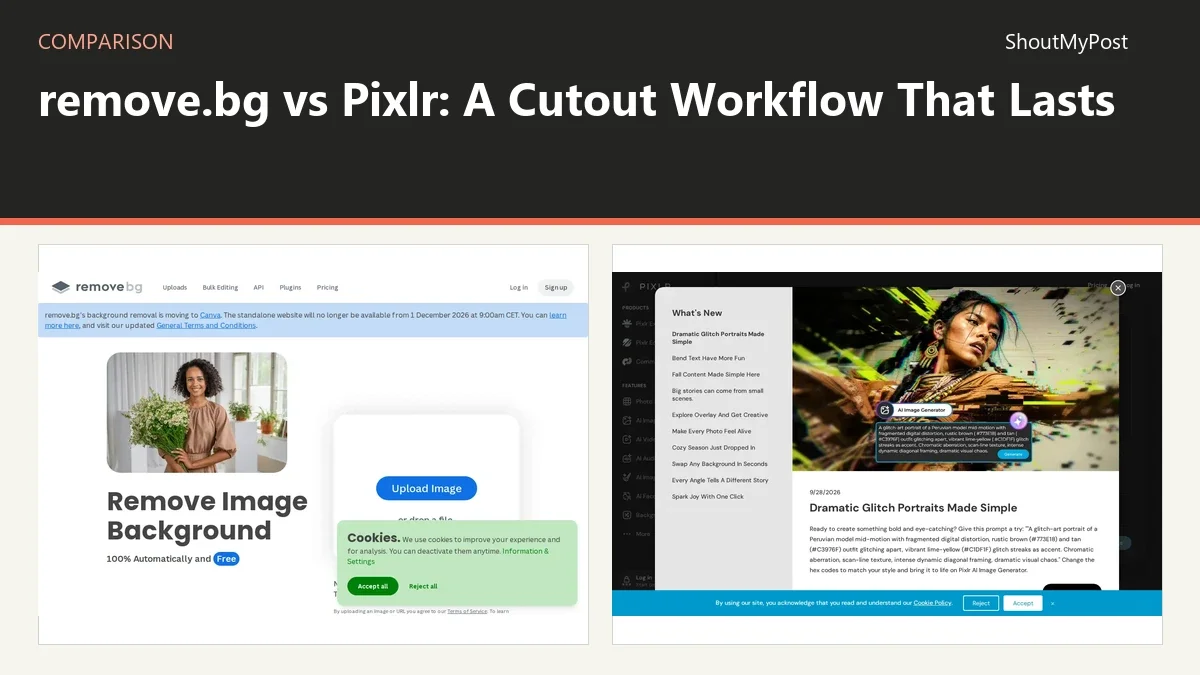
Pixlr is the better continuing workspace for background removal and later image edits. remove.bg's standalone website is scheduled to close on December 1, 2026, at 9 AM CET. remove.bg vs Pixlr now involves a service transition as much as a cutout-tool choice.
remove.bg is moving its background-removal functionality into Canva. Pixlr offers background removal alongside its broader editing tools. Save the source photograph and a finished cutout you can take to the next workspace.
remove.bg vs Pixlr: at a glance
| Detail | remove.bg | Pixlr | Source and date checked |
|---|---|---|---|
| Free plan | Transition to Canva announced | Browser editor with free access | remove.bg and Pixlr official pricing pages; October 9, 2026 |
| Paid price | Standalone service closing December 1, 2026 | Paid plans start above the free tier | remove.bg and Pixlr official pricing pages; October 9, 2026 |
| Platforms | Browser and existing integrations | Browser | remove.bg and Pixlr official product pages and documentation; October 9, 2026 |
| Key features | Automatic background removal | Layers, photo editing, background removal | remove.bg and Pixlr official product pages and documentation; October 9, 2026 |
| Integrations | Existing API and apps need transition review | Pixlr editing and AI tools | remove.bg and Pixlr official product pages and documentation; October 9, 2026 |
| Open source | No | No | remove.bg and Pixlr official product pages and documentation; October 9, 2026 |
| Last release or current docs | Website closes December 1 at 9 AM CET | Current web editor; no numbered release | remove.bg and Pixlr official product pages and documentation; October 9, 2026 |
| Privacy and data location | Online image processing | Local project downloads; online AI features use a service | remove.bg and Pixlr official product pages and documentation; October 9, 2026 |
The closure makes Pixlr the clearer long-term pick
The remove.bg announcement changes the practical decision. Building a new routine around a standalone site about to close leaves another switch ahead. For a new project, choose the workspace you want to use after the transition. That can be Pixlr, Canva or a different editor, depending on what happens after the cutout.
An existing remove.bg user has a separate job: work out which current integrations are affected. A website upload, a desktop tool and a script calling an API aren't automatically the same migration. Follow the vendor's current transition instructions for the product you use instead of assuming that an account or credit balance works identically elsewhere.
Pixlr's advantage is that background removal sits beside an editor. If you need to add a title, place the cutout on another image or prepare a different canvas size, you can continue working in that environment. That is a more complete job than simply obtaining a transparent image.
Its weakness is the wider set of controls and paid AI features. Someone who only wants a single cutout might prefer a dedicated removal page. The broader workspace is valuable when you need the next editing step; otherwise, it is more product to learn than the original task calls for.
Winner for a new routine that continues after December: Pixlr.
A cutout and a finished design need different handoffs
Automatic background removal produces a starting asset. It doesn't decide how large the subject should appear on a product card, which color belongs behind it or whether the surrounding typography is readable. Those choices still belong to the design stage.
remove.bg made the narrow handoff easy: upload an image and obtain a removed background. Its current transition takes that feature toward a larger design platform. Pixlr already combines those jobs within its own collection of tools, though the exact free and paid access depends on the feature you choose.
Suppose you are making a store banner with a product photograph. First you need the subject separated from the original setting. Then you need a canvas, title and a background that doesn't hide the product edges. A transparent cutout is only one component of that banner.
For an asset library, keep the cutout independent of the banner. That lets you reuse it at a different size or place it on another background without cutting it out again. For a single finished social image, keep the editable design too, because a later change in price or wording shouldn't force you to rebuild the whole layout.
Neither product's feature list supplies a guarantee that every edge will be correct. Hair, translucent material and a subject whose color resembles the background can need further adjustment. Judge the saved result at the scale you will actually publish, including against its final background.
Winner for continuing from cutout to layout: Pixlr.
Current plan terms matter more than old credit comparisons
Many older remove.bg comparisons focus on credit prices or free preview resolution. Those tables don't answer the October 2026 decision well. The service is in transition, and an old standalone credit package isn't a sound basis for a new long-term workflow.
Pixlr's pricing currently displays regional currency in the checked page. Paid plans start above the free tier; there is no verified US-dollar figure to repeat here. The right purchase question is whether the exact removal or editing feature you need is included in the present plan.
Do not compare an unlimited-sounding general editing plan with a narrowly counted AI operation unless the vendor explicitly connects them. An editor can offer free manual adjustments and separately meter generative features. The label on the tool you are using matters more than a plan name recalled from an older review.
For a small number of images, manual editing can also change the economics. If you need accurate masks on a few important photographs, a local editor may give you more control than a paid queue of automatic removals. If you need an automated production process, an editor's free manual tools won't replace the script.
Make the purchase after choosing the job: one-off cutout, repeat design editing or automated processing. The least expensive option for one can be the wrong tool for another.
Winner for choosing a fresh editing subscription: Pixlr, once its current feature access matches your job.
Manual correction belongs in the image-editing decision
Pixlr's broader editing tools are a reason to stay in the same workspace after background removal. A cutout that needs a new crop, a different arrangement or a title can keep developing as a design. That saves a handoff between tools when the design is still taking shape.
For detailed manual control, Photopea and GIMP deserve attention. They give you selections and masks as editing operations. Choosing them means accepting more hands-on work in return for control over exactly which parts of the image remain visible.
The strongest example is a product with a pale edge on a pale wall. A rough automatic cutout may look acceptable over white and visibly wrong over dark gray. An editor lets you work on that edge while looking at the destination background. The comparison should therefore include where you can repair the result, not just where you can start it.
An automated service may still be the right starting point for a large collection. The manual tool then handles exceptions. Keeping those two jobs separate makes more sense than assuming every image needs a slow manual mask or that every automatic result is ready for publication.
Winner for a broad editing workflow: Pixlr; choose Photopea or GIMP when manual masking is the main job.
What users say and what the vendor has announced
remove.bg's current public announcement is the decisive evidence for its future here. For Pixlr, a discussion about Pixlr X alternatives includes frustration about glitches and project downloads. That makes saving editable files outside the current tab a practical part of the workflow.
The appeal of a dedicated background remover is its limited task; the appeal of an editor is the work you can do afterward. Difficult edges still need inspection in the finished design. Use the original photograph and inspect the exported edge before relying on it for the finished design.
Choose remove.bg's transition path if…
- You already have an account or integration and need the vendor's migration instructions.
- Moving into Canva fits the next stage of your design workflow.
- You are deciding how to preserve existing work during the announced change.
Choose Pixlr if…
- You want background removal and general image editing in one browser workspace.
- You will keep revising the layout after making the cutout.
- You accept its current free and paid feature split.
Other options
Photopea is a strong browser option for manually editable masks. GIMP is the desktop option for local photo work. Choose either when repairing an edge is more important than a one-click start.
FAQ
Should I save the original photograph after removing its background?
Yes, keep the original photograph beside the cutout. A transparent export may omit part of an edge you want back later, and it won't preserve the full original setting. The source image gives you another starting point if the design changes, while the cutout is the asset you can place into the current layout.
Can I use JPG for a reusable transparent cutout?
No, JPG cannot store transparency. Save a transparent format such as PNG for a subject that needs to sit on different backgrounds. If you only need a finished design with a solid background, JPG can be a delivery option; that is a different asset from the reusable cutout.
Is a darker background a way to inspect cutout edges?
Yes, placing the cutout over its intended background helps reveal missing or leftover edge pixels. A pale halo can disappear on white and become visible on dark gray. This is a visual editing check, not a guarantee about any tool's accuracy, and it is best done before the final delivery export.
Browse Creative & Design, Image Editing & Design, Image Utilities for related tools.
Sources
Official pages checked October 9, 2026:
- remove.bg: pricing or product information, documentation.
- Pixlr: pricing or product information, documentation.
Related articles
Current evidence
Verified facts
Each value shows its source and when it was checked.
No shared facts have current source and check-date evidence yet. Facts without that evidence are left out.