Audacity vs Shotcut: Which Editor Should Handle the Sound?
Audacity vs Shotcut for spoken audio and video work. Compare local editing, noise tools, voice recording, project files, and the handoff to a finished video.
On this page
For Audacity vs Shotcut, Audacity wins when the recording itself is the job. Choose Shotcut when you need the voice, music, and picture to stay editable together. Both desktop programs are free; paying for software isn't what separates this choice.
Audacity vs Shotcut at a glance
Shotcut has a speech-noise filter that doesn't need a noise-only sample. Its RNNoise filter arrived in version 26.06.25. Audacity's built-in Noise Reduction uses a profile taken from the recording. That makes the availability of a quiet gap a real difference before you even start editing.
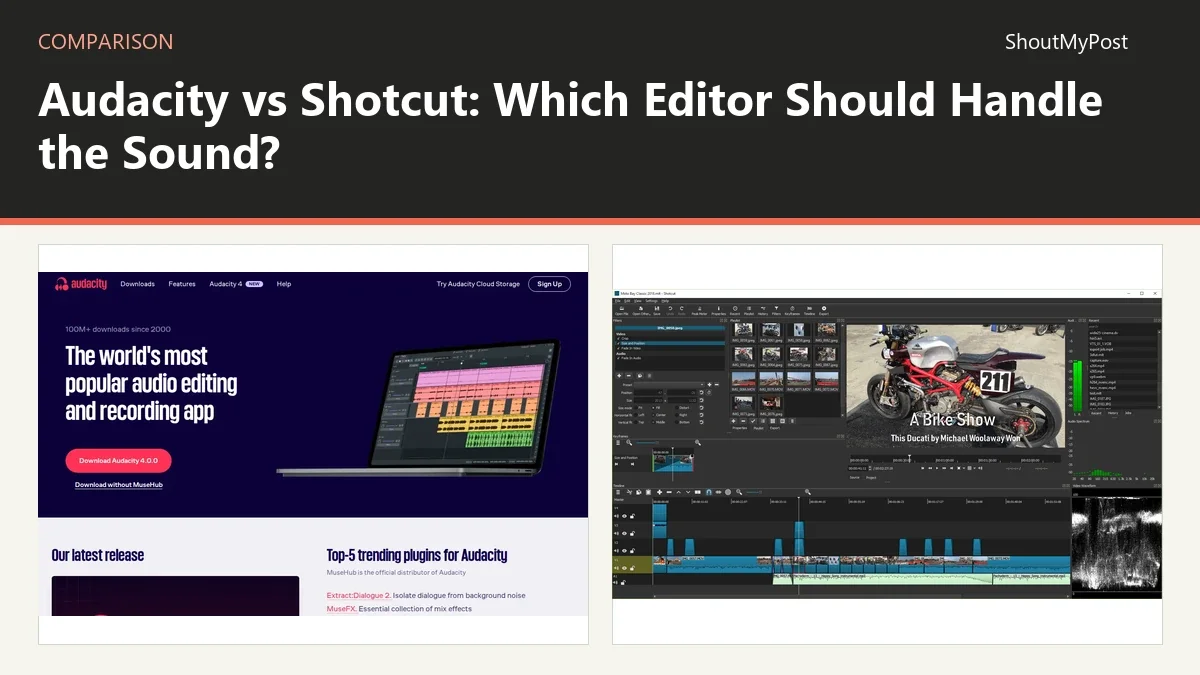
The Audacity listing and Shotcut listing link to both projects. Table facts were checked October 9, 2026. Named sources identify the reference for each row; the official source list follows the article.
| Factor | Audacity | Shotcut | Source and date checked |
|---|---|---|---|
| Free version | Free desktop audio editor | Free desktop video editor | Official product pages; Oct 9, 2026 |
| Paid desktop price | No paid tier needed for local editing | No paid tier needed for desktop editing | Official product/download pages; Oct 9, 2026 |
| Main work | Record, cut and process audio | Edit picture and sound on a timeline | Audacity features; Shotcut features; Oct 9, 2026 |
| Noise tool | Profile-based Noise Reduction | RNNoise speech suppression and other audio filters | Audacity manual; Shotcut RNNoise documentation; Oct 9, 2026 |
| Platforms | Windows, macOS, Linux | Windows, macOS, Linux | Official download pages; Oct 9, 2026 |
| Recording | Audio recording | Voice recording directly to timeline | Audacity product page; Shotcut features; Oct 9, 2026 |
| Integrations | VST3, Nyquist; LV2 on Linux and Audio Units on macOS | LADSPA audio plugins and JACK transport sync | Audacity changelog; Shotcut features; Oct 9, 2026 |
| Open source | Yes | Yes | Official project/download pages; Oct 9, 2026 |
| Current release | 4.0.1, September 30, 2026 | 26.9.27, September 27, 2026 | Audacity changelog; Shotcut download/news; Oct 9, 2026 |
| Local data | Local project saving; separate cloud options | Local media and project files | Audacity File manual; Shotcut features/FAQ; Oct 9, 2026 |
Audacity is the clearer choice for a recording without picture
An audio-only job begins with a waveform and ends with an audio file. Audacity puts that work at the center of the interface. You can cut a mistaken sentence, inspect a small sound, and export the recording without building a video timeline around it.
That fits an interview, a voice message for a phone system, or a narration track prepared before the pictures exist. You can keep the spoken parts separate while editing, then make the mix that the next application needs. The decision is about the main material you handle every day.
Shotcut can process audio, but its larger working context is a video edit. When there is no picture, the player, video tracks, and delivery settings bring decisions that don't help you fix the words. I'd start with Audacity for a person who receives voice recordings and returns finished sound.
Audacity's weakness appears when the timing of the picture changes repeatedly. A sound file exported yesterday can't automatically follow a video cut you move today in a separate editor. If you're preparing narration for someone else, agree on the start point and filename so they can place the right version.
For example, a product demonstration might have an opening voice track, a screen capture, and a short ending. If you record the voice first, keep the three sections separately named. The editor can replace the ending without guessing where a long, flattened recording changes topic.
Winner for audio-only editing: Audacity.
Shotcut keeps music levels attached to the video edit
Shotcut's official feature list includes audio filters, timeline voice recording, waveforms, and mixing. Those tools sit beside the video clips. Moving a scene and its sound within one project is easier to manage than exchanging a new audio mix after every picture revision.
Consider a tutorial with a quiet introduction, a louder demonstration, and music underneath. You may want the music to change around particular sentences. A timeline makes those relationships visible. The voice can remain a separate clip instead of being baked into a finished soundtrack too early.
This is also a better starting point when the camera recording already has adequate speech. Basic gain and a limiter may be all the edit needs. Exporting every clip to a separate audio program adds another set of filenames and another chance to use an older version of the sound.
The cost is less focus on close waveform repair. If you're removing tiny noises between words, Audacity's audio-centered view is a stronger place to work. Shotcut wins the broader assembly job, but that doesn't make it the answer to every damaged microphone recording.
My preference is to keep the sound editable until the picture is settled. Then the final export belongs to the same project that contains the visible cuts, title cards, and music timing.
Winner for a video with changing cuts: Shotcut.
Noise profiles and RNNoise solve different starting problems
Audacity learns the background from a noise-only selection. That gives you a direct way to describe the hiss or fan that runs under the recording. It also asks you to find a clean sample before applying the treatment to speech.
Shotcut's RNNoise documentation describes a model aimed at human speech. It doesn't ask for a profile. Its Suppression control changes the strength, and the filter doesn't support keyframes. It is less appealing for music or environmental recordings, where the sound you want may resemble the material the model tries to suppress.
A conversation recorded without any quiet space is a reason to consider the Shotcut route. A steady studio hiss with an untouched pause is a reasonable Audacity job. Neither approach repairs a clipped microphone simply by reducing noise; the distortion has already affected the wanted recording.
Listen to the tone of the voice when choosing between them. The goal of a tutorial is usually clear speech that still sounds like the speaker. A model aimed at voices can be a poor match for a wildlife clip whose background is part of the subject.
Avoid making the noise tool the only reason to move your whole project. If you need one clip repaired, an exported audio handoff may be enough. If every episode also needs picture editing, the recurring work is better handled in the video project.
Winner for cleanup without a noise sample: Shotcut; for sampled steady noise: Audacity.
An audio export moves between them; the project doesn't
Audacity 4 uses .aup4 projects. Its File menu exports ordinary audio separately from project saving. Shotcut uses its own project structure to keep media and timeline decisions. Opening a rendered WAV in Shotcut transfers sound, not every Audacity track and effect setting.
This matters when a client asks for one more edit after delivery. Keep the editable source beside the exported file. A filename such as narration-approved.wav should identify the version used in the picture edit; a second file with the same name can overwrite the reference without explaining what changed.
Use an uncompressed audio handoff when you can. Repeated lossy exports are an unnecessary intermediate step between editors. Save a small sample and check that it starts at the intended point before moving an entire interview's sound.
If you need separate voices later, don't deliver only a mixed file. Ask the receiving editor which individual recordings they need. This is a handoff choice you can make before editing, while the original tracks are still easy to identify.
Winner for keeping the complete video project together: Shotcut.
What users say
The Audacity 4 release discussion includes thanks for keeping the program free and praise for its new interface. It also includes complaints about missing familiar functions and changed input selection. Several people preferred to keep their existing workflow while the new series matured.
An April 2026 Shotcut recording thread began with someone who liked recording commentary directly over video but heard artifacts in the output. The developer inspected the file and said the next version would use lossless FLAC instead of Opus. That exchange is a practical reason to read recording changes when an old tutorial's output differs from yours.
Choose Audacity if…
- Your finished deliverable is speech, music, or another audio file.
- You need to work closely on small parts of a waveform.
- You prepare narration before a separate video edit exists.
Choose Shotcut if…
- Your sound decisions follow video cuts and title cards.
- You need voice recording inside the editing timeline.
- Your speech recording lacks a noise-only sample.
Other options
OpenShot is another desktop option for basic video assembly. Its alternatives page can help you compare the broader editing choices. Blender belongs on the list when the sound accompanies animation you also create there. Browse Creative & Design and video editing for adjacent tools.
FAQ
Is Audacity or Shotcut cheaper?
Both desktop programs are free, so there is no paid editing subscription to choose between. Audacity is open source, as is Shotcut. Separate services added to a workflow can have their own fees, but you can record or edit locally in these programs without buying a higher desktop tier for ordinary exports.
Does Audacity edit the picture in a video?
Audacity focuses on audio. Its current File manual says it can import audio from video files, but that doesn't create a picture-editing timeline. Choose Shotcut when you need to cut visible scenes, place titles, or export a finished video. An imported soundtrack alone doesn't preserve those visual decisions inside an Audacity project.
Can I keep an Audacity project and send just one region?
Yes. The current Export audio dialog includes an option for selected audio. That lets you send a repaired section without replacing the entire project with the handoff file. Give the region a clear name and tell the receiving editor where it belongs; the audio file won't carry the whole video timeline around it.
Sources
Audacity changelog; Audacity features, File and Noise Reduction manuals, desktop privacy policy and downloads; Shotcut features, download page, FAQ and RNNoise filter documentation. Official references checked October 9, 2026. Community discussions are linked where their experiences appear.
Related articles
Current evidence
Verified facts
Each value shows its source and when it was checked.
No shared facts have current source and check-date evidence yet. Facts without that evidence are left out.