Squoosh vs TinyPNG
Compare Squoosh vs TinyPNG for local compression, batches and format control. See free limits, paid-plan differences and the better workflow for your images.
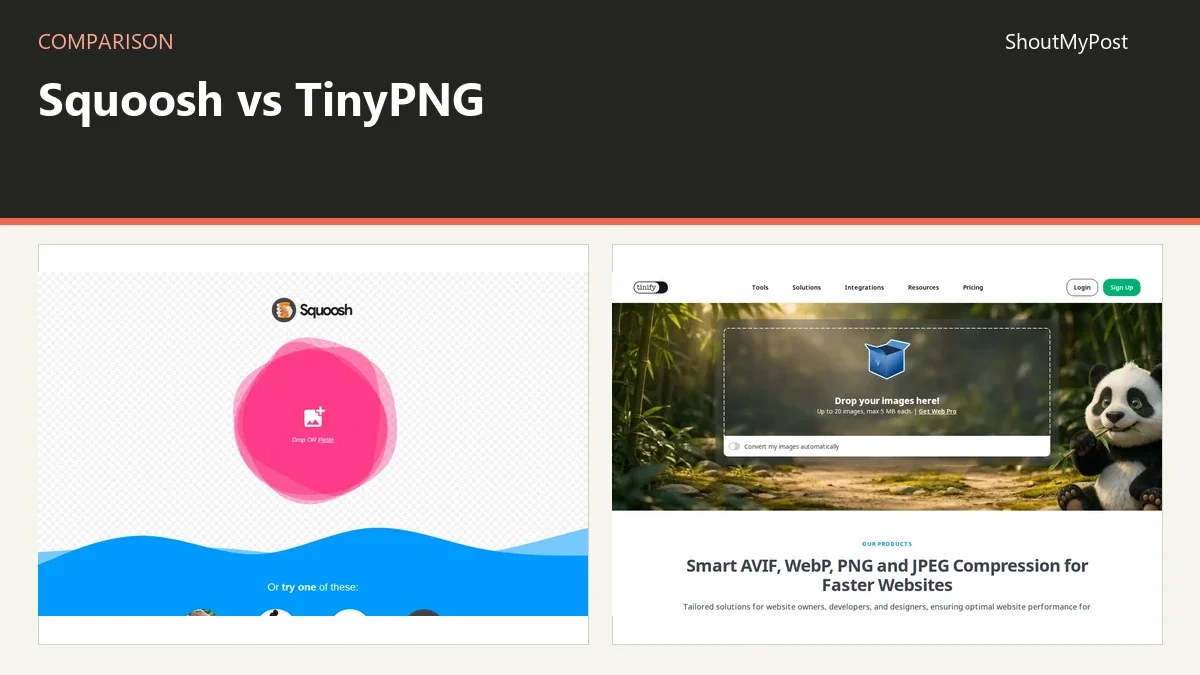
On this page
Squoosh wins for most readers preparing one important image: you control the format and inspect the result locally. Choose TinyPNG when you want to process a batch with fewer manual decisions or connect compression to an API. Its free web tier accepts 20 images per session, up to 5MB each.
Squoosh vs TinyPNG at a glance
Squoosh and TinyPNG both prepare images for the web. The decision is largely about who handles the compression choices and where that work happens. Official sources in the table were checked October 9, 2026.
| Factor | Squoosh | TinyPNG / Tinify | Official source, checked October 9, 2026 |
|---|---|---|---|
| Free web plan | Free browser editor | 20 images per session; 5MB each; three conversions per session | Squoosh app; Tinify Web pricing |
| Paid web plans | No paid web tier listed | Paid plans start above the free tier; yearly per user | Squoosh app; Tinify Web pricing |
| Larger files | Device and browser resources affect processing | Web Pro 75MB per image; Web Ultra 150MB | Squoosh editor; Tinify Web pricing |
| Format controls | Codec menu, quality, resize and advanced controls | Automatic compression; format conversion limits depend on plan | Squoosh editor; Tinify Web pricing and compression page |
| Platforms | Browser-based | Browser-based; developer integrations separately | Official product pages |
| API and integrations | App runs client-side; no hosted compression API in FAQ | Developer API, WordPress and Figma integrations | Squoosh FAQ; Tinify developer documentation |
| Open source | Apache-2.0 project | Hosted product isn't offered as an open-source application | Squoosh repository; Tinify product material |
| Image processing | Image stays on the device | Hosted compression service | Squoosh README; Tinify developer guide |
| Update evidence | Live editor available; no dated cross-browser release shown | Current web pricing and developer pages available; no single app release version shown | Current official pages |
The Squoosh repository documents local image processing and its license. Tinify's Web pricing supplies the current plan limits. Paid plans start above the free tier.
Control: Squoosh shows you the image decisions
Squoosh makes more sense when the asset itself needs attention. A homepage photograph, a screenshot with tiny labels or a transparent logo can each need a different export choice. Its comparison view puts the original and output in front of you while the codec and quality settings remain visible.
That changes how you work. You can choose a candidate format, inspect the important area and decide whether the file size is acceptable. The judgment stays with you. A sharp product outline may matter more than a texture in the background, and the preview gives you somewhere to examine both.
TinyPNG automates much of that decision. Tinify's compression explanation describes lossy techniques, including combining similar colors for some PNGs and removing metadata. That can reduce a download, but “compressed PNG” shouldn't be read as a guarantee that all original information survives.
For a writer preparing an article cover, automatic output may be enough. For someone delivering image files under a strict instruction to preserve pixels or metadata, the compression method matters. Start with the export rules for that job, then select the tool; don't treat the filename extension as proof of losslessness.
Squoosh's cost here is attention. Each image asks you to choose and inspect settings. TinyPNG's attraction is that a person preparing a batch can let the service do that work. I wouldn't add manual codec review to every routine image if the site already has an accepted export workflow.
Winner for format control: Squoosh.
Work volume: TinyPNG has a batch and integration path
TinyPNG's free web tier handles up to 20 images in a session. That is a clear starting point for a small article gallery or a set of product thumbnails. The plan also separates compression from conversion: three free conversions per session isn't the same allowance as 20 compressions.
Web Pro lists unlimited compressions and a 75MB limit per image, while Web Ultra raises the file limit to 150MB and includes unlimited conversions. The word unlimited still sits beside other plan details. A person who mostly changes formats should look at the conversion column, not assume a compression upgrade covers the whole job.
For developers, the Tinify Developer API supplies 500 free compressions each month and official client libraries. Web subscriptions and API allowances are separate products. A script that compresses uploads needs the API's own account and billing terms; buying a web plan doesn't establish an API budget.
Squoosh's FAQ describes its browser app as client-side and doesn't offer a hosted server API. That is fine for examining an individual file. It is a weaker foundation for a publisher who wants every new upload processed without reopening a browser editor.
My choice for a repeated publication routine is TinyPNG's documented integration route. Keep the web uploader for small batches and the API for automation. There is no reason to turn a guide about an individual image into a recommendation that every site owner maintain a compression script.
Winner for batch work and integrations: TinyPNG.
Local processing: Squoosh avoids sending the image away
The source file stays on your device during Squoosh compression. If a draft screenshot includes private account information, that local processing model can be the deciding feature. It lets you prepare an export without submitting the image to a remote compression system.
A local-processing app still depends on the browser and computer doing the work. Large source dimensions and a demanding codec can make the task harder for that device. Squoosh doesn't supply a remote processor to take over the job when the machine struggles.
TinyPNG's hosted workflow trades that local resource choice for a service upload. Its developer guide describes a server compressing an image and returning a result URL. Choose that route only when sending the source to the service fits the way you handle the material.
For a public product photo, an upload-based workflow can be a convenient part of preparing the site. For an unreleased client image that must stay on the computer, Squoosh's local processing answers that specific need. My pick depends on where the file is allowed to go, with the same dimensions and output format checked in either workflow.
Winner when the image must remain local: Squoosh.
What users say
In a July 2026 web-design discussion, one commenter still uses Squoosh for individual files but chooses another tool for larger batches. That is the praise and the friction in the same workflow: the single-image editor stays valuable, while repeating it across a folder becomes a separate job.
TinyPNG users in that discussion describe regular manual uploads for WebP conversion and transparent PNGs. A store owner says they had no complaints about TinyPNG but moved to a store integration to get automatic bulk processing. The attraction of the service and the attraction of automation are two different things.
I agree with the workflow split in those comments. Use the editor when making an image decision is part of the work; use an integration when the accepted decision should happen again with each upload. Neither approach makes every compressed result interchangeable, so keep an approved example export for the people publishing your images.
Choose Squoosh if…
- You're preparing a single cover or illustration and want to choose its output format.
- Your source image needs to stay on your computer.
- You want an open-source browser tool with visible codec controls.
Choose TinyPNG if…
- You have a small batch that fits the free web allowance.
- You need compression connected to a publishing or development workflow.
- You prefer automatic compression decisions to a manual preview session.
Other options
GIMP is my pick when preparing the picture involves editing layers or preserving an editable project. Photopea offers a browser route for PSD work and exports. Pixlr is another browser editor to consider when a crop or design change comes before the compression step. Browse Image Utilities for dedicated tools around that final export.
FAQ
Can TinyPNG compress images for free?
Yes, its Web Free tier includes 20 compressions per session with a 5MB maximum for each file. For developers, the API separately includes 500 free compressions each month. Those are different allowances: count web sessions for manual uploads and API operations for an automated integration, using the plan attached to that workflow.
Is Squoosh open source?
Yes, the GoogleChromeLabs project uses the Apache-2.0 license. That gives developers source code to inspect and work with under its license terms. The browser editor is also available free of charge, so a publisher can prepare individual image exports without purchasing a web subscription or signing up for a paid compression plan.
Can I move existing image files between these tools?
Yes, you can open a supported image file in another compression tool without migrating an account or a project library. Keep the original editing source and treat each compressed file as a delivery copy. If the source contains layers, retain its project format too; a flat web image won't preserve those editing choices.
Sources
Official sources: Squoosh live editor, README and FAQ; Tinify Web pricing, compression explanation and Developer API guide. The linked web-design discussion supplies the user feedback. Facts and plan limits checked October 9, 2026.
Related articles
Current evidence
Verified facts
Each value shows its source and when it was checked.
| Fact | Squoosh | TinyPNG |
|---|---|---|
| Site status | Livesquoosh.app | Livetinypng.com |
| Current catalogue summary | Squoosh is a browser-based image optimizer for compressing and comparing images with different codecs. Images are processed locally and never leave the device. Users open an image, inspect differences, and save, with settings adjustable for smaller files.squoosh.app | TinyPNG is a free online image optimizer that reduces the file size of AVIF, WEBP, JPEG and PNG images using lossy compression. The service includes a developer API, a CDN, and a WordPress plugin. The online tool accepts up to 20 images of up to 5 MB each.tinypng.com |
| Features |
|
|