Shotcut vs OpenShot
Compare Shotcut vs OpenShot for proxy editing, audio, titles and local projects. See releases, user feedback and which workflow fits your next video.
On this page
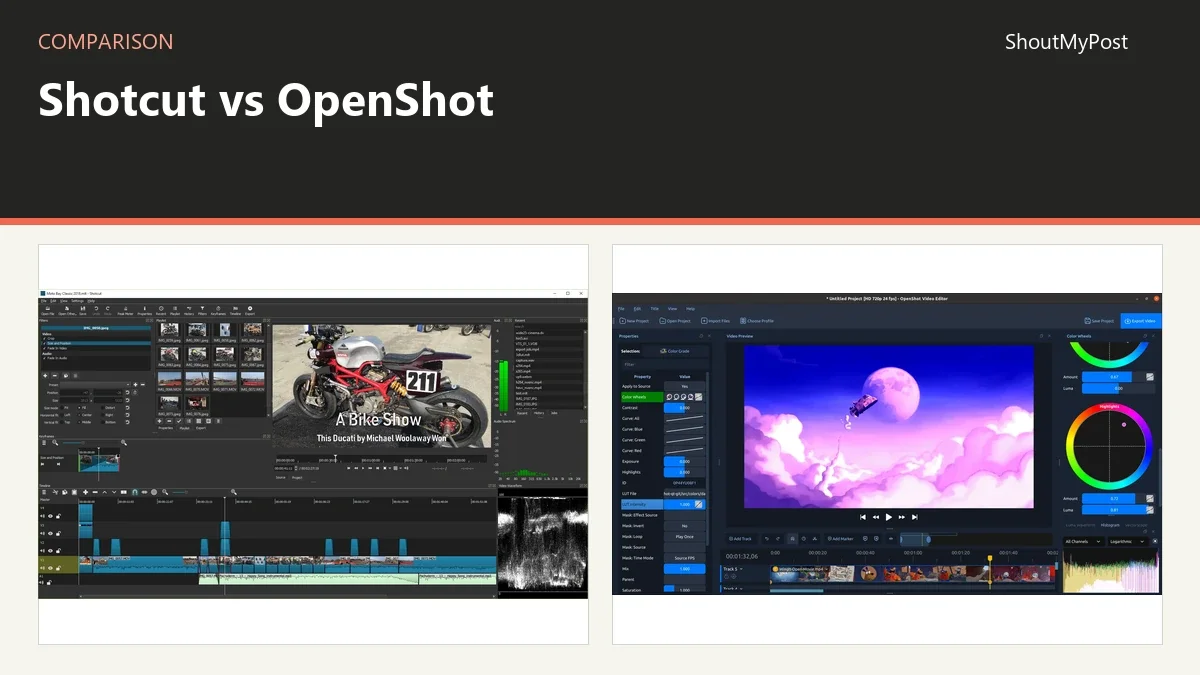
Shotcut is my pick for most readers who want detailed control over a local video edit. Choose OpenShot for a title-led or recording-led workflow with its current workspace tools. Both are free, and both now support proxy editing; that feature alone no longer separates them.
Shotcut vs OpenShot at a glance
Shotcut and OpenShot edit local media on a timeline. The current OpenShot documentation includes Optimize Video, color tools and recording, so a comparison that reduces it to an old basic feature list misses the actual choice. Official rows below were checked October 9, 2026.
| Factor | Shotcut | OpenShot | Official source, checked October 9, 2026 |
|---|---|---|---|
| Software price | $0; free application | $0; free application | Official download and feature pages |
| Paid plan or watermark | No paid application tier needed for editing | No subscription, watermark or project limit | Shotcut FAQ; OpenShot Features |
| Platforms | Windows, macOS, Linux | Windows, macOS, Linux; user guide also lists Chrome OS | Official project pages and OpenShot Introduction |
| Proxy workflow | Use Proxy with preview scaling and clip controls | Optimize Video; can link existing optimized files | Shotcut proxy documentation; OpenShot Files |
| Audio | Track mixing, filters; automatic track ducking in 26.9 | Mixing, effects and waveform editing | Official feature and release pages |
| Titles | Text filters and other filters can be combined | Editable SVG title templates and Blender-rendered animated titles | Official feature pages |
| Integration | Scripting and external effect-plugin routes | Blender titles, SVG editing and optional ComfyUI workflows | Official documentation |
| Open source | Yes; GPLv3 | Yes; GPLv3 or later | Official licenses |
| Latest release shown | 26.9.27, September 27, 2026 | 4.0.1, September 27, 2026 | Official release pages |
| Project and data location | Desktop project and media you store | Desktop project and linked local media; optional connected features separate | Official project documentation |
The Shotcut news page records its current release and audio changes. OpenShot's feature page describes the current editor and its free-software terms. Neither requires a paid editing subscription to cut and export local footage.
Editing copies: both have a proxy route
Shotcut's mode uses lower-resolution copies alongside Preview Scaling. Its clip Properties panel tells you when a proxy is active, and the Proxy menu handles a selected file. That model gives someone working on mixed footage a way to inspect what each clip is using.
OpenShot's current file menu includes Optimize Video. It creates preview copies in the project's optimized assets folder and also supports Link to Existing for copies created elsewhere. Its documentation describes matching ordinary proxy suffixes, including _proxy and _preview, and warns against unrelated names such as _final.
That naming detail matters if a camera or another application has already produced smaller files. A folder of existing previews might save regeneration work, but only if the editor links the right source and preview together. OpenShot spells out the naming patterns for that handoff.
For a new project where the editor can generate everything itself, I give Shotcut the edge for its visible per-clip indicator and direct controls. For a folder that already includes named editing copies, OpenShot's documented matching route is attractive. Neither turns proxies into your source archive.
OpenShot's naming rules give an existing proxy folder a clear import path: _proxy and _preview are recognized examples. Shotcut instead makes the active copy visible in clip Properties. I prefer the latter when a timeline mixes source formats and I need to inspect individual clips, while OpenShot's linking route is attractive when someone else has already prepared the editing copies.
Winner for inspecting proxy use clip by clip: Shotcut.
Audio: Shotcut's track tools suit a spoken video
Shotcut 26.9 adds automatic audio ducking to an audio timeline track's Properties. It also puts a volume control and level meter in track headers. That puts a particular job near the timeline: making music sit beneath spoken material and adjusting the levels of the tracks you can see.
For a tutorial, voice and background music have different roles. The narration needs to stay understandable while the music supports it. A track-level audio workflow is a reason to choose Shotcut even if both editors can add a music file and change its volume.
OpenShot also provides audio mixing, waveforms and effects. Its current guide lists compressors, expanders and noise removal among the audio options. The presence of those tools means it can handle more than dropping a song below a picture; it doesn't give a reason to dismiss its sound workflow outright.
My preference for Shotcut is about where the new track controls live. If your project repeatedly combines voice and music, direct audio work on the timeline is a concrete benefit. For a silent animation with one finished soundtrack, that benefit may matter much less than title or animation tools.
An effect list doesn't decide whether the source recording is clear. A poor microphone recording can still need a better source take. Avoid making a software purchase or switch solely because a cleanup filter is advertised; start by identifying the actual recording problem the project needs to solve.
Winner for a voice-and-music timeline: Shotcut.
Titles and recording: OpenShot puts them in the workflow
OpenShot's title route includes more than 40 editable vector templates. It uses SVG for 2D titles and integrates with Blender for animated 3D titles. A person making an event recap with repeated name cards can start from a title document instead of building every design from separate timeline effects.
The current editor also records screen, webcam and microphone material from its recording panel. That gives it a stronger case for someone whose next video begins as a walkthrough captured on the same computer. The recording stage and edit can live within the editor's documented workflow.
Shotcut provides text filters and can combine them with other treatments. A simple label or subtitle doesn't demand another application. But someone looking for a library of editable title templates may prefer OpenShot's source-document approach, especially when the text changes between projects.
The cost of that template path is understanding its extra tools. Animated Blender titles involve Blender; editing vector titles can involve an external SVG editor. Those are part of the workflow you are choosing, not just a longer list of available effects.
I'd pick OpenShot for a title-heavy presentation or a recording-led lesson. For a project already recorded elsewhere, where captions are mostly plain labels and audio is the bigger job, Shotcut remains my default. The kind of video you actually produce should decide which convenience deserves more weight.
Winner for editable title templates and built-in recording: OpenShot.
What users say
An April 2026 Shotcut title discussion begins with a user who likes the editor but wants fancier text. Replies show combining filters for treatments such as outlines and shadows. That captures both the appeal of staying in Shotcut and the extra assembly some designs ask for.
In an April 2026 OpenShot release discussion, a Linux Mint user praises the editing experience but realizes the distribution supplied version 3.1.1. Another returning user likes the new features yet asks about transform outlines and selection visibility. The thread makes the installed version part of the decision, not just the product name.
For OpenShot, an operating-system package can differ from the current official release. For Shotcut, the filter discussion points to a more focused learning issue: understanding how the effects combine. The project's own installer and documentation are the starting points for either problem; replacing the whole editor isn't the only way to get past an unfamiliar control.
Choose Shotcut if…
- You want direct clip and track controls for an existing local edit.
- Your videos often combine spoken audio and music.
- You're comfortable building a text treatment from filters.
Choose OpenShot if…
- You want editable title templates as part of the project.
- Your work begins with screen or webcam recording.
- You already have named preview copies to link to the originals.
Other options
Blender is worth considering when the video includes your own animation work. VEED offers a hosted editing and caption route. Browse Creative & Design and Video Editing & Production for tools around those jobs.
FAQ
Are Shotcut and OpenShot free for finished videos?
Yes, both desktop applications are free to use, and OpenShot explicitly states that editing has no subscription, watermark or project limit. Their software price is $0. Your computer still needs enough space for the source media, generated editing copies and output; those files don't disappear because the editor itself is free.
Does OpenShot support proxy editing now?
Yes, its current file menu includes Optimize Video for lower-resolution preview copies and Link to Existing for files created elsewhere. The documented copies are used for editing and preview playback. Keep the original source material available for the finished export, and use the matching filename patterns when linking existing previews.
Can I move a finished Shotcut project straight into OpenShot?
Don't expect an editable project to transfer unchanged just because both editors can read the same video clips. Shotcut and OpenShot use their own project structures. Preserve the original project and media, then rebuild the edit in the destination when needed; exporting a final video gives you a flat result, not all timeline choices.
Sources
Official sources: Shotcut Features, FAQ, proxy documentation and release notes; OpenShot Features, Introduction, Files documentation and September 27 release. The two linked user discussions supply the feedback. Facts checked October 9, 2026.
Related articles
Current evidence
Verified facts
Each value shows its source and when it was checked.
No shared facts have current source and check-date evidence yet. Facts without that evidence are left out.