Kagi vs MetaGer
Kagi vs MetaGer: compare search tools, prepaid tokens, privacy, browser setup and real billing terms. Find the better fit for daily or occasional search.
On this page
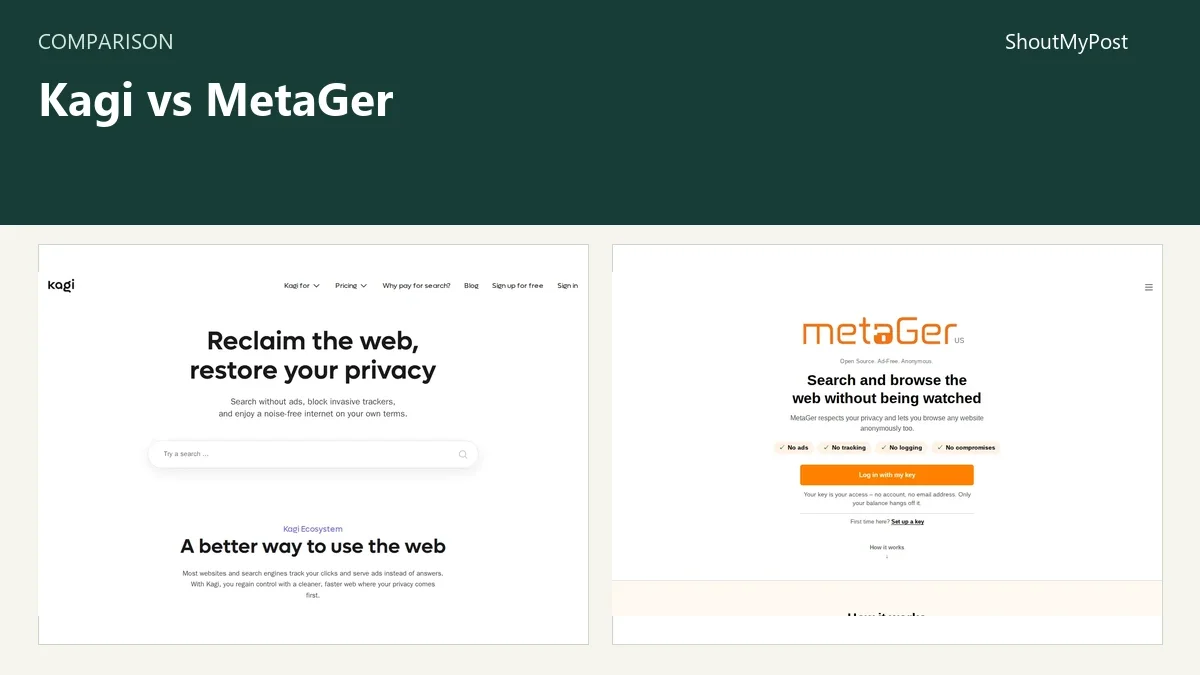
Kagi is my pick for daily search if you want personal ranking controls and can pay a subscription. Choose MetaGer if you'd prefer prepaid search with a key instead of an email account, plus a way to open results anonymously. The biggest difference is how you pay and what happens after you click.
Kagi's annual plans get a 10% discount. Its no-charge-for-an-unused-month policy works through a full account credit applied to the next billing cycle. MetaGer sells search tokens instead. Those details matter more than simply labeling both engines “paid.”
The Kagi listing and MetaGer listing are the two directory entries. The comparison below uses official product pages and documentation checked October 9, 2026.
Kagi vs MetaGer at a glance
| Factor | Kagi | MetaGer | Source and date checked |
|---|---|---|---|
| Free access | Pricing page lists a 100-search trial | Standard search uses a funded key | Kagi Pricing; MetaGer homepage, Oct 9, 2026 |
| Paid model | Starter $5/month; Professional $10/month; Ultimate $25/month, plus sales tax | Prepaid token packages; official prices shown in euros | Kagi Pricing; MetaGer Prices, Oct 9, 2026 |
| Annual option | Starter $54/year; Professional $108/year; Ultimate $270/year, plus sales tax | Token top-ups instead of an annual search plan | Kagi annual Pricing; MetaGer Prices, Oct 9, 2026 |
| Search limits | Monthly Starter: 300 searches; Professional and Ultimate: unlimited search | Default web search costs one token | Kagi Pricing; MetaGer Prices, Oct 9, 2026 |
| Platforms | Web browser; documented browser integrations | Web browser, Android app, Firefox and Chrome extensions | Kagi integrations documentation; MetaGer Help, Oct 9, 2026 |
| Main tools | Domain promotion/blocking, lenses, bangs, optional answer tools | Metasearch, search settings, anonymous result opening | Kagi Search Sources; MetaGer Help, Oct 9, 2026 |
| Integrations | Search API and browser integrations | OpenSearch interface and browser extensions | Kagi API documentation; MetaGer Privacy and Help, Oct 9, 2026 |
| Open source | Some components; the whole hosted search service isn't a self-hosted open-source package | Search source code is published | Kagi Open Source documentation; MetaGer homepage, Oct 9, 2026 |
| Last update shown | Changelog entry dated September 10, 2026 | Hosted service; no versioned release date on the help page | Kagi Changelog; MetaGer Help, Oct 9, 2026 |
| Privacy and hosting | Says searches aren't logged or tied to an account; no single search-data region promised in the reviewed privacy guide | Sends queries to search partners; SUMA-EV operates services on rented Hetzner hardware | Kagi Privacy Protection; MetaGer Privacy, Oct 9, 2026 |
The table covers individual search access. An API bill and an Assistant allowance are separate from a promise of unlimited ordinary search. I wouldn't choose the highest Kagi plan simply to remove the search cap: Professional already does that.
Billing: a monthly budget or a balance you spend
Kagi's pricing page shows three individual monthly plans. Its annual tab changes the billing period, not just the display of a monthly price. Professional is $9/month billed annually as $108/year, or $10 billed monthly, plus sales tax. Starter's annual page lists 3,600 searches for the year; don't mistake that for the monthly plan's 300-search label.
MetaGer has a different shape. Its Prices page charges one token for a default web search, and the number of selected search services can affect the cost. The published currency is euros, so a made-up dollar conversion would make the comparison less clear. Use the actual checkout amount if you're paying from the US.
For an occasional searcher, a balance is easier to match to use. A person who makes a few research searches one week and none the next doesn't need the same plan as someone who lives in a search tab. For daily use, a fixed unlimited-search price avoids checking a token balance between queries.
My preference is monthly Kagi billing at the beginning. It gives you room to decide whether the ranking controls actually improve the searches you make. Annual billing makes sense after that choice. MetaGer's prepaid model is appealing when the objection is the subscription itself, rather than the idea of paying for search.
Winner for predictable daily use: Kagi Professional. Winner for prepaid access: MetaGer.
Search controls: Kagi lets you shape the result list
Kagi's Search Sources documentation describes its own indexes alongside outside search providers and specialist sources. It also documents promoting and blocking domains. That's a concrete reason to choose it: you can respond to a website that keeps appearing in your results without abandoning the whole search engine.
Lenses go further by narrowing the set of sites you search. Think of a documentation lens for a handful of projects you depend on, or a reference lens for sites whose editorial standards you know. The existing Kagi lens tutorial explains the setup and the copying behavior of shared lenses.
MetaGer combines results from other engines and offers search settings. Its appeal is access to multiple sources through a service run by SUMA-EV. That is a good fit if you want a different provider relationship without turning search into a weekend configuration project.
I wouldn't call either engine's results better for every query. A search for a local business, a technical error and an old personal homepage asks for three different kinds of coverage. Put your actual queries beside the controls you care about. If you want to remove a repeated domain from your own result list, Kagi provides a more direct reason to pay.
The weakness is effort. A carefully tuned lens can narrow a question too much. If you ask it for something outside the chosen sites, missing results are an expected consequence of your choice, not evidence that the wider engine couldn't find them.
Winner for personal ranking and scoped research: Kagi.
Identity: MetaGer starts with a key, Kagi with an account
MetaGer's homepage says you don't need an account or email address to get a key. The key is your access credential and carries your balance. That removes an account-creation step many people dislike, but it also makes keeping the key part of the job.
Kagi ties accounts to email addresses for recovery, according to its Privacy Protection documentation. It says searches aren't logged or tied to the account. If you want a recoverable subscription with preferences you can use across devices, that account model may feel convenient.
The difference shouldn't be flattened into “one is private and one isn't.” The MetaGer privacy notice says search queries go to partners to retrieve results. A key without an email address doesn't mean every part of the search takes place inside one server. Kagi's privacy guide explains its own account and search separation.
For my choice, the question is practical: do I want an email-based account, or do I want a prepaid credential I carry between devices? Neither answer requires trusting an anonymous internet comment about cryptography. The official descriptions tell you what each service claims to do with the query and credential.
Winner for avoiding an email account: MetaGer.
After the click: MetaGer has an anonymous-opening option
MetaGer's help labels OPEN ANONYMOUSLY as the way to open a result through its proxy. Its current homepage also describes browsing in a private browser running on its servers. That goes beyond changing the search-results page: it changes the route used to reach the destination.
This is appealing for reading a page without making the usual direct visit from your browser. It also means the destination may behave differently from a normal tab. A proxy view and an ordinary signed-in session solve different tasks. If you're trying to work in your existing account on a website, the direct route is the clearer choice.
Kagi's strongest reason to choose it remains the search stage. Its documented controls help you decide what appears and where a shortcut sends a query. The services aren't interchangeable merely because neither displays ordinary search advertising.
My choice would depend on the repeated action. If the repeated frustration is a noisy list, pay attention to Kagi's controls. If the repeated action is opening pages through an anonymous route, MetaGer's built-in option deserves a place in your comparison.
Winner for an integrated anonymous-opening workflow: MetaGer.
What users say
An August 2025 Kagi discussion pairs complaints about paying for search with replies praising relevant results and the absence of ads. That's the tradeoff I would put first. A service can have supporters who like the product and still lose a reader who won't add another bill.
In a February 2022 Hacker News discussion, a commenter says MetaGer finally stopped their habit of returning to Google. A November 2021 thread includes praise for its nonprofit model and proxy, alongside a reply that found it too Germany-focused. Those are reasons to try your own language and location queries, not to declare a universal winner.
Choose Kagi if…
- You search every day and want a fixed unlimited-search option.
- You want to promote or block domains in your own results.
- You want lenses for repeated research across a chosen set of websites.
- An email account is an acceptable way to manage your subscription.
Choose MetaGer if…
- You prefer topping up search credit to buying a monthly search plan.
- You want access through a key without an email signup.
- You plan to use its anonymous-opening route.
- SUMA-EV's nonprofit model matters to your choice.
Other options
Marginalia Search is my first side search for independent, non-commercial pages. Mwmbl is an option if you want a community-built search index. Searx Party gives you a hosted SearXNG route; engine availability can vary by instance. The Presearch alternatives article covers another search-switching decision, and the Search & Discovery category has the directory's wider selection.
FAQ
Is Kagi free?
Kagi's pricing page lists a free trial of 100 searches, followed by paid access. The monthly Starter plan includes 300 searches for $5, plus sales tax. If you want to make a lasting switch, use the trial on the queries you already make instead of spending it on generic examples that won't show what you need.
Does MetaGer require an account?
MetaGer uses a key instead of an email account for standard search access. The key holds your prepaid balance and can be used on another device. If your main objection is creating another account, that is a concrete difference from Kagi's email-based account model; your payment method can still involve a payment provider.
Can either engine guarantee better results?
Neither engine can guarantee the best answer for every search. Kagi combines its own indexes with outside sources, while MetaGer retrieves results from search partners. Compare queries in your own language and subject area. A personal-domain ranking control helps with a repeated unwanted site, but it doesn't prove complete coverage of an unfamiliar topic.
Can I move Kagi lenses to MetaGer?
Plan to rebuild the search setup from your included and excluded domains. Keep a separate list of the domains you want to search so you can recreate that focus in another tool. Your browser bookmarks and downloaded documents are separate from either engine and don't need a search-provider migration.
Sources
Kagi monthly and annual Pricing, Search Sources, Privacy Protection, integrations, API, Open Source and Changelog pages; MetaGer homepage, Prices, Help and Privacy. Official pages checked October 9, 2026. User discussions are linked in the feedback section.
Related articles
Current evidence
Verified facts
Each value shows its source and when it was checked.
No shared facts have current source and check-date evidence yet. Facts without that evidence are left out.