How to Filter Marginalia Search
Learn how to filter Marginalia Search with domain rules, weighted terms and XML exports. Keep your custom search settings when you move to another browser.
On this page
Here's how to filter Marginalia Search: use domain and term rules to shape a custom search, or put a rule directly in an occasional query. You'll need a browser and a clear search topic. This guide covers the filter editor and its XML files.
How to filter Marginalia Search without losing your setup
Your custom filters live in the browser's local storage. They aren't saved in a Marginalia account. Clearing that site's browser data can therefore remove your setup. The developer's December 2025 filter announcement confirms this design and the XML import/export route.
My first move would be to export a filter as soon as it becomes something I want to keep. A saved search URL and a saved filter definition serve different jobs: the URL records a query; the XML file carries the rules. Give the file a name that tells you its purpose, such as repair-notes.xml, so it doesn't disappear among unrelated downloads.
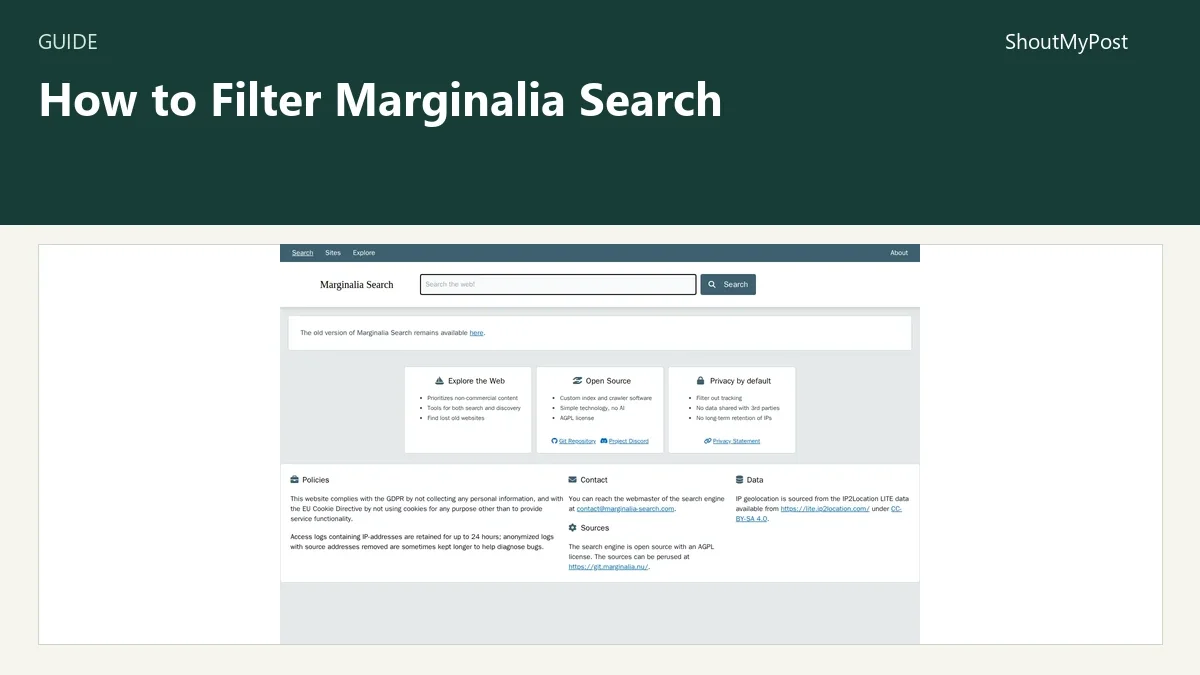
The Marginalia project page is a good starting point for the service. These instructions use its newer interface, where the editor is called Filter Settings.
1. Open the filter editor
Open the official Filter Settings page. Its main sections are Terms, Limits, Domains and Query. The top controls include Export XML, Import XML and Save.
Start with one job for the filter. For example, you might want personal repair notes about older synthesizers, or documentation from a handful of projects. Don't build one giant filter for every kind of reading. It becomes difficult to tell which rule removed a page you expected.
Keep a plain version of your query beside the filtered version. That gives you a comparison when a restrictive setting returns too little. This is especially helpful before adding a year limit or a narrow domain list.
2. Decide whether to limit or favor domains
Under Domains, Search Domains limits the search to listed domains. Excluded Domains removes listed domains. Weighted Domains changes their ranking without making them the only possible results.
Enter a domain in the matching field and click its Add button. The interface's example *.neocities.org includes subdomains; a particular hostname is a narrower choice. For an initial filter, add only the hostnames you can explain in a sentence.
Choose weighting when you want a preference. Choose an inclusion list when you want a closed collection. A research filter that includes five known sites won't discover an unfamiliar sixth site, however good its page might be. That may be exactly right for documentation and exactly wrong for discovery.
The weighted field accepts a number. Positive values raise a domain's ranking; negative values lower it. Start with modest changes so one favorite site doesn't crowd out every other source.
3. Add terms that reflect the page you want
Under Terms, use Required Terms for words a result must contain and Forbidden Terms for words you want excluded. Weighted Terms lets a term affect order without forcing every result to contain it.
Enter a term, set a weight where needed, then click the Add button in that group. A repair search might favor service manual; a personal-writing search might lower a shopping term. Those are example choices, not promises about which pages Marginalia has indexed.
Don't exclude an ambiguous word just because it appeared in one bad result. A term such as shop might also appear in a repairer's workshop notes. A hostname exclusion is more precise when your objection is to one particular website.
If you're building a filter for several people, write a short description of the intended results beside the XML file. “Personal repair notes” is clearer than “good sites.” It also makes later changes easier to discuss.
4. Use age and size controls sparingly
Limits includes Year, Size, Rank and Quality. The year is an estimated publication year. Quality describes the amount of JavaScript; its label doesn't mean factual accuracy.
Under Query, Temporal Bias offers Old, None and Recent. Use a bias when you want to change preference without declaring that all older or newer pages must disappear.
The Search Set Identifier offers sets including ACADEMIA, BLOGS and SMALLWEB. The editor says this setting does nothing when you explicitly supply search domains. Use one approach at a time while deciding how broad the collection should be.
For a repair topic, an older page may be the best page. For current installation instructions, age may be a problem. I wouldn't apply a recent-only rule to both queries just because the control is available.
5. Save the definition and keep an XML copy
Use Save to retain the filter in this browser, and Export XML to keep a portable copy. The exported file should contain the rules you entered, including domain and term choices. To bring a saved definition into another browser, open its editor and use Import XML.
Keep a second copy before making a large change. Name it after the old purpose or date so you can tell the versions apart. For a shared research setup, send the definition with a sentence about what it includes and excludes; someone receiving the file still needs to import it.
Run the search with Custom Filter selected
Saving retains the definition; it doesn't apply those rules to every ordinary search. Run your query, then select Custom Filter in the results' filter menu. The developer's illustrated guide shows Edit Custom Filter above the resulting list. The filter data is sent for that custom search. If those controls aren't available, use the query-only rules below instead of assuming an exported XML file changes the results.
The XML format also works with Marginalia's newer public API. That route is for integrations, so an ordinary browser filter doesn't need an API script or a server.
Problems reported by the project and community
The developer's filter announcement calls the editor underdocumented and describes rough edges on mobile. If a phone makes a long domain list awkward to edit, prepare the definition on a larger screen and move the XML file across. That preserves the actual rules instead of asking you to recreate them from memory.
In the February 2024 Marginalia discussion, readers praised finding technical personal pages but also ran into poor results from long, underspecified questions. The developer explained that query wording matters. For an awkward query, try the subject and the distinguishing term separately before tightening filters.
Marginalia's current API guide says the shared public key can hit rate limits and cannot create custom filters. An integration that needs its own filter needs its own key. Free noncommercial keys are available by email; a browser filter doesn't use that shared API key.
| Problem | Cause to check | Fix |
|---|---|---|
| A broad search returns very little | Too many required terms or included domains | Remove one rule and compare with the plain query |
| A predefined search set has no effect | Explicit search domains override it | Use the set or the domain list for this definition |
| A copied search URL lacks your setup | The definition stayed in browser storage | Transfer the exported XML |
| A script can't create a filter | It uses the shared public API key |
Obtain a separate noncommercial or commercial key |
Two smaller ways to use filters
For an occasional search, write a rule directly in the query. Marginalia's search help documents site:example.com keyword for searching a domain and a hyphen for excluding a term. The site-only form site:example.com opens information about that site. Add your keyword when the goal is finding its pages.
For discovery, keep the inclusion list empty and favor a few sites or terms instead. This leaves room for an unfamiliar personal page. If you want another route into that kind of web, Wiby concentrates on simple pages, while Mwmbl centers community search work.
Completion checklist
- The filter has one clear purpose.
- Each required term and domain exclusion has a reason.
- The search set isn't being overridden by an explicit domain list.
- You kept an XML copy outside browser storage.
- You retained a plain query for checking the effect of changes.
FAQ
Does Marginalia Search use AI?
Marginalia's public homepage describes its search technology as having no AI. It uses its own crawler and index, with controls for search and discovery. A domain weight changes which indexed pages you prefer; it doesn't turn the search into a chatbot. Choose it when finding original websites is the result you want from the query.
Can I keep the same filter in two browsers?
Yes, through XML export and import. The editor provides both controls, so you can carry the saved definition to another browser instead of entering every domain again. Each browser keeps its own copy. If you change one copy later, export that version and import it into the other browser when you want them to match.
Next steps
Keep the resulting pages in bookmarks or your reading list. For a different search style, Kagi Search has account-based customization, and Searx Party offers a public metasearch page. The existing Kagi lens guide covers a separate way to build a focused search, and the Search & Discovery directory has more engines to browse.
Sources
Marginalia Filter Settings, New Search Filtering in Web and API, API documentation, current homepage and search help. Official sources checked October 9, 2026. The linked Marginalia discussion supplies the user feedback.
Related articles
Directory
Listings in this article
-
Marginalia Search
Find independent and text-focused websites.