VSCodium Alternatives
Compare three VSCodium alternatives for desktop editing, cloud development, and browser JavaScript projects, with free limits and current paid pricing.
On this page
The best VSCodium alternatives depend on why you're leaving: an unavailable extension, a different editor feel, or a need to share runnable projects. My desktop pick is Zed. CodeSandbox and StackBlitz cover hosted and browser development. These picks come from official docs, pricing, and user feedback; neither browser service replaces every local-editor task.
Why people look for VSCodium alternatives
- An essential package isn't compatible. VSCodium's compatibility list names several Microsoft-specific packages that don't work and lists replacements for some tasks.
- They want shared editing built in. Zed's migration documentation describes live collaboration with code, cursors, and voice in the editor.
- They want someone else to open a runnable project. CodeSandbox's pricing page includes Browser and VM Sandboxes; StackBlitz's documentation describes a Node.js environment inside the browser.
VSCodium is still a good free editor when its extensions match your work. I would move for one of those specific jobs, instead of treating a different interface as a complete replacement by default.
Quick picks
- My desktop pick: Zed, for local editing with its own language and extension setup.
- Free browser pick: StackBlitz Personal, for public JavaScript projects.
- Team sandbox pick: CodeSandbox Build, with five members on the free workspace.
- Open-source editor pick: Zed; its editor source is public, while hosted features are separate services.
- Hosted VM pick: CodeSandbox, when the development environment needs a remote machine.
VSCodium alternatives compared
| Tool | Best for | Platforms | Free plan | Paid price | Open source | What it does better for this job |
|---|---|---|---|---|---|---|
| VSCodium | Code-style local editing | Windows, macOS, Linux | Free editor binaries | No paid editor tier | Yes; MIT binaries | Baseline: compatible Code packages and familiar controls |
| Zed | Local editing and live collaboration | Windows, macOS, Linux | Personal: free editing and 2,000 accepted predictions | Pro $10/month; $5 hosted-model tokens included, extras metered | Yes; editor source | Collaboration is built into the editor |
| CodeSandbox | Hosted development workspaces | Browser; VS Code extension available | Build: five members, private projects, unlimited Browser and VM Sandboxes; runtime depends on credits | Editor Pro from $12/month per workspace, with 100 monthly VM hours shown | Parts of its tooling; hosted service isn't a self-hosted editor distribution | A shared sandbox can carry the development environment |
| StackBlitz | Runnable JavaScript examples | Browser; Chromium has full WebContainers support | Personal: unlimited public projects and GitHub repositories | Paid plans start above the free tier | WebContainer runtime isn't an open-source desktop editor | Runs the Node.js environment in a browser tab |
Prices and limits checked October 9, 2026. “Unlimited sandboxes” is a project count, so it doesn't mean unlimited VM runtime.
Zed: the closest pick for another local editor
Zed can import supported VS Code editor settings, but its migration guide explicitly excludes extensions and keybindings. That's the detail that matters most before switching from VSCodium. Your source folder is portable; your full editor setup isn't.
Zed offers local editing on Windows, macOS, and Linux. It includes a terminal, tasks, language-server diagnostics, and live collaboration. The appeal is strongest if your daily work fits those features without a long list of specialist extensions. You can use the editor without paying for hosted AI.
What does it do better than VSCodium? Shared editing is part of the product, so you don't start by finding a compatible collaboration extension. Zed's multibuffer approach also brings related search results into an editable view. If that's how you want to make changes across files, the interface is a reason to try it.
The cost is learning its model and replacing editor-specific integrations. Zed's own documentation says its extension catalog is smaller than VS Code's. A language entry doesn't guarantee that the build panel, test explorer, or custom command you depend on has the same equivalent.
A 2026 Zed replacement discussion includes praise for global search and keeping several projects open. Other replies describe missing familiar tools or discomfort with its Git and search views. One Windows developer liked the editing feel but returned to VS Code because opening many small projects felt slower. That is a better reason to choose by workflow than a blanket speed claim.
Zed Personal and Pro pricing separates free editing from hosted extras. Personal includes 2,000 accepted edit predictions. Pro costs $10 per month with unlimited accepted predictions and $5 of hosted-model tokens. Additional hosted-model use is billed at API list price plus 10%; a spending cap is available.
My pick is the free editor first if you're changing your everyday desktop tool. You can decide whether the hosted extras are worth paying for after the editor's language support, task setup, and Git actions fit your project.
Switch if… you want a different local editor with built-in collaboration and can replace your essential Code-specific tools.
Stay with VSCodium if… a compatible extension already handles a specialist workflow you would otherwise need to rebuild.
CodeSandbox: carry the environment with the project
CodeSandbox offers two different things under the word sandbox: browser projects and development projects backed by virtual machines. The distinction is easy to miss when comparing it with a local editor. A remote VM can supply the runtime as well as the editing surface; VSCodium normally edits code on a machine you've configured.
I would choose it for a project that another person needs to open and run without copying your local setup first. Its Editor pricing view lists Build at $0 with five workspace members, private sandboxes, unlimited Browser and VM Sandboxes, and VM specifications up to four vCPUs and 8 GiB RAM.
Editor Pro starts at $12 per month per workspace and lists up to 20 members plus 100 hours of monthly VM credits. The pricing table shows different VM sizes consuming credits at different rates. A project count and a runtime allowance measure different things: creating many sandboxes doesn't buy endless compute time.
What does it do better for this job? A project can include a hosted development environment. That's handy for collaborative troubleshooting when the local machines differ. You can still use the VS Code extension listed on the pricing page, so using a hosted environment doesn't always mean doing every edit in a browser.
What does it do worse than VSCodium? The remote environment introduces service access, resource tiers, and credit usage. A local project you can run for hours on your own machine becomes a different cost decision when a VM is running. The bigger machines shown in the plan table aren't all available on the free tier.
A CodeSandbox discussion from October 2019, with later replies praises its editor, preview, React DevTools, and package installation. The original poster liked the tool but found startup too slow; later replies describe hangs. My preference is a small runnable reproduction when sharing the environment is the benefit, with the local project retained for longer work.
For a small bug reproduction, CodeSandbox may be easier to share than instructions for installing a complete local toolchain. For a large repository whose build already works on your machine, replacing the environment can introduce work before it saves any. This is a focused alternative for hosted development, with VSCodium still available for local tasks.
Switch if… your main problem is getting teammates into the same runnable development environment.
Stay with VSCodium if… your local runtime works well and you don't need a hosted VM or a service-managed workspace.
StackBlitz: a browser tab for JavaScript development
StackBlitz runs its WebContainers Node.js environment inside the browser. It is my pick for a public JavaScript reproduction or example that someone should be able to open quickly. That is a narrower job than replacing a desktop editor for every language and local program.
The important limit is browser support. StackBlitz's official WebContainers documentation lists full support in Chrome and other Chromium browsers, with beta support in Firefox and Safari. It describes preview-frame restrictions in those beta browsers and recommends opening the preview in a separate window when third-party assets are blocked. A browser editor can still be sensitive to which browser opens the link.
The free Personal plan includes unlimited public projects and GitHub repositories. A GitHub account is needed to save work or collaborate. Organization repositories and private access introduce paid plans. Paid plans start above the free tier.
What does it do better than VSCodium for this job? The example and its runnable environment can be shared as a browser project. StackBlitz's docs describe embedding projects and creating bug reproductions. That can reduce the gap between a written bug report and the file another developer needs to run.
What does it do worse? It focuses on the JavaScript ecosystem and the browser environment. It isn't a replacement for an arbitrary local language toolchain, GPU application, or desktop integration. Browser memory and compatibility are part of the decision, particularly for larger projects and mobile devices.
In a February 2023 Hacker News discussion, readers liked the idea of starting web environments for prototypes inside company networks. A May 2025 issue reports that Zen, a Firefox-based browser, wasn't recognized as compatible on StackBlitz. That is a concrete downside to the browser route: a browser's underlying engine doesn't always mean the service accepts it the same way.
My verdict is StackBlitz for public runnable JavaScript examples. I wouldn't move a local project just to use a browser unless the sharing or setup benefit is the point. VSCodium can remain your daily editor while StackBlitz hosts the smaller example you send to someone else.
Switch if… you need a shareable JavaScript project and a supported browser is an acceptable editing environment.
Stay with VSCodium if… the project needs local programs or extensions outside StackBlitz's browser development model.
Other common picks
Visual Studio Code is the closest choice when you need Microsoft's distributed editor and its supported packages. Neovim is a terminal editor with a different configuration model. Sublime Text is another desktop editor, while IntelliJ IDEA is worth considering for a fuller language-focused development environment.
Moving your project out of VSCodium
Start with your source folder or Git repository. Those files aren't stored in a VSCodium-only format. Keep repository configuration such as package manifests and build scripts with the code; they describe the project independently of the editor.
For Zed, rebuild the editor-specific pieces separately. Its documented VS Code import supports settings such as fonts and tab size, but doesn't bring over packages or shortcuts. The guide documents .zed/settings.json for project-specific settings and says there is no .code-workspace equivalent. Don't treat a workspace file as the application code itself.
For CodeSandbox and StackBlitz, choose a project that fits the offered environment. A JavaScript example and a repository with a custom native toolchain won't have the same path. CodeSandbox separates Browser and VM Sandboxes; StackBlitz's runtime is the browser-based Node.js environment. The source files can move while the way they run changes.
Keep the original repository available until the new environment can perform the task you moved for. For a reproduction, that means the reported error can still be triggered; for a shared development project, it means the documented build and run steps work. Those are specific completion checks, without treating every editor preference as something that must migrate.
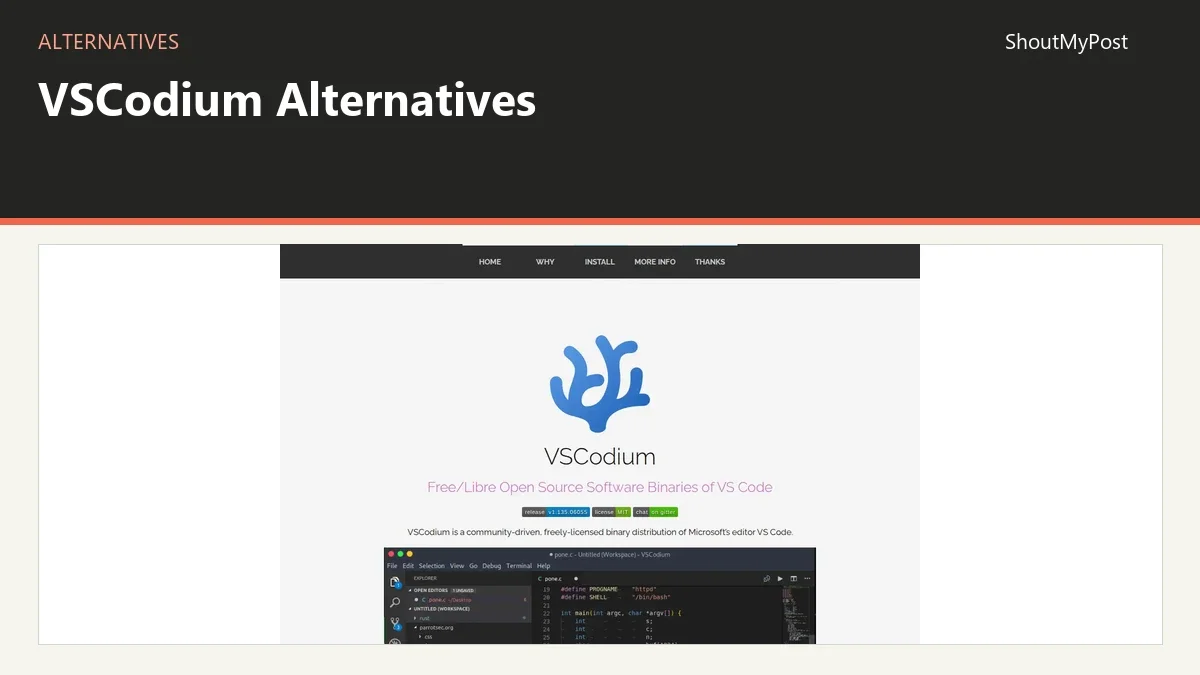
Browse IDEs and code editors for other editing models and development tools for the surrounding workflow. The VSCodium project page is the baseline for this choice.
FAQ
What is the best free VSCodium alternative?
Zed is my free desktop pick if its languages and integrations fit your project. Personal includes free editing and 2,000 accepted edit predictions. For a public JavaScript project you want to share in a browser, StackBlitz Personal offers unlimited public projects and GitHub repositories, with a GitHub account needed to save work.
Is CodeSandbox free for a small team?
Yes, CodeSandbox Build lists five members on its free workspace. It includes private projects and unlimited Browser and VM Sandboxes, but VM runtime uses credits. The Editor Pro plan starts at $12 per month per workspace and lists up to 20 members plus 100 hours of monthly VM credits.
Can StackBlitz replace VSCodium for every project?
No, StackBlitz is a browser development option focused on the JavaScript ecosystem. Its WebContainers environment runs Node.js inside the browser. It is a good fit for runnable examples and supported web projects; a project depending on other local programs or a specialist desktop extension needs a different environment.
Will my VSCodium extensions work in Zed?
They won't transfer as Code extension packages. Zed uses its own catalog, and its documented settings import excludes extensions and keybindings. Find the equivalent language support or built-in feature for each essential task. Keeping VSCodium installed for one specialist package is a reasonable option while you change daily editors.
Sources
Official VSCodium compatibility docs; Zed pricing, migration, and licenses; CodeSandbox Editor pricing and sandbox docs; StackBlitz pricing, WebContainers support, and user guide. User and developer stories are linked beside their claims. Checked October 9, 2026.
Related articles
Directory listings
Other options
Open a listing to review its directory details and current site link.
-
Alternative
Zed
Zed is a high-performance, multiplayer code editor created by the developers of Atom and Tree-sitter. Built from scratch in Rust to leverage multiple CPU cores and GPU resources, it is designed for speed, real-time collaboration with other users, and AI-assisted editing. The editor is available for macOS, Linux, and Windows.
-
Alternative
CodeSandbox
CodeSandbox is a cloud development platform that enables developers to code, collaborate and ship projects of any size from any device. Following its merger with Together AI, it offers the CodeSandbox SDK for programmatically creating isolated sandboxes for instant code execution in AI agents and code playgrounds. The platform provides secure, scalable environments with features such as quick start, auto-resume and customizable hibernation.
-
Alternative
StackBlitz
StackBlitz is a collaborative browser-based IDE for web developers that runs development environments inside the browser through WebContainers, avoiding time-consuming local configuration. It also offers Bolt, which turns text into working web apps in the browser. The free Personal plan includes unlimited public projects and GitHub repositories.