Immich Alternatives
Find Immich alternatives for a wider file workspace or hosted phone uploads. Compare Nextcloud, pCloud, and Dropbox, with current limits and migration tips.
On this page
Immich alternatives make sense when running a photo server is more work than you want, or photos need to share a workspace with other files. My pick for keeping your own server is Nextcloud. For hosted uploads, start with pCloud. These choices come from official documentation, pricing, and user discussions.
Why people look for Immich alternatives
- They want documents beside the photos. Nextcloud Files includes a general file workspace and Office integration.
- They want the storage provider to run the server. pCloud Automatic Upload describes phone photo and video uploads into a hosted account.
- They prefer a camera-upload folder within an existing file account. Dropbox's camera-upload help describes mobile uploads and a desktop route for connected devices.
- They want a different way to manage existing folders. Immich's external-library documentation shows that indexing a folder is separate from importing everything through the phone app.
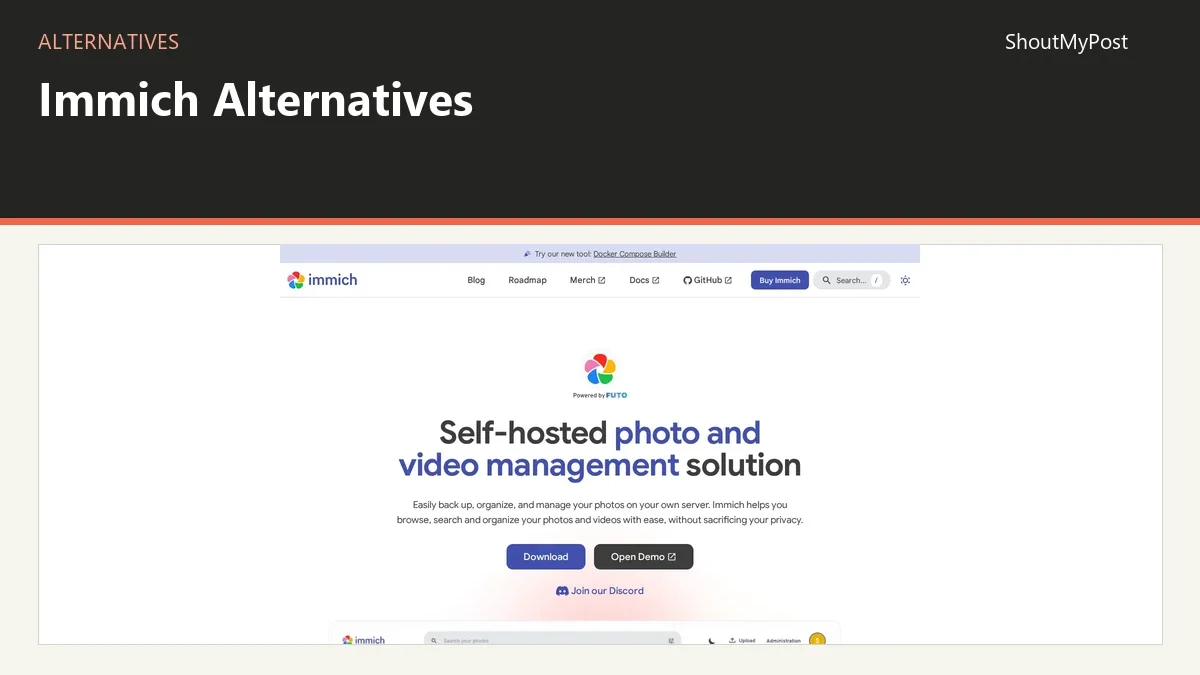
The Immich project page is the starting reference for the original tool. Don't leave simply because it has an optional supporter purchase: its software doesn't put extra features behind that payment. The bigger decision is who should run the archive and how you want to browse it.
Quick picks
- Best starting choice for one server holding files and photos: Nextcloud.
- Best free software choice: Nextcloud, with hosting paid or supplied separately.
- Best for shared files around the photo collection: Nextcloud.
- Best open-source option here: Nextcloud.
- Best hosted starting point for phone uploads: pCloud.
- Best if your collaborators already use Dropbox: Dropbox.
Compare the three Immich alternatives
Official prices and limits checked October 9, 2026. A hosted file service replaces the storage or upload job; it doesn't automatically reproduce Immich's complete photo experience.
| Tool | Best for | Platforms | Free offer | Paid cost | Open source | What it adds over Immich |
|---|---|---|---|---|---|---|
| Nextcloud | Photos within a wider file workspace | Web, Windows, macOS, Linux, Android, iOS | Free server software; provider capacity varies | Hosting depends on the provider or your own server | Yes | General files, shared folders, Office integration |
| pCloud | Hosted phone uploads and archive access | Web, desktop, Android, iOS | Up to 10GB through account tasks | Displayed lifetime offers: 500GB $219 one-time; 2TB $499 one-time | No | Provider-run storage without operating a photo server |
| Dropbox | Camera uploads in an existing hosted workspace | Web, desktop, Android, iOS | Basic: 2GB | Paid plans start above the free tier | No | A camera-upload folder within a general file account |
Nextcloud: photos alongside the rest of your files
Nextcloud is my first alternative when the real problem is having separate accounts for pictures, documents, and shared folders. Its Photos features include albums, a photo editor, and recognition tools described on the official home-user page. You can keep an event's images alongside the files that explain it.
A family trip often produces more than camera shots: reservations, a shared expenses sheet, and maps or documents people want afterward. Nextcloud's broader workspace gives those files a place without turning them into fake photo-library entries. That is the job it replaces best here.
Its free server software doesn't set a universal hosted storage allowance. Capacity comes from your server or the provider you choose. Paid hosting should be compared as an actual plan; don't substitute an enterprise-support quote for the cost of a personal account.
Nextcloud does better when you want ordinary file paths and accounts to be the center of the archive. It does worse as an escape from server maintenance if you install it on the same machine yourself. My verdict is Nextcloud for a mixed archive, with a managed provider worth considering when administration is what you want to remove.
In a July 2025 mobile-photo discussion, an iOS owner wanted the app to find photos that hadn't reached the server without restarting a whole-library upload. A reply discussed Android's existing-file choice. That isn't a confirmed iOS fix. Before committing to the move, try the actual phone platform and compare old images with one newly taken picture.
The migration needs a folder plan. Decide whether the family gets separate private folders, a shared event folder, or both. Copy one event first and ask another person to open the intended items. Naming the destination around a date or event is more useful than putting the entire camera library in an unexplained folder.
Switch if photos belong in a general file workspace and you're comfortable choosing its host. Stay with Immich if the main reason to open the service is browsing a dedicated photo timeline.
pCloud: keep uploads without running a photo server
pCloud replaces the hosted-storage job. Its Automatic Upload page describes a one-way phone upload: deleting a photo from the phone leaves the uploaded copy in pCloud. That's a better match for someone who wants a provider-held collection than another service they must run at home.
The free account can reach 10GB by completing account tasks. On October 9, 2026, its pricing page displayed lifetime offers of 500GB for $219 one-time and 2TB for $499 one-time. Those are the displayed offers, not a promise that every future visitor will see the same promotion.
My pick is pCloud when server work is the main reason to leave Immich. The provider keeps the available account copy, so your home computer doesn't have to remain online for another device to access it. You give up choosing and operating the photo-library server yourself.
The strongest part of this switch is that the file account can serve other storage jobs too. Finished video exports and selected documents can sit alongside camera uploads. Keep working drafts separate from the photo archive so a recipient doesn't have to sort through editing projects to find the finished material.
A March 2026 pCloud discussion included a satisfied customer who praised access and backup organization while reporting skipped automatic uploads. That mixed experience is a good reason to compare a named sample of photos and videos after the first transfer. A pleasant gallery isn't enough if the clip you wanted never arrived.
The weakness is changing from a photo service under your control to a provider account. It may be an easier operating setup, but its account terms and storage choices become part of your archive. Don't choose a lifetime offer solely because it removes a monthly payment; choose the capacity that fits the original files you intend to keep.
For a collection you rarely edit, I would organize folders by event or year and save a small written inventory beside them. For phone uploads, keep an initial album small enough to inspect. Those two paths serve different jobs: moving an old archive and collecting new camera material.
Switch if you want hosted phone uploads and pCloud's capacity and payment choices fit the archive. Stay with Immich if owning the photo server and its search experience matters more than removing administration.
Dropbox: camera uploads inside the account you already use
Dropbox is the practical pick when the household or collaborators already exchange files through Dropbox. Its camera-upload help documents phone photo and video uploads, plus uploads when a mobile device is connected to a computer running the desktop client. That gives an existing file account another job.
Basic includes 2GB. That's enough to check the upload and sharing path with a sample, but a sizeable camera library needs more capacity. Paid plans start above that free tier; the checked pricing page didn't supply clear US-dollar billing terms for this research, so I wouldn't put a guessed subscription amount into the decision.
I prefer Dropbox for an archive whose next action is file sharing. A photographer delivering selected images can use a workspace other people already know. It is less compelling as a replacement for the whole browsing experience of a photo-focused household library.
The weakness is that folder access and photo discovery aren't the same job. Before moving, write down what family members actually do: find a person, browse a trip, download a video, or receive a folder. If most tasks start with a memory and no filename, retaining Immich may still make more sense.
An older Dropbox camera-upload support thread describes a previously automatic iPhone-to-Mac transfer that stopped. Support asked for the desktop version and suggested toggling camera uploads. Keep the phone and desktop paths separate when diagnosing that symptom; a phone upload that works doesn't prove the connected-device route is configured.
Dropbox's current camera-upload help was updated September 21, 2026. Use it to choose whether the initial collection comes through the phone or through a connected computer. A repeatable route matters more than trying several upload methods against the same full library at once.
My verdict is Dropbox when adopting another service would add work to a household already using it. For a new photo-only archive, pCloud is the hosted starting point I would compare first. For a dedicated self-hosted gallery, these file-account choices don't erase the reasons people choose Immich.
Switch if camera uploads should enter an existing Dropbox workspace with enough capacity. Stay with Immich if you want a dedicated photo library with its own discovery tools.
Other common picks
PhotoPrism is another self-hosted photo-library option. Google Photos is a hosted photo service for people who want an account-based gallery.
Moving the originals out of Immich
Start with a list of the collections you need: phone uploads, shared event albums, and any external folders. Those can enter Immich through different routes. If an external folder already contains the originals, treat that folder as part of the move instead of downloading a second copy of everything without a plan.
Immich's FAQ says original assets stay untouched. For edited pictures, its Editing guide explains that a download includes the edited version by default, with an option to choose the original. Decide which version belongs in the new archive, then inspect a small event's files outside the original server before moving the next batch.
The new service won't inherit Immich's accounts, shared links, or search index merely because you copied image files. Decide which albums need to be recreated and which people need new access. Save a short record of each shared event while the original library still explains its contents.
For a large library, divide the move into named groups you can count. An event with a recognizable opening shot and a final video is easier to inspect than an unmarked transfer of thousands of files. Keep completed and pending groups separate so an interrupted upload doesn't force you to restart your inventory.
Read the destination's upload instructions before sending the first full group. Dropbox's camera-upload guide covers the mobile and connected-desktop routes. Nextcloud's user manual documents file access and sharing; pCloud's Automatic Upload page covers its phone-upload route.
For related choices, browse file utilities and file hosting and sharing. Syncthing can synchronize a folder between your devices, but it isn't a replacement for these photo galleries or hosted accounts.
FAQ
What is the best free Immich alternative here?
Nextcloud is my pick for free server software when photos need a wider file workspace. It includes Photos alongside general file access and sharing. You still need storage and a host, so the free software doesn't mean a free hosted archive. Pick it for the mixed-file job, especially if that server already exists.
Which alternative removes the need to run a server?
pCloud and Dropbox provide hosted accounts, so you don't operate their storage servers. pCloud is my starting choice for new phone uploads; Dropbox fits an existing file workspace. Both put capacity and account access into the provider relationship. Compare the archive's original-file size with the plan before moving a whole camera library.
Is Dropbox Basic large enough for a photo library?
Dropbox Basic includes 2GB, which is a sample-sized allowance for a substantial photo and video archive. Use it to confirm the upload path and how another person receives the files. Then compare paid capacity against the whole collection, including videos, instead of estimating the archive from the number of photos alone.
Will my Immich album links keep working after a move?
The new service creates its own links and accounts. Copying the image files doesn't redirect an Immich album address to the new destination. Make replacement shares for the events people still use, then update the places where those links were posted. Keep an inventory of old shares until the new access path works.
Can I move only part of the library?
Yes, you can plan a move around selected assets or albums instead of replacing the whole archive at once. Start with one event whose contents you can recognize and inspect in the new service. A partial move also lets you compare the intended recipient's access before rebuilding every shared album in another account.
Sources
Nextcloud Files, Home Users, and file-sharing documentation; pCloud Automatic Upload, free-storage information, and Pricing; Dropbox Basic, Plans, and camera-upload help; Immich FAQ and External Libraries. Official facts checked October 9, 2026. The linked discussions cover incomplete uploads and camera-transfer questions.
Related articles
Directory listings
Other options
Open a listing to review its directory details and current site link.
-
Alternative
NextCloud
Nextcloud is the most popular open source content collaboration platform, used by tens of millions of users across thousands of organizations globally. Its Nextcloud Hub next-generation digital workspace offers products including file sync and share, video conferencing, groupware, real-time document collaboration, a local AI assistant, and automation tools, with solutions tailored for enterprise, public sector, education, and critical infrastructure use cases.
-
Alternative
pCloud (Storage)
pCloud is a Swiss-based secure cloud storage service. It allows users to store, sync, and share files including photos and documents across any device, with up to 10 GB of free storage available. Users can choose to store their data in data centers located in Europe or the United States, and the service uses encrypted data centers for file protection.
-
Alternative
Dropbox
Dropbox is a cloud storage and file sharing platform designed for secure collaboration. It offers tools for storing, sharing, and accessing files across devices, plus additional products including video review, digital document signing, company content organization, and AI integrations. The service is used by over 700 million registered users, with solutions tailored for teams, industries including construction, technology, manufacturing, media, education, and enterprise use cases.