




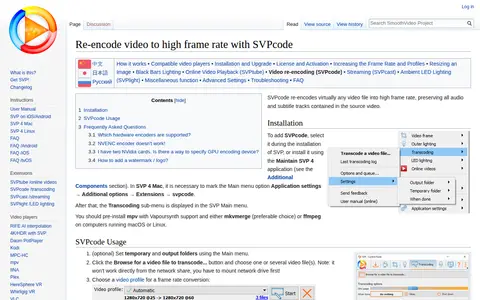

SVPcode is a component of the SmoothVideo Project that re-encodes video files into high frame rate, preserving all audio and subtitle tracks from the source video. It is added during SVP installation or through the Maintain SVP 4 application. Basic settings offer H.264 or H.265 codecs and software or hardware encoders.
DaVinci Resolve
DaVinci Resolve is a single application combining editing, color correction, visual effects, motion graphics, audio post production and photo editing. It is available in free and paid versions for Mac, Windows and Linux. DaVinci Resolve 21 introduces a Photo page and new AI tools.
Platforms
- Free and paid versions for Mac, Windows and Linux Source: www.blackmagicdesign.com
Pricing details
- Davinci Resolve Studio $236 Source: www.blackmagicdesign.com
Links
Tags
-
0SVPcode is a component of the SmoothVideo Project that re-encodes video files into high frame rate, preserving all audio and subtitle tracks from the source video. It is added during SVP installation or through the Maintain SVP 4 application. Basic settings offer H.264 or H.265 codecs and software or hardware encoders.
-
0MotionPlaces offers royalty-free stock video footage for personal and commercial projects. Its collection includes high quality 4K clips, and clips can be licensed by purchasing a Motion Places Pro License.
-
0Blender is a free and open source 3D creation suite supporting the 3D pipeline, including modeling, rigging, animation, simulation, rendering, compositing, motion tracking, video editing and game asset creation. It is cross-platform and runs on Linux, Windows, and Macintosh computers.
-
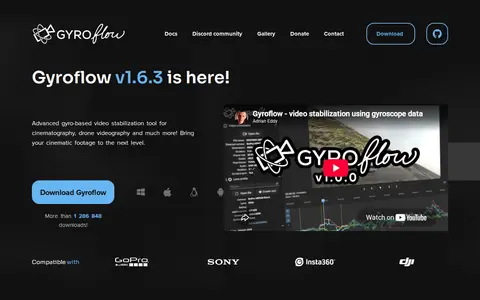
0Gyroflow is a gyro-based video stabilization tool for cinematography and drone footage. It corrects lens distortion and includes customizable smoothing algorithms with horizon leveling, supports gyro data from several camera and drone sources, and offers realtime preview, GPU processing and plugins for DaVinci Resolve and Adobe.
-
0FreeVideoEffect provides, distributes and shares premium resources for video editing on software such as Adobe Premiere Pro, Adobe After Effect and Final Cut Pro. The materials are stated to be provided solely for educational purposes.
-
0A free browser-based tool for cropping video files, using HTML5 and JavaScript so files are processed locally without upload. Users set the cropping area with the mouse or by entering values and can set start and end times. Output format can be configured, and supported formats include MP4, WEBM, MOV, FLV, MKV and AVI.
Community notes
Reviews and discussion
No reviews yet
Be the first to share how this project worked for you.
Join the discussion
Sign in with a verified account to leave a review or join the discussion.
Sign in to review