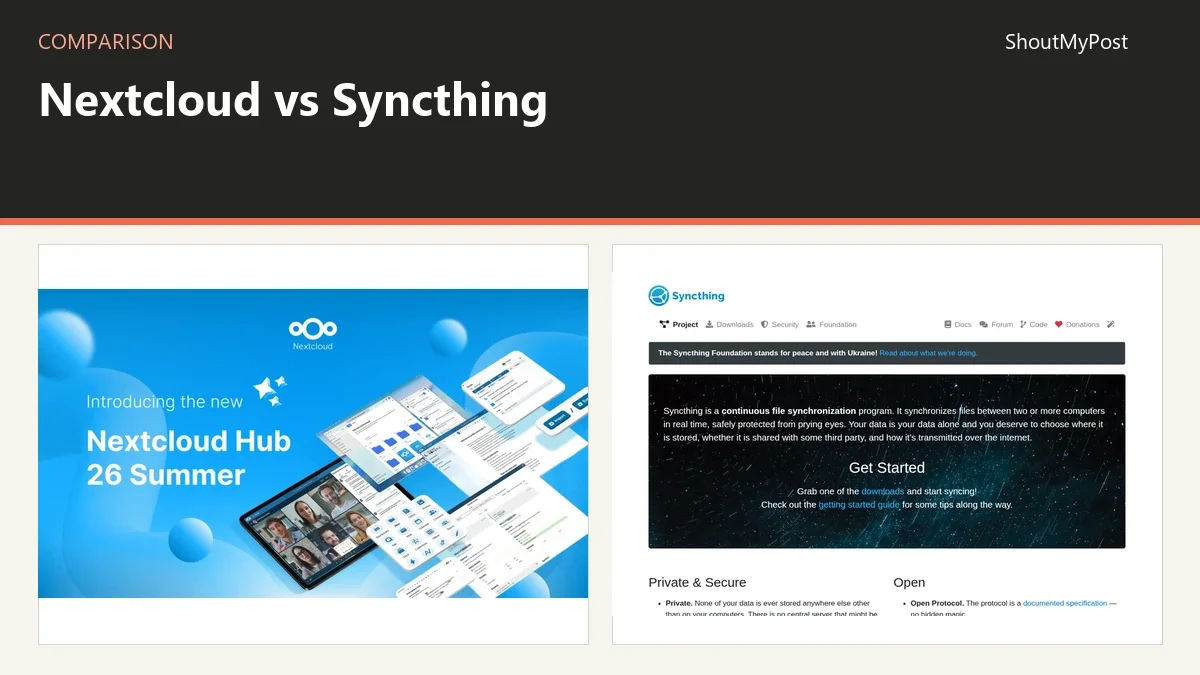
Nextcloud vs Syncthing
Nextcloud vs Syncthing: choose browser sharing or direct device sync. Compare software, server work, mobile access and what happens when devices go offline.
On this page
My winner in Nextcloud vs Syncthing is Nextcloud for sharing files with other people. Pick Syncthing when you mainly want the same folders on your own computers. Its browser interface manages sync; it doesn't turn those folders into a public download website. That difference matters more than a speed claim.
Nextcloud vs Syncthing at a glance
Nextcloud is a server-based workspace with browser file access. Syncthing connects trusted devices and synchronizes their folders. Both can be self-hosted, but that phrase hides very different amounts of work and different ways to retrieve a file.
| Factor | Nextcloud | Syncthing | Official source and check date |
|---|---|---|---|
| Free software | Community server software; supply hosting and storage | Free synchronization software; supply your devices and storage | Project download sites, October 9, 2026 |
| Paid price | Hosting depends on provider; enterprise support is separate | No paid storage tier from the Syncthing project; commercial support is separate | Nextcloud install; Syncthing homepage, October 9, 2026 |
| Capacity | Server capacity and account quota | Space available on the participating devices | Nextcloud administration; Syncthing FAQ, October 9, 2026 |
| Platforms | Browser; Windows, macOS, Linux, Android and iOS clients | Windows, macOS, Linux and other systems; mobile availability depends on client | Official downloads and Syncthing FAQ, October 9, 2026 |
| Sharing | Public links, internal users/groups and federation | Shared folders between accepted devices | Nextcloud sharing manual; Syncthing homepage, October 9, 2026 |
| Integrations | WebDAV and Nextcloud apps | Documented protocol and local management API | Nextcloud install; Syncthing documentation, October 9, 2026 |
| Open source | Yes | Yes | Official source repositories, October 9, 2026 |
| Release/update evidence | Install page lists 35.0.1, September 24, 2026 | Maintained release channel linked from project downloads; no cross-client version assumed | Official download pages, October 9, 2026 |
| File location | On your chosen Nextcloud server, plus synced copies | On the devices you pair; no central project storage account | Nextcloud install; Syncthing homepage, October 9, 2026 |
| Network protection | Depends on server deployment and enabled features | Device authentication and TLS, including relayed transfers | Nextcloud security docs; Syncthing security docs, October 9, 2026 |
My starting question is simple: does the other person need a URL, or does another computer need a local folder? An accountant collecting a PDF and your laptop receiving a project directory are different recipients. A tool can handle one beautifully while making the other awkward.
Browser access and public handoffs favor Nextcloud
Nextcloud lets a recipient use a browser without installing your sync software. Its public links can carry a password and an expiration date. That is a good match for sending a completed package to a client or making a temporary file available outside the team.
Internal users and groups are another reason to choose it. A workspace can have people who need access to selected material but shouldn't receive every project. Its file interface gives them somewhere to browse, download and upload according to the share's rights.
Syncthing's browser interface serves a different purpose. It displays devices, folders and sync state for the local instance. Pairing a recipient's device to a shared folder asks for a stronger relationship than sending a download link. That is reasonable for your own desktop and laptop; it's a poor default for a one-off external recipient.
A public handoff also needs an available endpoint. With Nextcloud, the server can serve the download while your laptop is shut down. Your server or hosted provider still has to be running, and its network connection still sets the pace. Paying for a server doesn't make those details disappear.
For exact controls, use the expiring Nextcloud share-link guide. The comparison's decision is about whether you need that sharing system at all. Building it solely to copy a private folder between two computers adds a service the recipient never uses.
Winner for a browser workspace and client handoffs: Nextcloud.
Direct folder sync favors Syncthing
Syncthing sends changes between devices that know and accept one another. It doesn't upload your files into a storage account run by the project. A desktop and laptop can exchange a working folder, and an always-on machine can become another peer if you want one.
The devices need to be online together for an exchange. If you edit a file on a laptop, switch it off, and later turn on a desktop that never received the change, the desktop can't retrieve that new version from an absent cloud account. An always-on peer can help with availability, but it is still hardware you operate.
That setup is attractive when the files already belong on each machine. A source-code directory or a collection of text documents fits the model better than a huge archive you want to browse without downloading. Decide which folders actually need a local copy before pairing everything.
For a large collection, storage multiplies across peers. Two devices holding the full folder need room for two complete local copies. Syncthing removes the central service bill; it doesn't remove the need for disks, power or a machine available at the right time.
Its official FAQ also explains slow synchronization: relays, low-powered devices and network limits can all matter. If a connection uses a relay, diagnose why direct connectivity failed before treating the result as a verdict on every Syncthing setup.
Winner for keeping selected local folders aligned: Syncthing.
Hosting work and mobile access change the choice
Nextcloud offers an account experience, which means someone operates the server behind it. That person handles the database, storage, updates and a recovery plan. A managed provider can take on part of the work, but the account's quota and service terms then come from that provider.
The official install page offers desktop clients for Windows, macOS and Linux, plus Android and iOS apps. It also links the maintained All-in-One deployment and hosted signup choices. I recommend a managed account when browser sharing is valuable but server administration isn't something you want to learn.
Syncthing can avoid that central web application. You still need to install it on each participating device and manage which folders each peer receives. A folder with a fixed purpose is easier to maintain than a changing collection of overlapping shares. Start with one pair of machines and one clearly named folder.
Mobile support needs special attention. The Syncthing team doesn't plan an official iOS client; its FAQ points to third-party options and explains iOS background-processing limits. An iPhone workflow deserves its own client check instead of assuming that a desktop installation proves the whole household is covered.
Nextcloud has an advantage when several people want account-based access across phones and computers. Syncthing has an advantage when the participating devices and folders are few enough to describe on one sheet. If the task becomes “invite this client, let that coworker browse, keep this library online,” I prefer Nextcloud's account model.
Winner for mixed browser and official mobile-app access: Nextcloud. Winner for avoiding a central workspace server: Syncthing.
Data control depends on where the copies live
Both products let you choose the machines that store your files. Nextcloud puts a server at the center; Syncthing puts the accepted peers at the center. Neither choice alone answers who can physically access those machines or recover their disks.
The Syncthing project describes encrypted, authenticated transfers. Relays forward that encrypted traffic; they don't turn into a storage locker containing a readable copy of your documents. Files on your endpoint disks are a separate part of the setup, so device protection still matters.
Nextcloud's server location is whichever deployment or provider you choose. A family server at home and an organization-managed server in a data center aren't interchangeable just because both show the same web interface. Decide who maintains the server and who can access its storage before moving a sensitive team folder.
I prefer an independent recovery copy outside the everyday sync path. Put the restore procedure on the same planning sheet as the folders and devices. That recommendation applies especially when you're replacing a hosted provider's recovery features with a system you now operate yourself.
Winner for direct control of peer storage: Syncthing. Winner for a centrally managed access model: Nextcloud.
What users say
A March 2026 discussion starts with a five-year Nextcloud user who had synchronized several terabytes without major issues but wanted less maintenance and better responsiveness. Their early Syncthing experience met the file-sync goal, while the Windows agent felt less polished for a routine of pausing and resuming transfers.
That is a helpful split: Nextcloud earned praise for a long-running setup and criticism for the work around it. Syncthing earned praise for concentrating on folder synchronization and criticism for the particular desktop-control experience. The decision would change if that same person also needed public links and browser document access.
My recommendation is to keep the first migration small. A working document folder gives you a clear way to review the new routine. Moving the entire archive before deciding how devices connect can turn a workflow choice into a storage cleanup project.
Choose Nextcloud if…
- People need to browse files without pairing a device.
- You send public links or manage internal user access.
- A provider or teammate can operate the server.
Choose Syncthing if…
- The main job is synchronizing local folders between trusted machines.
- You can arrange simultaneous availability or keep a peer online.
- You don't need the sync tool to supply a public file portal.
Other options
Dropbox is my hosted starting point for a team working in familiar synced folders; pCloud is an option for mounted cloud-drive access. Immich is a specialist for a photo and video library. Browse file-sharing tools for different handoff models.
FAQ
Can Syncthing replace a Nextcloud server?
Yes, when the server's only job is synchronizing files between your own machines. Syncthing exchanges folders between accepted peers and doesn't supply a Nextcloud-style public file portal. If coworkers still need browser access, account permissions or public links, a folder-sync replacement leaves those parts of the workspace unanswered.
Does Syncthing upload files to a central cloud?
No, the project doesn't provide a central cloud storage account for your files. Data passes between your configured devices, with encrypted relay connections available when a direct route fails. An always-on server you add is another peer under your control, and it needs enough local storage for the folders it receives.
Is Nextcloud free to run?
The community server software is free, but running a server can cost money. Hosting, storage and administration come from your own setup or provider. Nextcloud's install page also links hosted signup options, so someone who wants an account without operating the server can choose a provider and its actual capacity.
Can I use Syncthing on an iPhone?
Third-party clients exist, but the Syncthing team doesn't plan an official iOS app. Its FAQ points to independent options and explains the background-processing limits involved. Check the chosen client's behavior for your intended folders; a desktop peer running continuously doesn't make an iPhone app run continuously in the background.
Sources
Nextcloud install and sharing manuals; Syncthing project, FAQ, security and relay documentation; linked March 2026 discussion. Official facts checked October 9, 2026.
Related articles
Current evidence
Verified facts
Each value shows its source and when it was checked.
No shared facts have current source and check-date evidence yet. Facts without that evidence are left out.