Capy Reader vs KrISS feed
Capy Reader vs KrISS feed: compare free Android reading with a self-hosted browser inbox, OPML migration, refresh jobs and the work each setup leaves you.
On this page
Capy Reader is my pick for Android reading with little setup. Choose KrISS feed if the goal is a browser inbox on a server you operate. Both offer free software, but the Capy Reader vs KrISS feed decision is mostly about where you read and who maintains the reader.
Capy Reader now plays audio enclosures from feeds, yet its developer says it isn't intended as a full podcast app. That is a welcome extra for an article reader, not a reason to move an entire podcast library. KrISS feed focuses on a web interface for subscriptions and articles.
Capy Reader vs KrISS feed at a glance
| Factor | Capy Reader | KrISS feed | Source; checked |
|---|---|---|---|
| Software price | Free, no ads or in-app purchases | Free software | Capy Reader FAQ; KrISS feed repository; Oct 9, 2026 |
| Free limits | No paid app tier listed | No commercial tier listed | Official product descriptions; Oct 9, 2026 |
| Platforms | Android 11+ | Browser interface on a PHP server | Capy FAQ; KrISS repository; Oct 9, 2026 |
| Local or hosted | Local feeds or a supported account | Self-hosted web reader | Official feature lists; Oct 9, 2026 |
| Accounts/integrations | Feedbin, FreshRSS, Miniflux and compatible Google Reader API services | Shaarli sharing and documented plugins | Capy FAQ; KrISS feature documentation; Oct 9, 2026 |
| Subscription transfer | OPML import for local accounts; OPML export | OPML import and export | Capy settings source; KrISS feature list; Oct 9, 2026 |
| Reading controls | Feed list, full-content mode; opt-in audio enclosures | Folders, stars, list/expanded views, keyboard shortcuts | Official descriptions and audio announcement; Oct 9, 2026 |
| Refresh | Phone fetches local feeds; supported service supplies synced content | Manual, JavaScript or scheduled server refresh | App account/source information; KrISS docs; Oct 9, 2026 |
| Open source | GPL-3.0 repository | Public source; author describes free-software freedoms | Official repositories; Oct 9, 2026 |
| Update information | Stable distributions and separate nightly package | Main repository README identifies version 8 | Official repositories; Oct 9, 2026 |
| Data location | Phone for local feeds; selected server for a connected account | Chosen hosting server | Documented account and hosting architecture; Oct 9, 2026 |
| Extra costs | Optional hosted account or self-hosted server | Hosting and upkeep | Software/account setup documented by each project; Oct 9, 2026 |
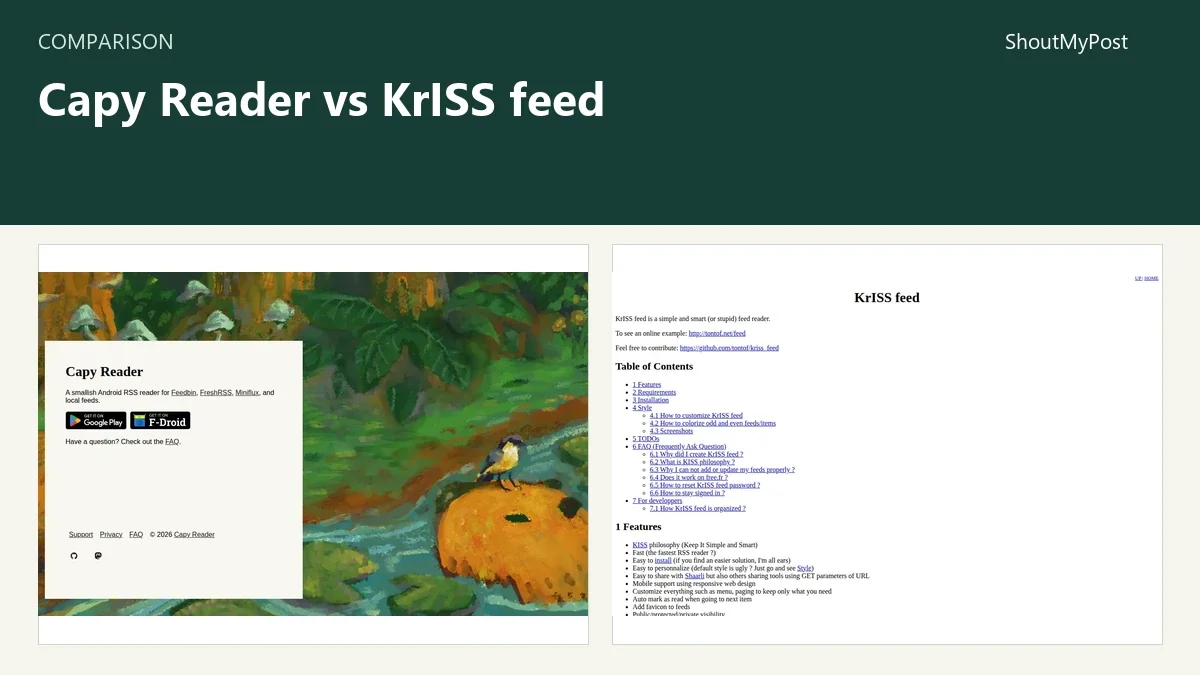
The Capy Reader listing and KrISS feed listing give you the two directory entries. A free download and a free complete reading setup can be different things: an optional service account or server still has its own cost.
Android convenience versus browser access
Capy Reader puts the reading interface on an Android device. Its official FAQ lists Android 11 and later, with downloads through Google Play, F-Droid and other named distributions. For one phone, the local account is enough to start with publication feeds.
That is the easier recommendation for someone who wants headlines on a commute and articles on the sofa. You install the reader and add subscriptions without first finding PHP hosting. A server account is optional, so the first decision doesn't have to include a server dashboard.
KrISS feed puts the interface on a website. Its repository distributes the compiled reader as an index.php file and says no SQL database is needed; the feature guide describes the server setup. Once the installation is running, a browser can be the reading screen on different computers.
The gain is a central inbox you can reach without an Android client on every device. The tradeoff is that a server must run it. A file-based application has fewer setup components than one needing a separate database, but someone still owns updates, stored files and backups.
Capy Reader's platform reach is the weakness here. It isn't a Windows browser reader or an iPad app. KrISS feed's weakness is the work behind that wider browser access. If you only read on one Android phone, operating a web reader can be an oversized answer to a small job.
A mixed-device setup may make a supported RSS server plus Capy Reader more attractive than replacing the client with KrISS feed. The desktop browser reads the server's own interface while the phone uses its Android client. KrISS feed doesn't appear in Capy's documented supported-account list, so these two aren't a confirmed client-and-server pair.
Winner: Capy Reader for a phone; KrISS feed for a browser inbox on your hosting.
Refreshing feeds leaves work in different places
With local feeds, Capy Reader fetches the publications from the phone. Its account settings include refresh controls. With a connected service, the app reads that service's account, so the server's feed fetching matters as well as the phone's refresh.
KrISS feed documents manual updates, JavaScript updates and cron-based refresh. A reader who wants new articles ready before opening the browser needs the appropriate server schedule. Opening a website and expecting an unattended background job are two different ways to use it.
This is where the no-database detail can distract from the real maintenance question. You may avoid creating a SQL account, yet still need to arrange refreshes. A web reader on hosting that cannot reach publication feeds has no new material to display.
For an occasional reading session, manual refresh can be enough. For a morning inbox, a working update schedule is part of the setup. The cost comparison should include the hosting package that can do that job, not just the $0 software download.
Capy's existing supported accounts can reduce the change if you already use one. The app becomes another client for the subscription service instead of a second feed collection. KrISS feed is a separate central reader, so it makes most sense when that is the system you want to maintain.
Winner: Capy Reader for local setup; KrISS feed when server refresh is already part of your routine.
Reading features serve different habits
Capy Reader's full-content mode can fetch article text when the feed gives an excerpt. Its FAQ also describes the failure case: individual sites may not work with the parser. For an affected publication, opening the original article and reporting the site is more productive than importing the feed again.
Audio enclosures are an additional feature, enabled in the developer's January 2026 announcement under Settings > General > Audio player. That announcement also sets the scope: feed audio inside a reader. A podcast subscription with advanced queue and library expectations calls for a different product decision.
KrISS feed offers list and expanded views, stars, folders and keyboard shortcuts. Those controls fit a browser reading session where you clear headlines, open selected items and keep a few for later. Its documentation also describes link sharing through Shaarli.
I prefer Capy Reader when the article view is the main activity on a phone. KrISS feed earns its place when browser access and keyboard reading outweigh the appeal of a native mobile app. Neither interface makes a publisher's subscription disappear; the destination article still has its own access rules.
The web reader also exposes public, protected and private modes. Those are different ways to present the same installation, not interchangeable settings for a personal inbox. Someone publishing a feed collection has a reason to inspect them; a person keeping private subscriptions has a different goal.
Winner: Capy Reader for phone reading; KrISS feed for a keyboard-driven browser session.
OPML makes subscriptions portable, with limits
Both projects document OPML subscription handling. That gives you a route to move a feed list, but it doesn't make their archives identical. Addresses can travel while article state and organization still follow the destination reader's own behavior.
Capy's current local importer groups entries by URL and uses top-level folder titles. An export containing the same address several times or deeply nested folders can arrive with fewer entries or a flatter organization. For a complicated library, inspect the list after the move before discarding the original export.
KrISS feed's OPML support is a strong reason to choose it over a reader with no documented way out. Keep the exported list separate from a backup of the installed reader's data. One is for moving subscriptions to another product; the other is for recovering the installation.
A practical move starts with the subscription list, then handles starred article links and any old material you still need. A successful import doesn't prove that each publisher endpoint is still active. The quiet feed from five years ago remains quiet when its address reaches a new app.
Winner: tie for a documented subscription format; inspect the destination organization.
What users say
Capy's January 2026 audio discussion includes praise from a reader already using the new player. The same conversation reports unwanted replay and requests an audio marker in the gallery. The maintainer replied that those two suggestions could be handled in a following release. Later replies describe audio going silent after an inserted ad.
Those comments make the extra feature easier to judge: people wanted it and used it, while their requests were about playback behavior and finding the audio in the article list. The announcement's limited podcast scope belongs in the purchase decision even when the app itself is free.
A contributor's KrISS feed account on GitHub Gist praises the single-file setup and built-in help for a refresh job. It also criticizes the mobile front end's appearance. That reader contributed a German translation, so the account gives a concrete reason for preferring the project and a specific interface weakness.
My choice stays with Capy Reader for an Android-first routine. KrISS feed is the better answer when the reader must live in a browser and you are willing to own the installation.
Choose one
Choose Capy Reader if…
- Your main reading device runs Android 11 or later.
- Local subscriptions are enough, or you already have a supported sync service.
- You want a reading client without operating a new PHP website.
Choose KrISS feed if…
- Browser access is the feature you are missing.
- You already have hosting and can maintain its refresh job.
- You want a small web reader with documented OPML handling.
Other options
NetNewsWire is the Apple-device option. Makagiga brings feeds into a desktop notes-and-tasks workspace. Gnus belongs on the shortlist for an existing Emacs user. The news search category gathers more reading tools.
FAQ
Is Capy Reader free without Feedbin?
Yes. Capy Reader has a free local-feed account and doesn't require Feedbin. Its FAQ also lists FreshRSS, Miniflux and compatible Google Reader API services for syncing. Choose one of those only when you need that account's behavior. A paid hosted service is a separate expense from the free Android app.
Can Capy Reader connect to KrISS feed?
KrISS feed isn't named in Capy Reader's documented supported-account list, so I wouldn't plan this pair as a confirmed sync setup. Capy lists Feedbin, FreshRSS, Miniflux and compatible Google Reader API services. The two readers can use the same publication URLs through separate subscriptions, but that doesn't create shared unread counts.
Does KrISS feed need a database?
No SQL database is needed according to the project's repository. KrISS feed still needs a PHP web server that can fetch external feeds and store its data. Its official feature list includes manual, JavaScript and cron updates. No database reduces the installation components; it doesn't remove hosting or the refresh job.
Sources
Capy Reader FAQ, public settings and import code, audio announcement and KrISS feed repository and feature documentation, checked October 9, 2026. The contributor account is linked in the user-feedback section.
Related articles
Current evidence
Verified facts
Each value shows its source and when it was checked.
No shared facts have current source and check-date evidence yet. Facts without that evidence are left out.