How to Import Feeds into Capy Reader
Import feeds into Capy Reader with an OPML file. Find the local-account import control, understand folder changes and fix missing subscriptions on Android.
On this page
To import feeds into Capy Reader, export an OPML subscription file from your old reader, then import it into a local account. You'll need Android 11 or later, the file on your phone and an internet connection. A server account such as FreshRSS follows a different route.
Import feeds into Capy Reader: choose a local account
Capy Reader's current source only shows Import from File for a Local account. If you're connected to Feedbin, FreshRSS or Miniflux, a missing button can be expected. Import the subscriptions through that service, then refresh its account in Capy Reader. Changing clients doesn't move the server's feed list onto your phone.
There's another detail for a carefully organized library: the local importer flattens nested OPML folders into their top-level folder. A feed inside Research > Photography may arrive under Research. The importer also groups entries by feed URL, so several copies of one address in the file don't become several independent downloads.
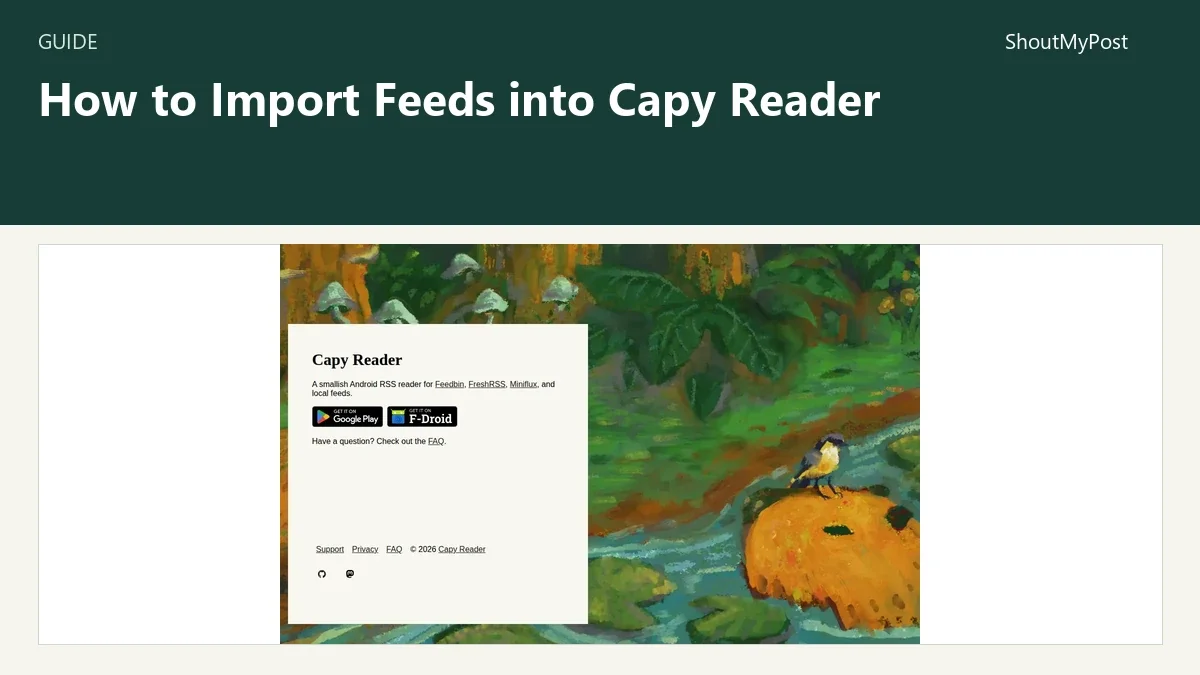
The Capy Reader project page identifies the app. Its official settings source confirms the account-specific button, while OPMLImporter.kt contains the folder handling.
1. Export subscriptions from the old reader
Find the old reader's OPML export and save the file. Its exact menu depends on the product. Use that product's instructions instead of searching for a universal Export button that may not exist.
Keep the original export on your computer and place a copy where Android's file picker can reach it. A downloaded file or a document in a connected storage app can work; the important part is being able to select the actual file, not a webpage displaying it.
OPML is a subscription list. It gives the importer feed addresses and organization. It doesn't contain a complete archive of every article you have read. Save important article links separately before retiring the old account.
If you're moving from an Apple device, NetNewsWire documents OPML export. KrISS feed also lists OPML import and export, making the same format available for a browser-based move.
2. Choose the destination account
For a phone-only library, use Add Account and choose Local. That lets Capy Reader fetch the subscriptions itself. You don't need to buy a hosted RSS account merely to begin reading.
For an existing Feedbin, FreshRSS or Miniflux account, connect that service instead. Put the OPML into the service's own importer and let Capy Reader read the resulting account. This is the better route when a desktop client already uses that server and you want a shared reading state.
My pick is local import for someone who wants one Android reading list. A shared server is a better fit when the same subscriptions must appear on a phone and a computer. Two unrelated local libraries won't share unread counts just because their feed URLs match.
3. Open the account import control
With the local account selected, open Settings, then Account. Under Import, tap Import from File. Android opens a file picker; select the OPML export you placed on the phone.
The picker accepts XML and OPML-related file types. A browser bookmark HTML export, a screenshot of a subscription list or a PDF printout isn't the same file format. If the old app supplied several export options, choose the subscription export labeled OPML.
Capy Reader may ask for notification permission so it can show import progress. The current button code continues to the file picker after that permission response. A notification question and an account sign-in question have different purposes; importing local feeds doesn't require a new hosted account.
4. Let the import finish
The button changes to Importing subscriptions…, followed by a count as the list is processed. It is disabled while progress is active. When the job finishes successfully, the app displays Import complete; a caught import failure displays Import failed.
The import worker waits for a network connection. A file can be stored on the phone while the feed addresses it contains still need to be reached online. Connect before starting a large list so the job can proceed.
Don't start another import merely because an article list has not filled immediately. First look at the import status and the feed list. Subscribing to a publication and retrieving its recent entries are related steps, but an empty article pane alone doesn't tell you which step failed.
5. Check the imported list and make a new export
Compare the feed names with the old library. Inspect a folder containing nested folders, because that is where organization can change. Open a publication you know still posts and confirm that its feed is present.
Use Refresh Feeds when you want another check for entries. A subscription that appears in the list but stays empty needs a feed diagnosis; repeatedly importing the same OPML doesn't repair the publisher's endpoint.
Once the list is organized, return to Settings > Account and use Export to OPML. Give the new file a different name from the original. You now have a copy of the library after the move, alongside the old reader's export for comparison.
Known problems
A feed can fail while the file imports. Capy Reader's FAQ names bot protection, nonstandard feeds and empty responses as possible causes. Open the feed address from the OPML, check whether it still returns a feed and ask the publisher about request blocking. Sending the app's user agent to the publisher is the support route documented in the FAQ.
An older app version had a bandwidth problem. An April 2026 developer discussion records a reader reporting excessive mobile data use. The developer added refresh checks and identified release 2026.05.1208 as containing the change. Update an older installation before bringing back a long-dormant local list.
A server account can show stale articles. Its refresh state comes from that server. If the server's own interface also has no new entries, inspect its feed-update job there. Reconnecting the phone to the same stale database won't create new publisher content.
Troubleshooting table
| Problem | Likely place to look | Next action |
|---|---|---|
| Import button missing | Account type | Use a Local account or import through the connected server |
| Import doesn't begin offline | Worker needs a connection | Connect the phone and inspect the progress control |
| Import failed | File content or readable file access | Obtain a fresh OPML export and select the actual file |
| Nested folders look flatter | Local OPML folder handling | Reorganize the imported top-level folders |
| Feed exists but has no entries | Publisher endpoint or server refresh | Inspect that feed without reimporting the entire list |
Three ways to make the move
A local move is the smallest setup: export subscriptions, import the file and read on the phone. It leaves refresh and organization with the app.
A shared-account move leaves the subscription list on Feedbin, FreshRSS or Miniflux. Import there, then connect the phone. The server needs its own working refresh setup.
A partial move is handy when the old export includes years of publications you no longer follow. Create a smaller export using the old reader's documented controls, or remove unwanted subscriptions after importing. Keep the original file so a mistaken deletion doesn't become a guessing exercise.
Completion checklist
- The intended account is selected.
- The OPML import completed.
- The expected feed addresses appear in the library.
- Nested folders have been inspected.
- A currently publishing feed shows entries.
- A new OPML export is saved under a different name.
Next steps
Browse news and feed tools if the device change also changes how you read. Feedreader advertises a browser reader; Makagiga puts feeds beside desktop notes and tasks. Those choices solve different device needs, so an OPML file can be a starting point without making the apps interchangeable.
FAQ
Can I import OPML into Capy Reader without a paid account?
Yes. Capy Reader's local account accepts an OPML subscription file, and the Android app is free without ads or in-app purchases. Its current download information lists Android 11 or later. A separately chosen hosted sync service can have its own fee, but it isn't needed for the local import described here.
Will OPML move all my saved articles?
No. Capy Reader's OPML importer reads subscription addresses, titles and folder information; it doesn't import your old reader's complete article history. Its settings also include a separate starred-article export control. Save any essential article links through the old reader's documented route before closing that account or deleting its stored data.
Why does the feed count differ from the file?
Repeated feed URLs in the OPML are grouped by the local importer, so several entries for one address can become one subscription with folder associations. Invalid feed addresses can also be skipped during parsing. Compare the actual URLs, not just the displayed names, before treating a smaller count as a lost publication.
Sources
Capy Reader FAQ, current English app strings, SettingsRegistry.kt, OPMLImportButton.kt, OPMLImportWorker.kt and OPMLImporter.kt, checked October 9, 2026. The bandwidth discussion is linked beside the affected version.
Related articles
Directory
Listings in this article
-
Capy Reader
Capy Reader is a small Android RSS reader application. It supports synchronization with Feedbin, FreshRSS and Miniflux services, as well as local feed management, and provides users with access to a FAQ, support resources and privacy information.