Airtable vs Asana
Airtable vs Asana compares linked records with assigned work. See current free limits, annual and monthly prices, CSV handoffs, and which team should move.
On this page
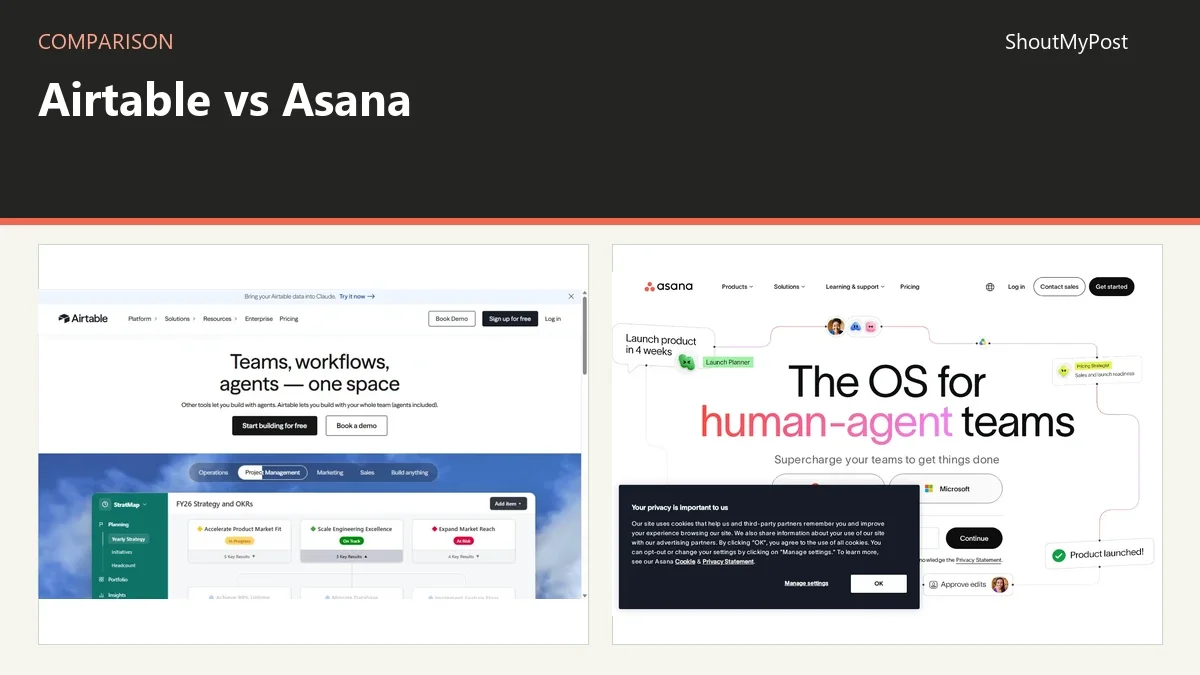
Airtable vs Asana favors Asana for a team assigning work to people and tracking deadlines. Choose Airtable when the work revolves around linked records such as products, customers, and bookings. My pick for an ordinary task list is Asana; a task list doesn't need you to design a database first.
Airtable vs Asana at a glance
The free limits count different things. Airtable Free allows 1,000 records per base across its tables. Asana Personal currently lists two users with unlimited tasks and projects. Neither number tells you how much the other tool can hold, so compare the actual work you plan to put into the account.
The Airtable listing and Asana listing cover the products. All official facts below were checked October 9, 2026.
| Factor | Airtable | Asana | Official source; checked |
|---|---|---|---|
| Free limit | 1,000 records per base | Personal: 2 users; unlimited tasks and projects | Airtable workspace settings; Asana pricing, Oct 9 |
| Entry paid tier | Team: $20/user/month billed annually ($240/user/year) | Starter: $10.99/user/month billed annually ($131.88/user/year), or $13.49 billed monthly | Both pricing pages, Oct 9 |
| Paid capacity | Team: 50,000 records per base | Starter lists no user seat limit | Airtable workspace settings; Asana pricing, Oct 9 |
| Main object | Record with typed fields and links | Task with an assignee, description, and due date | Airtable linked-record help; Asana task help, Oct 9 |
| Views | Multiple views of table records | Personal includes list, board, and calendar | Airtable views; Asana pricing, Oct 9 |
| Import/export | CSV grid-view export; table imports | CSV task import and project export | Official import and export help, Oct 9 |
| Integrations | APIs, integrations, and automations | Integrations and API | Official product and developer pages, Oct 9 |
| Open source | No, hosted product | No, hosted product | Official product pages, Oct 9 |
| File location | Hosted workspace and base | Hosted organization or workspace | Official workspace and organization help, Oct 9 |
| Current reference | Current plans and workspace documentation | Current Personal and Starter plans | Official pages checked Oct 9, 2026 |
Work structure: Asana gives each task an owner
Asana starts with an action. A task has a name, description, assignee, and due date, and subtasks can have their own owners. For an editorial team, that matches assignments such as preparing a draft or approving a cover. The next question is who does the task, not which table should contain it.
Airtable starts with records and fields. A content database can hold articles, authors, sources, and publishing dates, with links joining related information. An author record can connect to many articles without someone retyping the biography into every row. That structure is stronger when the same facts need to appear in several views.
The difference affects daily upkeep. In Asana, the team can discuss the task where the action happens. In Airtable, someone must choose how the tables and links represent the work. A base with unclear identifiers or duplicated customer entries can confuse people even when its views look tidy.
My choice for assigning a week's work is Asana. My choice for a catalogue with many products and several suppliers per product is Airtable. A supplier is an entity with facts of its own; forcing it into a task title makes reporting harder later.
Winner for assigning everyday work: Asana.
Views and reporting: Airtable separates the data from the screen
Airtable's views let different people work with the same table records in different presentations. A publisher might need a calendar of dates, while an editor needs a grid of missing fields. The shared data can support both without making two independent copies of the article list.
That flexibility is also the weak point. A view can hide fields and filter records, so a colleague may think information is missing when they are simply looking at a narrower screen. Naming views by purpose helps: Ready for approval tells someone why a record might be absent there.
Asana's list, board, and calendar views keep the focus on the tasks. Starter adds timeline and Gantt views according to the current pricing page. Those are a better fit when the question is how work progresses over time, with tasks and dates already acting as the structure.
For a database-style report, I prefer Airtable. For a project meeting, Asana is the clearer default. The team should be able to name the work that is late and its owner without interpreting a custom collection of linked tables first.
Winner for flexible record-based reporting: Airtable.
Price: Asana Starter costs less per paid seat
Airtable Team is $20 per user per month billed annually, or $240 per user per year. Asana Starter is $10.99 per user per month billed annually, or $131.88 per user per year. Asana also lists $13.49 billed monthly.
For five billable people, those annual amounts work out to $1,200 for Airtable Team and $659.40 for Asana Starter, before taxes or extras. That is arithmetic from the displayed rates, not a promise that every collaborator role is charged identically. Airtable's plan help lists billable roles, including Commenter on Team, so a reviewer can affect the seat count.
The free starting points are also different. Two people can use Asana Personal with unlimited tasks and projects. Airtable's 1,000-record cap is shared across tables in a base; several small tables can reach it together. A customer database can use records quickly even with only one editor.
Pay for the work structure you need. If the base is serving as a relational catalogue, a cheaper task manager doesn't remove the need for that catalogue. If all you're storing is a list of assignments, Airtable's higher seat rate buys flexibility you may never use.
Winner for entry paid-seat cost: Asana Starter.
Moving data: a CSV needs a field plan
Airtable can export a grid view to CSV. Asana's importer can create tasks from a CSV with a task-name column and supporting fields. That creates a possible route for an assignment table, but it doesn't mean any Airtable base becomes an equivalent Asana project automatically.
Consider a table containing product names, warehouse counts, supplier links, and photos. Those values aren't naturally task assignments. You may want to keep that information in Airtable and create tasks in Asana only for actions such as contacting a supplier or reviewing a product description.
For a genuine task table, prepare a copy with one row per task, one owner email, and the dates the receiving importer expects. Keep your original download separate. The import preview is where you find a field that became text because one row had an invalid date value.
Asana's official CSV guide says imports add tasks and don't update existing ones. A second import of the same work can therefore create another set. Choose one small project for the move, check the resulting tasks, and avoid repeatedly importing the same file as a makeshift synchronization method.
Winner for keeping linked business records intact: Airtable.
What users say
A February 2025 Airtable design question asks how to model thousands of supplier-product prices after coming from Excel. That is the attraction and the effort in the same example: Airtable gives the author a place to represent connected data, but the table design needs thought before the cheapest-supplier report can work.
An April 2026 Asana export thread describes a CSV without comment history. Replies point to the separate full-organization export on Enterprise+ or Legacy Enterprise. A project file for spreadsheet use shouldn't be treated as a complete record of every discussion attached to the tasks.
For a team that stores decisions in comments, that limitation affects handoffs. For a team mainly interested in owners and due dates, the ordinary export may be enough. Keep the discussion location consistent so people know whether a task's description or its comments carry the final decision.
Choose Airtable if
- You need linked customers, products, suppliers, or other business records.
- Several views should expose different parts of the same data.
- Someone owns the table design and can keep its fields consistent.
Choose Asana if
- The main object is an action with one responsible person.
- Your team needs task views without designing a base.
- Starter's timeline and Gantt features fit the planning work.
Other options
Linear is a better direction for software issues and cycles. Miro helps a group map ideas on a canvas before assigning the work. Nextcloud, with its Tables or Deck apps, offers a self-hosted route. Browse APIs & Databases for structured-data tools.
FAQ
Can one Asana task have several owners?
An Asana task has one assignee. Add collaborators for people who need updates, or create subtasks with their own assignees when several people have separate actions. That keeps responsibility clear without turning a list of names into one ambiguous owner field. The official task and CSV guides describe these as separate roles.
Does Airtable count records table by table?
Its plan limit is cumulative across the tables in a base. Two tables with 500 records each use the Free plan's 1,000 records together. That matters when you split data into customers and orders: the cleaner design doesn't give every new table a separate free allowance, even if each table looks small.
Can I keep Airtable and Asana together?
Yes. You can use Airtable for records and Asana for the actions around them. Decide which system owns each fact before connecting them: a customer's address belongs in the record system, while the assigned follow-up belongs with the task. A CSV handoff is a snapshot, so it won't keep later edits synchronized on its own.
Sources
Both pricing pages; Airtable workspace settings, views, linked-record, and plan help; Asana task creation and CSV import documentation. Official sources checked October 9, 2026. The two community links cover database design and missing comment exports.
Related articles
Current evidence
Verified facts
Each value shows its source and when it was checked.
No shared facts have current source and check-date evidence yet. Facts without that evidence are left out.