Airtable Alternatives
Compare 4 Airtable alternatives for tasks, software issues, visual planning, and self-hosted tables. See current prices, free limits, and migration tradeoffs.
On this page
The best Airtable alternatives replace the part of your base that matters. My pick is Asana for assigned work, Linear for software issues, Miro for visual planning, and Nextcloud Tables for self-hosted records. These choices come from official documentation and user feedback. They fit different reasons for leaving a custom base, from seat costs to table-design work.
Why people look for Airtable alternatives
One detail changes the cost conversation: Airtable Team can bill people with Commenter access. If your base has several occasional reviewers, count their roles before comparing prices. A team with one builder and many reviewers can have a different bill from what the word editor suggests.
- The plans overview lists billable Team roles and the Free plan's 1,000-record base limit.
- A pricing discussion contains complaints about plan changes and the effect on smaller teams.
- Nextcloud's Tables repository offers an open-source table app for people who want the data on their own Nextcloud installation.
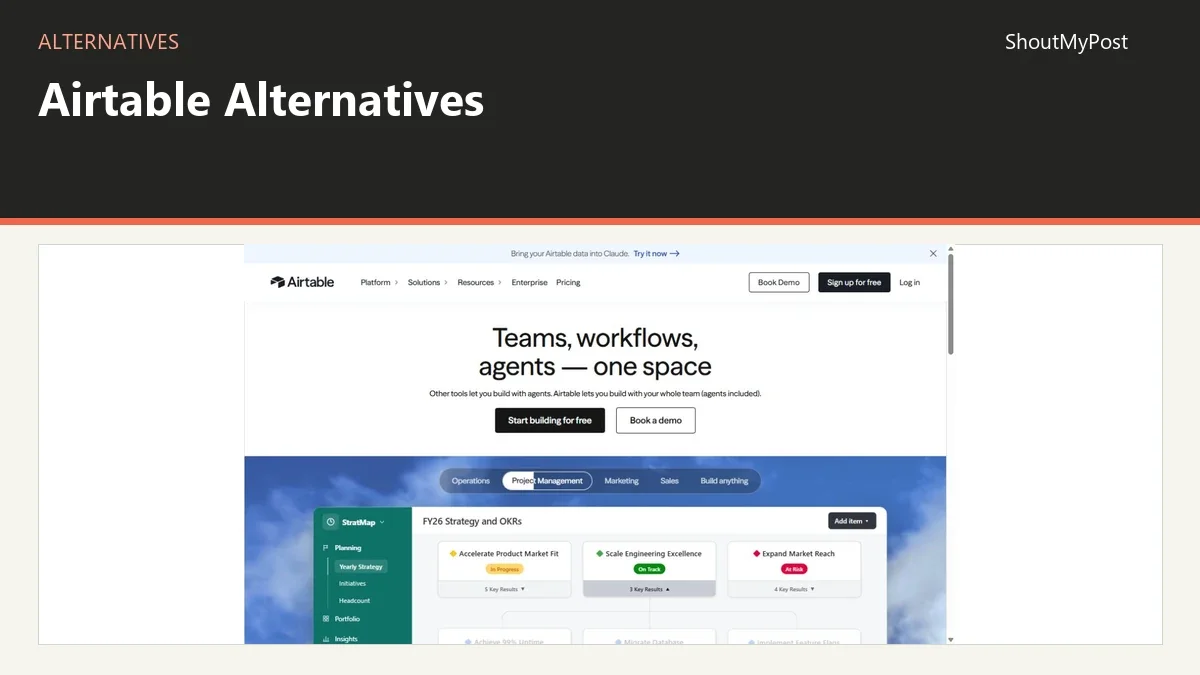
The Airtable listing is the starting product. Airtable is still a strong choice for connected records and several views of one base. Leave because the replacement fits your work more closely, not because all applications displaying a table are interchangeable.
Quick picks
- Best for everyday team assignments: Asana.
- Best for software delivery: Linear.
- Best for group planning on a canvas: Miro.
- Best open-source table route: Nextcloud Tables.
- Best free start for two people assigning tasks: Asana Personal.
Comparison table
| Tool | Best for | Platforms | Free offering | Paid entry price | Open source | Main improvement over Airtable |
|---|---|---|---|---|---|---|
| Airtable | Connected business records | Web and desktop/mobile apps | 1,000 records per base | Team $20/collaborator/month annually ($240/year), or $24 monthly | No | Keep typed records and linked tables |
| Asana | Assigned tasks and deadlines | Web and apps | Personal: 2 users; unlimited tasks/projects | Starter $10.99/user/month annually ($131.88/year), or $13.49 monthly | No | Less custom structure for assignment work |
| Linear | Software issues and delivery | Web and apps | Unlimited members; 2 teams; 250 issues | Basic $10/user/month billed yearly ($120/year) | No | Issue-focused workflow and development context |
| Miro | Visual workshops and planning | Web and apps | 3 editable boards | Starter $8/member/month billed yearly ($96/year) | No | Put diagrams and planning on a shared canvas |
| Nextcloud Tables | Self-hosted structured records | Nextcloud web app | Open-source software; hosting still costs | Hosting/provider costs vary | Yes | Run the table app in your own Nextcloud |
Official plans and product pages checked October 9, 2026. Prices describe the listed billing option; they aren't estimates of a whole team's tax-inclusive bill.
Asana: replace an assignment table with tasks
Asana Personal currently allows two users with unlimited tasks and projects. That is the most interesting free detail if your Airtable base mainly records actions and dates. A small partnership can track a large task list without treating every completed action as another database record against a base cap.
The Asana listing covers the product. Its pricing page lists Starter at $10.99 per user per month billed annually, or $131.88 per user per year; monthly billing is $13.49. Starter adds timeline and Gantt views to the task workflow.
Asana does better when each row really means someone must do something. Give the task one assignee, add the description, and set its deadline. Collaborators can follow the discussion, while subtasks can divide separate actions among different owners. You don't have to design a customer table merely to ask a person to contact a customer.
It does worse when the rows are products, inventory, suppliers, or other entities with many relationships. Those records can appear beside tasks, but task structure doesn't preserve a relational catalogue just by accepting the exported names. Keep your catalogue somewhere designed for it if Asana is only taking over follow-up work.
A date/time CSV thread includes a user whose date-only values imported while date-plus-time values didn't map to the expected field. Later replies escalated the issue. For a move involving timed appointments, check the importer on a small file before treating the source table as transferred.
The CSV importer adds tasks; it doesn't update existing ones. Name the first migrated project clearly and check the owners and dates before bringing in more data. An assignment file is a good candidate; a customer database with order history is not the same job.
Switch if your base mostly tracks work assigned to people. Stay with Airtable if linked business records drive the reports you need.
Linear: replace software tickets with an issue workflow
Linear's Free plan lists unlimited members, two teams, and 250 issues. The member allowance is attractive for a small development group, but the issue cap is the number to watch. A backlog can contain hundreds of small bugs without the team itself being large.
The Linear listing and official pricing cover the product. Basic is $10 per user per month billed yearly, or $120 per user per year, with unlimited issues and five teams. That's the displayed yearly option, not a quoted monthly-billing rate.
Linear gives software work a more specific home than a hand-built generic base. Issues can carry the development context, while projects represent planned deliveries. A team already working around bugs and releases has a stronger reason to choose this structure than a team using the same base for invoices and equipment.
Its weakness as an Airtable replacement is that focus. A ticket is an action or problem, and a project is a delivery grouping. A product catalogue, supplier relationship, or staff directory may still need a separate record system. Don't make every customer a permanent project simply because your old base had a customer table.
A July 2026 Linear discussion asks how to handle enhancements and bugs after a project is complete. Replies describe keeping long-lived product context in labels and views while treating projects as finite deliveries. That approach makes sense for software teams, but it also shows why a direct table-to-project conversion can become awkward.
For migration, Linear's import documentation lists CSV among its routes. First decide which rows should become issues and which belong in a description or a separate reference. Keep product identifiers in the imported context so someone can trace a ticket back to the source record after the move.
Switch if your base is mainly a software backlog. Stay with Airtable if the same tables also serve as your general business database.
Miro: replace planning grids with a visual canvas
Miro combines diagrams, notes, documents, and table-like formats on a canvas. That is its reason to be here. It replaces the planning stage of an Airtable workflow when people need to map a process or sort ideas together before turning them into structured records.
The Miro listing covers the product. Miro pricing lists three editable boards on Free, and Starter at $8 per member per month billed yearly, or $96 per member per year. Starter includes unlimited and private boards.
For a workshop, the canvas is better than making people interpret a dense grid. Put the customer journey next to the research notes, sketch the current process, and mark the decisions. A group can see which step they are discussing without turning every sticky note into a database field first.
Miro does worse as the authoritative home for a relational catalogue. A visual workshop can contain a table, but that doesn't make the whole board the same thing as Airtable's linked tables and typed records. After the meeting, someone still needs to translate decisions into the system that owns the work.
In an August 2026 free-plan discussion, a user hit the board limit despite personally creating one board. A staff reply explains that the allowance belongs to the team. That is the free limit to compare with your group's workshop habits, not a promise of three boards per person.
My pick is Miro for discovery and planning, paired with a record or task tool for the later stage. Create a clear handoff from the workshop: decisions, owners, and links to the relevant source. Leaving the final action buried among workshop notes makes it harder to follow up.
Switch if the hardest part is getting people to understand a process together. Stay with Airtable if the main job is maintaining and querying structured records.
Nextcloud Tables: keep records in your own installation
Nextcloud Tables is the closest record-focused alternative in this list. The app provides tables with typed columns in a Nextcloud installation. If you already run Nextcloud, it gives the data a place beside the files and users your team works with.
Use the Nextcloud project page for the directory entry. Tables is a separate app, not a claim that the base file-storage screen itself replaces Airtable. The software is open source; the server, storage, backups, and administrator time still have costs.
Its attraction is the deployment choice. Your team can use an installation you operate or a provider you choose. You control that setup instead of buying seats in Airtable's hosted service. That is a practical reason to consider it when a team already has someone maintaining Nextcloud.
The weakness is how much work falls on that operator. You need compatible app and server versions and a working import route. It also isn't safe to assume every Airtable field, interface, or automation has an identical counterpart. Start with the plain records you actually need and check how they appear in the destination.
Tables issue #1518 covers a CSV exported from one Tables instance failing to import into another. February 2025 comments discuss empty entries and special characters in filenames, and a maintainer points to a proposed fix. That is a good reason to include blank values and non-ASCII names in your sample import.
For a move from Airtable, keep a separate CSV for each table and record what the original fields meant. Rebuild the needed views in the new app after confirming the values. A successful upload doesn't tell you that every relationship and formula still behaves the same way.
Switch if your team wants structured data in its existing Nextcloud setup. Stay with Airtable if nobody owns the server or you depend on Airtable-specific interfaces and automations.
Other common picks
Baserow is a database-oriented option. NocoDB offers a table interface around data. Notion combines documents and databases. ClickUp focuses on work management. Those are worth considering when their particular mix matches what your base actually does.
Migrating from Airtable
Export the selected grid views as CSV and keep the original files. Write down which tables connect and which fields are formulas, identifiers, or attachments. A CSV gives the receiving tool values to import, but it doesn't reconstruct your interface screens or automation rules.
Choose the destination according to the row. Assignments can become Asana tasks; software bugs can become Linear issues; structured records can go into Tables. Workshop ideas may belong on a Miro board, with final decisions transferred afterward. One large import of everything is unlikely to give each type of information a sensible home.
Keep a row count and inspect examples after the first import. Include a blank value, a long-text entry, a linked name, and an attachment reference in that check. Those examples expose mapping mistakes that a normal short row can hide.
FAQ
Which alternative replaces linked records most closely?
Nextcloud Tables is the record-focused option in this list, though you must check the field and relationship behavior your base needs. Asana and Linear organize actions, while Miro organizes visual planning. If your central job is a catalogue of connected entities, choose a database-style tool before trying to turn those entities into tasks.
Can a team stay on free plans?
Yes, if the chosen plan's specific limits fit the team. Asana Personal allows two users, Linear Free has 250 issues and two teams, and Miro Free has three editable boards. Nextcloud Tables has no software subscription for the open-source app, but its server and storage aren't cost-free just because the app is.
What should I do with Airtable attachments?
Keep the original files with the migration material and map them separately in the receiving tool. A CSV field containing attachment information isn't the same thing as copying those file bytes into the new account. Pick a record with an attachment during the sample move and confirm the recipient can open the actual file.
Should I cancel Airtable before importing?
Complete the move and check the destination first. Keep the original exports and confirm that the team can perform its normal work with the new records, owners, and views. If one automation or report still depends on the old base, identify that exact dependency before ending the account that runs it.
Sources
Airtable plans, views, and workspace help; Asana pricing and CSV import; Linear pricing and import documentation; Miro pricing; Nextcloud Tables repository and official Tables introduction. Official sources checked October 9, 2026. Browse APIs & Databases for related record tools.
Related articles
Directory listings
Other options
Open a listing to review its directory details and current site link.
-
Alternative
Asana
Asana is a work and project management platform for human-agent teams. It provides tools for planning, automating, and executing workflows, including agentic work management, AI teammates, no-code automations, and integration with various services.
-
Alternative
Linear
Linear is a product development system purpose-built for planning and building products with AI agent support. It is designed for modern teams with AI workflows at its core, and includes features such as faster app launch, agent task management, and agent insights to streamline product development.
-
Alternative
Miro
Miro is an AI-powered visual innovation workspace designed to speed up product development from ideation to launch. It helps align teams, break down tool silos, and deliver customer-needed products, with features including an intelligent canvas, AI workflows, connectors, and an MCP server, supporting use cases such as research, roadmap planning, diagramming, and workshops.
-
Alternative
NextCloud
Nextcloud is the most popular open source content collaboration platform, used by tens of millions of users across thousands of organizations globally. Its Nextcloud Hub next-generation digital workspace offers products including file sync and share, video conferencing, groupware, real-time document collaboration, a local AI assistant, and automation tools, with solutions tailored for enterprise, public sector, education, and critical infrastructure use cases.