How to Discover Personal Websites with Wiby
Discover personal websites with Wiby using topic searches and its surprise link. Save authors' pages, follow their links and handle searches with few matches.
On this page
To discover personal websites with Wiby, search for a hobby or topic, open a promising page and follow the author's own links. Use surprise me… when you want a random starting point. You need a browser and somewhere to save bookmarks; no paid search account is needed for the public site.
Discover personal websites with Wiby: random means random
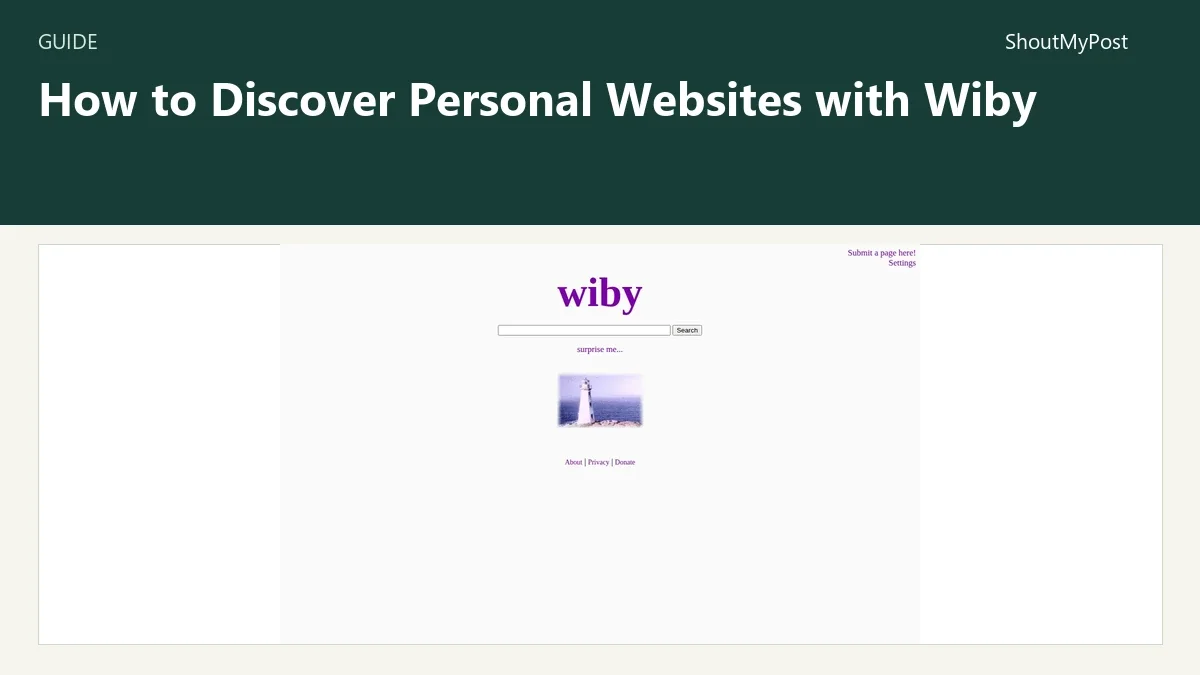
Wiby's surprise me… link redirects to a randomly selected website. It isn't a personalized next result based on the search you just typed. Keep topic searching and random discovery as two different routes through the site.
The Wiby homepage exposes both. Its operator's guide explains that the index is seeded through human submissions, rather than aiming to index the entire web. That makes Wiby a place to find someone's page about an interest, with a narrower scope than a general answer engine.
The Wiby project page covers the service. A discovery session can finish with a handful of bookmarked authors instead of one definitive answer. My recommendation is to choose a topic you actually want to read about, rather than judging it with searches for famous commercial websites.
1. Start with a topic, not a long instruction
Choose a concrete noun or subject you can recognize in a result: model railways, home automation, a historical place or an old computer. Enter a short query in Wiby's search box and submit it.
If a query returns little, remove a detail or try the vocabulary a hobbyist would put in a page title. A page about an old machine might name its model instead of using a general phrase such as retro technology.
When it works, you get a list of page links with descriptions. Read those descriptions as clues about the page's subject, then choose a result with an actual topic you want to explore.
2. Open a result and look for the author's context
Open the page in a new tab so the search list remains available. Look for an introduction, an About page, dated entries or a collection of the author's projects. The details around the article can explain why this particular person made it.
A simple design doesn't establish accuracy. A careful hobby archive and an unsupported claim can both use plain HTML. Follow the references when a fact matters, and use current official documentation for instructions that might have changed.
If the page is just a directory of links, inspect where those links go before adding it to your reading list. You may want the destination author instead of the portal that happened to lead there.
3. Follow one promising link from the page
Personal websites often point to other people's sites, related projects or older pages in the same collection. Follow one link that names a subject you want, then compare it with the page you started from.
This is where the session becomes discovery instead of repeatedly asking the search box for more results. Keep the original tab open until you know whether the new page earns its own bookmark. Otherwise, a chain of interesting links can leave you unsure which author made the first page.
When a destination is broken, return to the page and try another link. A dead outgoing link doesn't automatically make every remaining article on the author's site useless.
4. Use the surprise link for a fresh direction
Return to Wiby's homepage and choose surprise me…. The operator's guide describes the random-redirect feature. Expect a destination website, instead of a new list for the earlier query.
If the subject doesn't interest you, go back and choose another starting point. There's no need to treat a random selection as something you must read. The feature is valuable because it can expose a page you wouldn't have known how to ask for.
My pick is to keep this route separate from a work task with a deadline. A random page about an unrelated hobby can be a pleasant detour and a poor way to finish a specific support question.
5. Save the destination with a descriptive bookmark
Bookmark the page you want to revisit, not only the Wiby homepage or a random redirect address. Add a name that describes what made it interesting, such as the subject of the project or the author's collection.
Use a folder for discoveries if your normal bookmark bar is already crowded. A short note about the topic is helpful when a site's title says little. You can separate pages to read once from authors whose updates you want to follow.
If the site offers an RSS feed, a feed reader can keep it in your routine. The NetNewsWire and Capy Reader listings cover Apple and Android reading routes. A bookmark preserves the address, while a feed tracks the author's new entries when available.
6. Try a second discovery engine for an empty query
Keep the topic and change the engine when Wiby has no matching page. Marginalia Search emphasizes noncommercial pages, and Mwmbl is another independent project. The search engines category has the broader list.
Use the same recognizable subject instead of adding more restrictions to an empty Wiby query. A different index may contain a page that the first one doesn't. If you already know the author's domain, opening it directly is quicker than asking a specialist index to rediscover it.
Known problems: sparse results and older layouts
A January 2025 discovery discussion praises personal-web discovery but includes a query with no matching Wiby results and a small-business site its owner couldn't find. Broaden the topic once, then move to another engine or the known domain when the page stays missing.
An older Marginalia and Wiby discussion describes sites fixed to 800- or 1024-pixel widths and tiny text on a tablet. Use the browser's zoom or reading view where it works. If the page remains awkward on a phone, save it for a wider screen instead of repeatedly trying to change Wiby's search settings.
| Problem | Cause to check | Next action |
|---|---|---|
| Very few topic results | Narrow wording or absent indexed pages | Try a simpler subject, then another engine |
| A familiar commercial site is absent | Specialist index scope | Open the known address directly |
| Text is tiny on a phone | Destination's older fixed layout | Try browser zoom or a wider screen |
| Surprise leads somewhere unrelated | Random selection | Return and choose another starting point |
| A saved link goes somewhere new | Bookmark captured the redirect route | Save the actual destination address |
Variations for a reading session
For hobby discovery, use a specific subject and follow the author links. For an unfamiliar topic, start with the surprise feature and save only destinations that interest you. For an author you want to follow, look for a feed or a dated archive after bookmarking the site.
Keep the list small enough to revisit. Ten forgotten bookmarks won't help as much as two authors you return to, and there's no score attached to how many pages you collected.
Completion checklist
- You tried a concrete topic or the random route.
- You inspected the destination page's author and context.
- You saved the actual page address with a recognizable label.
- You followed a related link without losing the original page.
- You have a return route through a bookmark or feed.
FAQ
Do I need to install Wiby to use it?
No, the public search website works in a browser. The open-source download is for people who want to operate their own search engine, a separate task from discovering websites. Start with the hosted search box and surprise link. You don't need the server installation guide or a local database just to browse the indexed pages.
Can I save the surprise link as a bookmark?
Save the destination page when you want to return to a particular website. The surprise route chooses another random destination, so it isn't a reliable bookmark for the author you just found. Keep the actual page address and a descriptive title. The general Wiby homepage can remain a separate bookmark for starting another discovery session.
What should I do when the author's old instructions no longer work?
Find the current official instructions for the product before following an old setup guide. A personal site can still be valuable for historical context or the author's explanation, while specific menu names, downloads and commands have changed. Preserve the page as reading material if it interests you, but don't treat its age or simplicity as proof of current compatibility.
Sources
Wiby homepage and operator guide; the linked personal-web and layout discussions. Official controls checked October 9, 2026.
Related articles
Directory
Listings in this article
-
Wiby
Wiby is a search engine focused on older-style, classic web pages. It is lightweight and centered on user-specified subjects of interest, with the goal of creating a web experience reminiscent of the early internet. Users can submit pages to the index, adjust their settings, and use the 'surprise me' feature.