Feedreader Alternatives
Compare six Feedreader alternatives for Mac, Android, Windows and self-hosted RSS. Find a free reader and learn what an OPML move can leave behind.
On this page
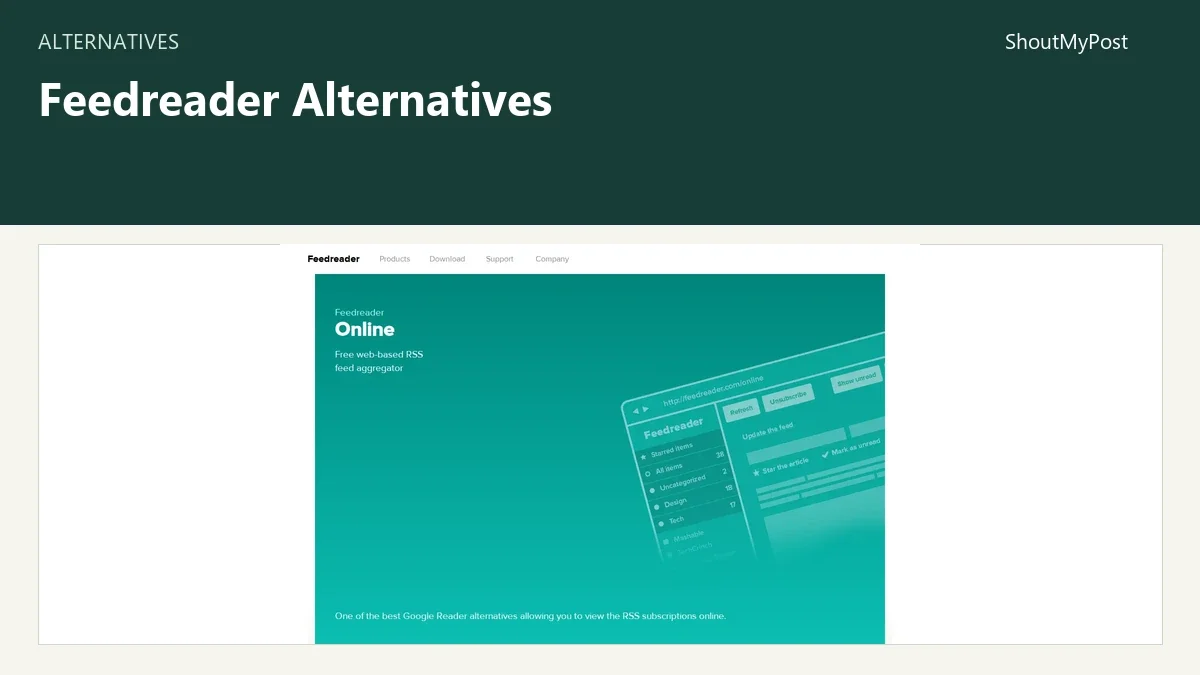
NetNewsWire is my first choice among Feedreader alternatives for Apple devices; Capy Reader gets the Android pick. Feedreader's homepage still leads with news from September 2017, which is a good reason to look at readers with clearer current documentation. These six choices draw on official features, pricing and public feedback. Flipboard is included for people who want discovery and sharing, not a replacement RSS archive.
Why people look for Feedreader alternatives
- Unclear product direction. The Feedreader homepage promotes FeedreaderOnline beside a product family with older desktop and server editions. Its dated news makes choosing a new setup harder than it needs to be.
- A phone-first reading habit. Capy Reader's current repository specifies Android 11 or later. NetNewsWire's homepage specifies macOS 15 and iOS 26 for its current apps. Both give a clearer device decision than treating every Feedreader edition as interchangeable.
- Control over the installation. KrISS feed offers a self-hosted reader with OPML import and export. That appeals to someone who wants their subscriptions on their own server.
- Different ways to organize reading. Makagiga puts feeds beside notes and tasks; Gnus puts them inside Emacs. Those are changes to the daily workspace, not just a new logo above the same web inbox.
Start with the Feedreader project page if you're identifying which product you already use. The News Search category covers both RSS readers and news discovery services, so the label alone doesn't tell you which kind you're opening.
Quick picks
- Best for Apple devices: NetNewsWire, for a dedicated free reader.
- Best free Android choice: Capy Reader, for local feeds or a supported sync account.
- Best for a shared reading project: Flipboard, for a magazine contributors can add to.
- Best for a small self-hosted setup: KrISS feed, if you can maintain PHP hosting.
- Best for an existing Emacs workflow: Gnus, for feeds alongside other reading.
Comparison table
Prices and official product information checked October 9, 2026. Free software doesn't include the cost of hosting or an optional syncing service.
| Tool | Best for | Platforms | Free plan | Paid price | Open source | What changes from Feedreader |
|---|---|---|---|---|---|---|
| NetNewsWire | Apple-device reading | Mac, iPhone, iPad | Free app | No app subscription | Yes | Native apps and a choice of sync services |
| Capy Reader | Android reading | Android 11+ | Free app | No app subscription | Yes | Local reading or supported server accounts |
| KrISS feed | Owning the reader server | PHP server; browser client | Free software | Hosting costs separate | Yes | A small installation with OPML portability |
| Makagiga | Feeds beside notes and tasks | Windows, Linux | Free software | No app subscription | Yes | A combined desktop workspace |
| Gnus | Keyboard-led reading | GNU Emacs | Free software | No reader subscription | Yes | RSS inside an extensible text interface |
| Discovery and shared collections | Web, iOS, Android | Free service | No reading subscription listed | No | Curated magazines instead of an unread-feed queue |
NetNewsWire: the Apple pick without an app fee
The most practical detail about NetNewsWire is its separation of app and account. You can download feeds directly, or use one of its supported syncing services. Buying a third-party account is a separate decision from installing the reader.
Its official homepage lists folders, starred articles, reader view, search and OPML import/export. That is a good core for someone who wants to follow publications without turning reading into a research dashboard. The current download targets macOS 15 and newer and iOS 26 and newer.
My recommendation is to begin with direct feeds if you read on one device. A server account earns its place when you need reading state to follow you elsewhere. There's little reason to introduce an extra account merely because an app supports one.
A May 2026 forum request about invalid feeds asks for better handling of a subscription that won't load. That is a concrete weakness to look for during a move: can you spot a broken feed, and can you distinguish it from a publication that simply hasn't posted?
The app costs $0. Paid syncing services have their own plans, outside that app price. It also has no Windows or Android edition in its current platform list, so a mixed-device household may need a different client on some screens.
Switch if most of your reading happens on supported Apple devices and you want subscriptions you can export. Stay with Feedreader if browser access on computers without your apps matters more than a native reading interface.
Capy Reader: an Android app with a local account
Capy Reader doesn't force the first decision to be “which RSS subscription should I buy?” Its repository documents local feeds alongside Feedbin, FreshRSS and Miniflux accounts, with a free app for Android 11 or newer.
Local reading is attractive when your phone is the main place you catch up. A server account makes more sense when you also read on a desktop client that talks to that same service. The compatible service is what joins the devices; installing two unrelated readers doesn't do that on its own.
The maintainer also explains a limitation that matters more than a long feature list: full-content parsing can fail on particular websites. The recommended response is a site-specific report. If a publication supplies only a short feed excerpt, don't build your choice around an assumption that every article will become a perfect full-text copy.
Capy's stable releases are separate from nightly builds, which the project labels unstable and untested. Pick the stable distribution for ordinary reading. A newer nightly version isn't an automatic upgrade for someone whose goal is a reliable morning inbox.
The free app has no listed paid edition. A connected hosted service can still charge for its account, and a self-hosted service still needs a server. Its weakness is platform coverage: this is an Android client, not a web reader you can open anywhere.
Switch if you want a dedicated Android reader with a local option. Stay with Feedreader if you need the same browser interface on several types of computer and don't want to choose compatible clients.
KrISS feed: a reader you can host yourself
The appeal of KrISS feed is the size of the job it takes on. The official feature page describes folders, starred items, keyboard shortcuts, public/protected/private visibility and OPML import/export. It doesn't ask you to turn RSS into a team analytics product.
That makes it a reasonable candidate if you already maintain a small website and want a private browser reader on the same kind of hosting. You choose the server and its upkeep. It is a poor choice if “self-hosted” sounds attractive but nobody will handle updates or a broken feed fetch.
The developer's documentation says malformed feeds can fail because parsing uses libxml2, and recommends checking feed validity. That gives you a specific first diagnostic: inspect the feed itself before repeatedly deleting and re-adding a subscription.
The software is free and open source. Hosting is separate. The published setup page also contains old PHP-era examples, so use the current repository and a supported hosting runtime for installation; don't treat an old minimum-version line as a recommendation to run an obsolete server.
Compared with a hosted inbox, the weakness is the work around the reader. Server access, updating, backups and feed-fetch failures become your job. The interface can be customized, but changing CSS isn't the same as gaining a supported mobile application.
Switch if you already maintain hosting and want a compact browser RSS reader under your control. Stay with Feedreader if you want an operator to run the service and have no interest in maintaining a server.
Makagiga: RSS alongside the notes it produces
Makagiga combines feed reading with notes, a to-do manager and widgets. Its official site lists Windows and Linux builds, including stable 6.34 from April 29, 2026 and a later 6.35 beta from August 5.
My pick is the stable release for a reading-and-notes desk. The beta is a separate choice for people willing to deal with unfinished changes. A download button pointing to a beta shouldn't erase the distinction.
This is a different answer to “where should my reading live?” If an article produces a note or a task, a combined desktop workspace may be more appealing than a reader that does one job. If you only want a clean list of headlines, those extra panels can be a distraction.
The SourceForge reviews include praise for the combined feature set and a reader's complaint about the program icon. Those comments are small, specific observations; the stronger reason to shortlist it is the current product and release information.
Makagiga costs $0 and is open source. Its weakness is the absence of a promised hosted, cross-device RSS account in the product description. Don't choose it on the expectation that a Windows session and a phone will share reading state automatically.
Switch if your RSS reading belongs beside desktop notes and tasks on Windows or Linux. Stay with Feedreader if you need a browser account you can use without installing a combined productivity app.
Gnus: feeds for someone who already lives in Emacs
Gnus makes the most sense as an extension of an existing reading workflow. GNU's Gnus manual documents the nnrss backend and OPML subscription functions. RSS joins the kinds of material you already read in Emacs.
That can be a good fit for a reader who prefers keyboard commands and text-oriented organization. It is a weak first recommendation for someone who wants a phone app with a familiar feed sidebar. Learning Emacs merely to replace a working RSS website turns a small move into a much bigger project.
Its strongest comparison point is flexibility. You are choosing an extensible environment, not a fixed arrangement of magazine cards. That flexibility also explains the drawback: setup and everyday commands are part of the purchase, even though the software price is $0.
Use the manual's RSS backend instructions for subscriptions and its OPML functions for a feed list. A plain text file containing a few URLs isn't automatically an OPML document; the import format still matters inside a text editor.
There is no paid reader tier in GNU's documentation. Support is documentation and the software community rather than a commercial hosted account with a single subscription-management screen.
Switch if Emacs is already where you read and manage information. Stay with Feedreader if the main attraction is signing in to a recognizable web reader and getting on with the articles.
Flipboard: choose it for curation, not unread counts
Flipboard is the outlier here. Its magazines collect stories around a topic, and invited contributors can add material. That is a better answer to “how do we share good reading?” than to “how do I keep every subscription's unread state?”
The official magazine guide describes public and private collections, titles, descriptions and story captions. A public magazine is something people can follow; a private one can be used with invited contributors.
For a book club, classroom or small research group, a curated collection can be more inviting than sending everyone an OPML file. You can explain why a story belongs in the collection, rather than expecting each person to infer that from a feed title.
The weakness is migration. A magazine is a collection of chosen stories, so don't assume it will accept your RSS account, folders, stars and reading history as a single imported package. Keep your feed list elsewhere if subscription portability matters.
Flipboard is free to use; the official material doesn't list a paid reading tier for this task. Publisher subscriptions and access restrictions still belong to the publishers. Adding a story to a magazine doesn't buy access to it.
Switch if discovery and sharing matter more than clearing an unread queue. Stay with Feedreader if you want to monitor a fixed subscription list and mark articles read one by one.
Migrating from Feedreader
Identify the edition first. FeedreaderOnline, the desktop application and Connect products have different jobs. The desktop documentation cannot prove that the same export control exists in today's Online interface.
Look for a subscription export in your installed product. If it produces OPML, keep the original file and import a copy into a reader that supports that format. NetNewsWire and KrISS feed document OPML support; GNU documents OPML functions for Gnus.
OPML moves subscriptions. It isn't a complete archive of saved articles, reading history and account settings. Preserve important saved material separately using the export options your old product actually offers. If an Online export isn't available, a list of publication feed URLs gives you a manual rebuilding route.
After importing, compare the subscription list with the original. A renamed feed or a publication that has stopped posting can make the new inbox look different even when the import itself worked. Check a small folder first so you can identify a format problem before adding the whole collection.
FAQ
What is the best free Feedreader alternative?
NetNewsWire is my free pick for supported Apple devices, and Capy Reader is the Android pick. Both offer direct or local feed reading without an app subscription. If you need a browser reader on your own server, KrISS feed is another free-software option, with hosting and maintenance costs outside the software price.
Can I keep my subscriptions when I switch?
Yes, if your Feedreader edition can export a subscription list that the destination accepts. OPML is documented by NetNewsWire, KrISS feed and Gnus. The list moves feed addresses; it doesn't promise that starred articles, read state or a saved article archive will move with them. Check the export in your actual edition.
Which alternative works on Windows?
Makagiga lists Windows support and combines RSS reading with notes and tasks. Gnus is another route if you already use GNU Emacs. A self-hosted browser reader such as KrISS feed can also be read from a Windows browser, but someone still has to operate the server that runs it.
Is Flipboard a replacement for an RSS reader?
Flipboard can replace a discovery and sharing habit, but it isn't the same kind of subscription inbox. Its magazines collect selected stories and can accept invited contributors. Pick a dedicated RSS reader if you want OPML portability and an unread-feed workflow; pick Flipboard if the collection people follow is the main result.
Sources
Official product pages, feature documentation and release information checked October 9, 2026. GNU's Gnus manual supplied the RSS and OPML details. The linked NetNewsWire forum request and Makagiga reviews supplied the reader feedback.
Related articles
Directory listings
Other options
Open a listing to review its directory details and current site link.
-
Alternative
Capy Reader
Capy Reader is a small Android RSS reader application. It supports synchronization with Feedbin, FreshRSS and Miniflux services, as well as local feed management, and provides users with access to a FAQ, support resources and privacy information.
-
Alternative
KrISS-feed
KrISS-feed is a simple, lightweight RSS feed reader built on a KISS (Keep It Simple and Smart) design philosophy. It is designed to be fast, easy to install and customize, supports feed management, and has an online demo available.
-
Alternative
Makagiga
Makagiga is an open-source, portable cross-platform application that supports productivity tasks including to-do listing, text editing, and RSS reading. It uses plugins to extend functionality, provides widgets such as calendars and sticky notes, and has versions available for Linux and Windows. The latest listed release is version 6.35-beta, dated 2026-08-05.
-
Alternative
Gnus
Gnus is a resource site dedicated to the Gnus Emacs newsreader. It provides reference material including the newsreader's history, manuals, distribution information, related packages and other resources for Gnus users.
-
Alternative
Flipboard
Flipboard is an online platform that serves as a central place for stories users care about, allows users to join a community to discover and share content, and provides curated story collections for users.