




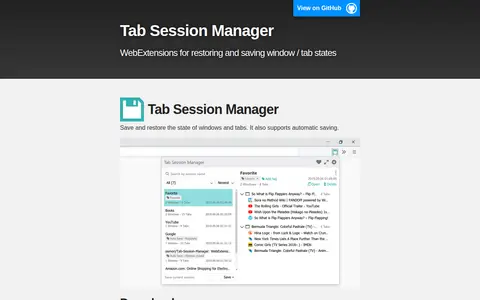

Tab Session Manager is a WebExtension that saves and restores the state of windows and tabs, and supports automatic saving. It is available for Chrome and Microsoft Edge, with development and translation resources listed.
One Tab Group
Tab Deck is a Chrome extension presented as an all-in-one manager for tabs and tab groups. It saves, restores and organizes browser sessions, and the site lists versions for Chrome, Edge and Brave.
Features
- Save, restore, and organize your browser sessions Source: tabdeck.so
Links
Tags
-
0Tab Session Manager is a WebExtension that saves and restores the state of windows and tabs, and supports automatic saving. It is available for Chrome and Microsoft Edge, with development and translation resources listed.

-
0
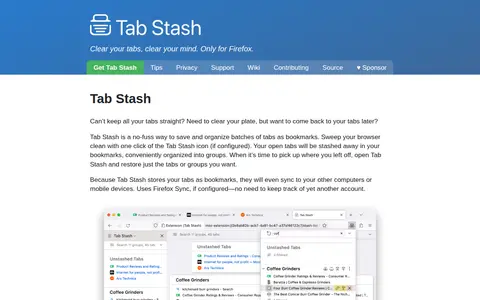
Tab Stash is a storage, design, or frontend resource for mockups, assets, UI tools, or web search.
-
0OneTab is a browser extension for Chrome, Firefox, Edge, Safari and other browsers that converts open tabs into a list, which can reduce browser memory use by up to 95%. Tabs can be restored one at a time or all at once and organized into folders, with import and export of tab lists and sharing as a web page.
-
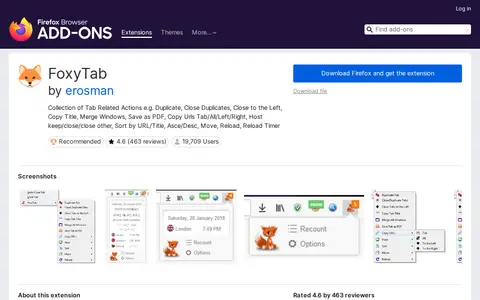
0FoxyTab is a Firefox browser extension that adds a wide range of tab-related actions to the tab context menu. Available actions include duplicating tabs, closing duplicate or left-side tabs, copying tab titles and URLs, merging windows, saving tabs as PDF, sorting tabs, and setting reload timers. The extension also adds a tab counter, country flag indicator, and multi-language date and time display, and contains no tracking or advertising.
-
0Manifest V3 is Google Chrome's set of changes to the web browser extensions system. The EFF describes it as harmful to privacy efforts because it restricts the capabilities of extensions that monitor or modify the browser's communication with websites, including some privacy-protective tracker blockers.
-
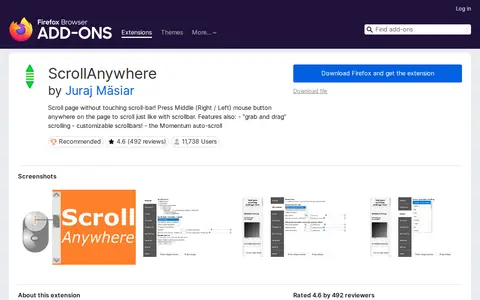
0Scroll Anywhere is a Firefox browser extension that enables page scrolling without interacting with the browser scrollbar. Users can press the middle, right or left mouse button anywhere on a page to scroll, and the extension also supports grab-and-drag scrolling, customizable scrollbars, and momentum auto-scroll. It is also available for the Thunderbird 78 email client.
Community notes
Reviews and discussion
No reviews yet
Be the first to share how this project worked for you.
Join the discussion
Sign in with a verified account to leave a review or join the discussion.
Sign in to review