Framer vs Netlify: Who Will Edit Your Website?
Framer vs Netlify compares a visual website builder with code deployment. See current plans, export limits, previews and who can edit the site after launch.
On this page
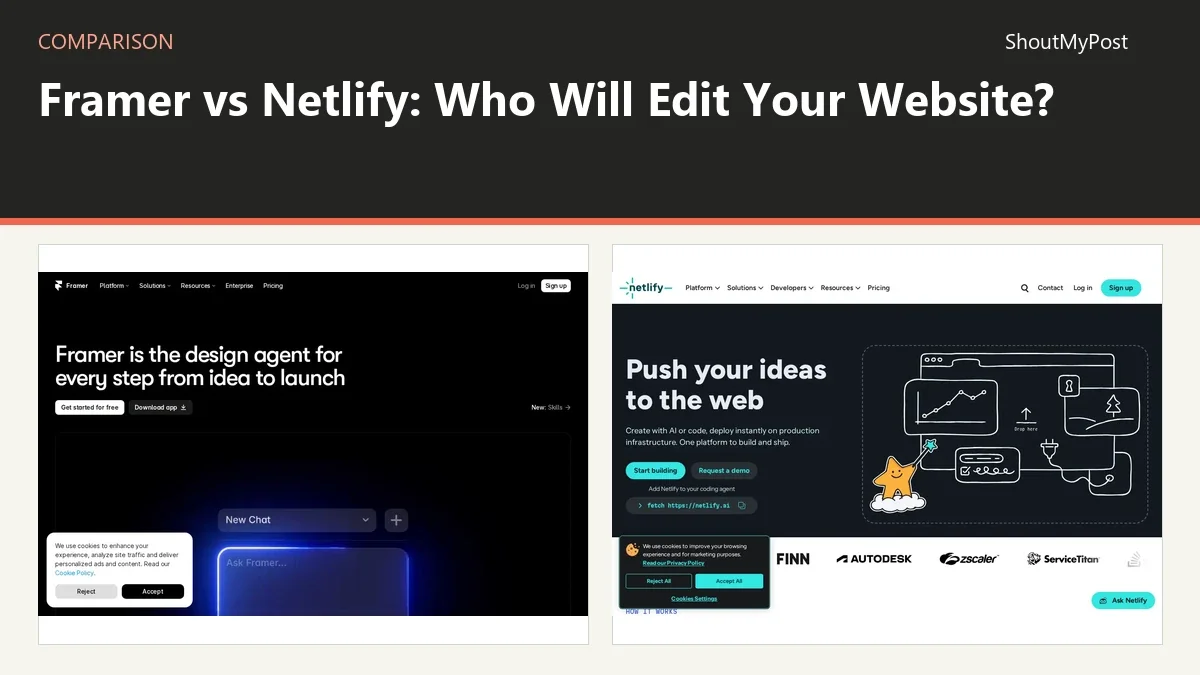
Framer wins for a maker who wants to design and publish visually. Netlify wins when you already have site code and want a deployment platform. Framer vs Netlify starts with who will edit the website after launch, not simply which hosting plan costs less.
Framer combines design, content and hosting. Netlify deploys web projects and supplies platform services. Uploading a build to Netlify doesn't reproduce Framer's visual editor.
Framer vs Netlify: at a glance
| Detail | Framer | Netlify | Source and date checked |
|---|---|---|---|
| Free plan | Framer domain; 1 GB bandwidth | 300 credits/month | Framer and Netlify official pricing pages; October 9, 2026 |
| Paid price | Basic $10/month; Pro $30/month, both billed yearly | Personal $9/month; Pro $20/month, starting at 3,000 credits | Framer and Netlify official pricing pages; October 9, 2026 |
| Platforms | Browser site builder | Web dashboard; Git-based builds | Framer and Netlify official product pages and documentation; October 9, 2026 |
| Key features | Visual design, hosting, CMS | Deploy previews, functions, static hosting | Framer and Netlify official product pages and documentation; October 9, 2026 |
| Integrations | Framer project and publishing tools | Git workflows and platform services | Framer and Netlify official product pages and documentation; October 9, 2026 |
| Open source | No | No: hosted platform | Framer and Netlify official product pages and documentation; October 9, 2026 |
| Last release or current docs | Pages help updated September 15, 2026 | Current credit-based plans | Framer and Netlify official product pages and documentation; October 9, 2026 |
| Privacy and data location | Hosted sites; project sharing permissions apply | Hosted deployments; publication settings apply | Framer and Netlify official product pages and documentation; October 9, 2026 |
Framer gives the owner a visual editing workspace
Framer is the clearer choice when the site owner wants to move elements and change content on a canvas. Design and publication belong to the same project. That makes it a good fit for a portfolio, product launch or small business site whose next change will be visual.
Netlify starts later in the workflow. You bring the project and its build process, then use the platform to deploy it. A designer can create that project elsewhere, but Netlify isn't itself the Framer canvas. Someone still has to choose the framework, template or content editor.
For a small client site, ask what the client will do next month. If they will change a heading and move a photograph themselves, the editing workspace matters. If a developer will make those changes in a repository, the deployment workflow matters more.
This split also explains the difference in handoff. A Framer project can keep its design structure inside the visual platform. A Netlify project depends on the files and configuration you deploy. Handing someone a hosting login doesn't teach them how the source project works or give them an editor for its content.
Framer's weakness is that the publishing environment stays tied to its platform. Netlify's weakness for a non-developer is the missing design workspace. Those aren't small feature omissions; they decide who can maintain the website without returning to the original builder.
Winner for an owner who wants visual editing: Framer.
Netlify is the better fit for code you already own
Netlify makes sense for a project maintained in source files. You can choose how the site is built and deploy its output. Its platform includes deploy previews and functions, so the workflow can cover more than uploading a folder of static files.
The advantage is a clearer relationship between repository and deployment. If another developer takes over, the project files can explain the website's structure. The host may still supply services that need replacement in a move, but the site's source isn't only a design canvas inside a builder.
Framer's official help says it doesn't offer HTML export for self-hosting. That is the major limit if your plan is to design in Framer and later move the same site to Netlify. A screenshot or asset export is not a standalone website bundle with its publishing behavior preserved.
Don't treat third-party export claims as a native Framer feature. A service that reconstructs or converts a published site is a separate product and workflow. The practical question here is what Framer itself promises to export, and its current help page answers that clearly.
For a new project, you can avoid the rebuild decision by choosing the source workflow at the start. If self-hosting or changing deployment providers is part of the plan, begin with a project whose source and build process you control. If visual editing is the priority, accept the hosted-builder workflow deliberately.
Winner for an existing coded site: Netlify.
The prices measure different parts of the work
Framer's site plans combine the builder and publishing environment. Netlify's current credit-based plans meter platform use. A lower entry price doesn't mean the two purchases supply the same capabilities; one includes the design workspace, while the other expects a project to deploy.
Netlify credits cover multiple kinds of activity. Its pricing page lists production deployments at 15 credits each, bandwidth at 20 credits per GB and requests at 2 credits per 10,000. A site with frequent production updates therefore spends credits differently from a site that mostly receives visits.
For a new account, use the current credit-based terms. Netlify says accounts created before September 4, 2025 can retain legacy plans. An older tutorial describing build minutes or a different free allowance isn't the pricing model to assume for a fresh project.
Framer's Basic and Pro yearly-billed prices are listed in the table. The relevant tier depends on the site features and limits you need. Don't buy a site plan solely because a demo looks right; match the CMS and publishing job to the named plan before moving the production site.
Netlify's advantage is a cost model tied to the deployed project and activity. Its weakness is that credits require you to understand which activity consumes them. Framer's advantage is the combined visual publishing product; its weakness is the ongoing platform plan for the hosted site.
Winner for purchasing one visual design-and-hosting workspace: Framer. For deployment of an existing project, compare Netlify's credit usage.
A preview isn't the same as handing over a live site
Netlify's current new credit-based projects start private until published. That matters when you send somebody a link and assume it is already a public website. The owner's intended launch and the platform's publication controls need to match.
Framer has separate Design Pages and Web Pages. Design Pages are for project work and aren't published as website pages. They are a good place to keep visual exploration, but private in that context doesn't mean invisible to every project collaborator.
For either platform, inspect the visitor-facing destination after publication. A design preview can show the right layout without proving the public domain, routes and assets are ready. A successful deploy can serve files without proving the content editor is easy for the next owner to use.
For a client handoff, include the source or project, the place where content is edited and the account responsible for publication. Those are separate responsibilities even when one platform holds all of them. The client should know which action changes the live site.
Winner for previewing repository changes: Netlify. Framer is the stronger choice for reviewing visual design work inside its project.
What users say about the trade-off
An April 2026 Framer discussion about what happens after building frames the tension between an appealing design workflow and the hosting relationship afterward. That is the central decision here: how much you want the builder and host joined together.
In an August 2026 Netlify long-term-use discussion, a commenter liked it for a static client site but described extra complexity when server-side logic needed functions or other services. A platform can handle a simple site well while asking more design work from a more complicated application.
Choose Framer if…
- The site owner wants to design and edit visually.
- Keeping design, CMS and hosting in one product is valuable.
- You accept Framer hosting for the published site.
Choose Netlify if…
- You already maintain the site in source files.
- Deploy previews and the project build process matter.
- You can supply the content editor your site needs separately.
Other options
WordPress fits a site whose owner needs a conventional publishing dashboard and a choice of host. Vercel is another deployment platform to examine for framework applications. Choose the maintenance workflow before narrowing the hosting bill.
FAQ
Does a Netlify account include a visual page builder?
No, Netlify's deployment platform isn't the same as Framer's visual canvas. You bring a web project and can connect a separate content or editing workflow. If the owner needs to change layouts without editing source files, choose that editing tool as part of the project before treating hosting as the complete solution.
Can a Framer Design Page appear in the published sitemap?
No, Design Pages are project design work rather than published Web Pages. Use a Web Page for a route visitors should open on the site. The distinction is about publication; it doesn't promise that a Design Page is hidden from people who have access to the project itself.
Does a WordPress content export move a whole Framer site?
No, a WordPress content export belongs to WordPress's own publishing workflow. It isn't a Framer design or hosting migration. Moving to WordPress means preparing the content and rebuilding the site in that environment, including the layout and any platform-specific forms or other behavior you need to keep.
Browse Web Development, Cloud & Hosting, Git & Code Repositories for related tools.
Sources
Official pages checked October 9, 2026:
- Framer: site plans, HTML export policy.
- Netlify: credit pricing, how credits work.
Related articles
Current evidence
Verified facts
Each value shows its source and when it was checked.
No shared facts have current source and check-date evidence yet. Facts without that evidence are left out.