Asana vs Linear
Asana vs Linear for team projects: compare free limits, paid seats, issue workflows and imports, then choose the right home for your team's daily work.
On this page
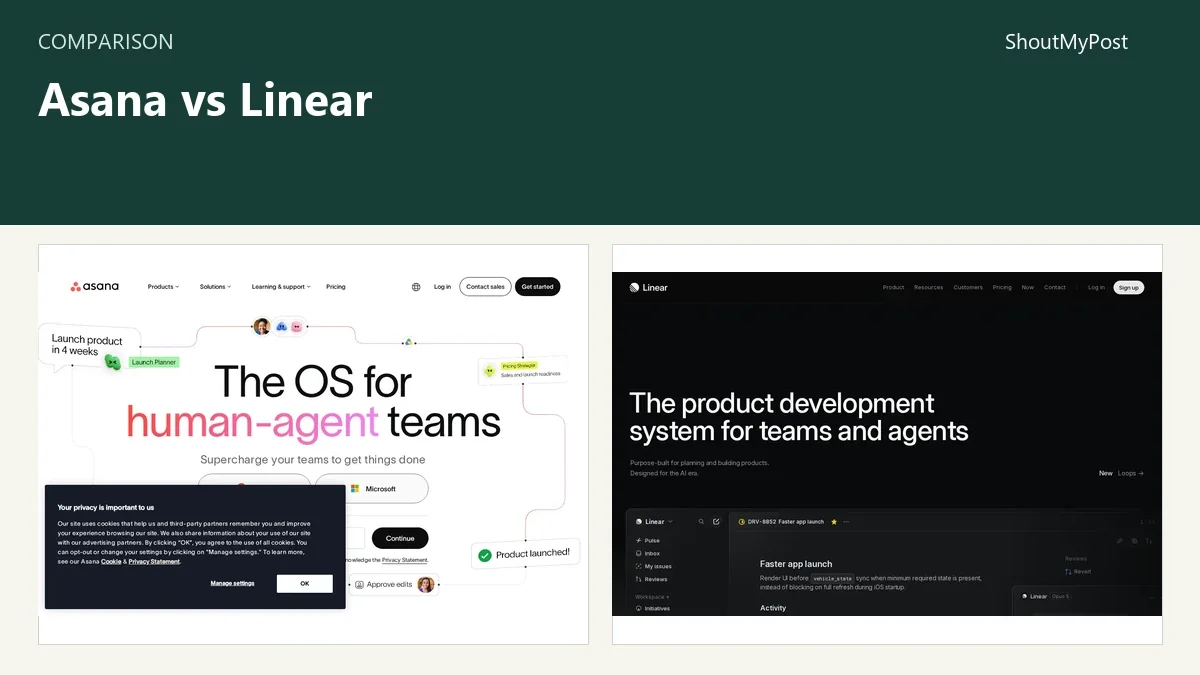
Asana wins for teams mixing operations, marketing and project work. Linear is my pick for software teams whose day revolves around issues, projects and releases. The Asana vs Linear decision starts with the work itself: a general project manager and a product issue tracker organize it differently.
The free plans reveal that difference. Asana Personal allows two users with unlimited tasks and projects. Linear allows unlimited members but only two teams and 250 issues. A larger team can start free in Linear, then reach the issue cap while Asana's two-person team keeps adding tasks.
Both have public directory pages: Asana and Linear.
Asana vs Linear at a glance
Facts checked October 9, 2026. Source names in the last column identify the official page for each row.
| Factor | Asana | Linear | Source and date |
|---|---|---|---|
| Free plan | Personal: two users, unlimited tasks and projects | Unlimited members, two teams, 250 issues | Both pricing pages, Oct. 9, 2026 |
| Entry paid plan | Starter: $10.99/user/month billed annually ($131.88/year), or $13.49 billed monthly | Basic: $10/user/month billed annually ($120/year) | Both pricing pages, Oct. 9, 2026 |
| Higher paid plan | Advanced: $24.99/user/month billed annually ($299.88/year), or $30.49 billed monthly | Business: $16/user/month billed annually ($192/year) | Both pricing pages, Oct. 9, 2026 |
| Paid capacity | Starter adds forms, custom fields and reporting | Basic: five teams, unlimited issues; Business: unlimited teams | Both pricing pages, Oct. 9, 2026 |
| Platforms | Web, desktop and mobile apps | Web, desktop and mobile apps | Official app/download pages, Oct. 9, 2026 |
| Work structure | Tasks and projects with list, board and calendar views | Issues, projects, initiatives, cycles and triage | Asana pricing; Linear Docs, Oct. 9, 2026 |
| Connections | Integrations and developer API | Integrations, API, webhooks and GitHub automation | Official developer/docs pages, Oct. 9, 2026 |
| Open source | No; hosted service | No; hosted service | Official product documentation, Oct. 9, 2026 |
| Updates | Hosted release notes; no desktop version used for this comparison | Hosted changelog; no desktop version used for this comparison | Official release/changelog pages, Oct. 9, 2026 |
| Data location | Regional hosting depends on the workspace and plan | US or EU chosen when creating a workspace; some account and service data remains in the US | Asana data-residency help; Linear Security, Oct. 9, 2026 |
Prices come from Asana's pricing page and Linear's pricing page. Annual numbers above are the published monthly rate multiplied by 12; they aren't monthly subscriptions.
Project coordination: Asana covers more kinds of work
Asana's advantage is the distance between a task and a broader business process. Starter includes forms, custom fields, automation and reporting. Those are practical additions when work arrives as requests, needs a named owner and must appear in a manager's project report.
Think of a content team accepting an article request. The brief, publication date and reviewer can matter as much as the completion checkbox. A form gives the request a consistent starting shape; a custom field gives the team a place for information that shouldn't be buried in a comment.
Linear puts issues and projects at the center. Its documentation connects that structure to triage, issue relationships, cycles and coding workflows. For an engineering team, a bug, feature or maintenance item fits that model naturally. For a team planning a conference, it asks people to translate their work into the language of an issue tracker.
That translation isn't always a problem. Product managers can use projects for work before development begins, and initiatives can group projects around a larger goal. A software team doesn't need to move every planning conversation into Asana just because it happens before the first code change.
My preference changes when the same workspace must serve finance, recruiting, marketing and engineering. Asana gives those teams a more general starting point. Linear becomes a stronger choice when most participants already understand issues and release work, so the team doesn't spend its first month explaining why a task belongs in a particular workflow.
Neither app fixes vague ownership. A project called “website update” still needs a clear outcome and someone responsible for it. The difference is which app gives your team the right places to put that information with the fewest custom conventions.
Winner for general project coordination: Asana.
Software delivery: Linear connects issues to coding work
Linear's official docs give GitHub automation, triage, issue relations and parent/sub-issues prominent places. That matters if a task moves from an incoming report to an engineering backlog, then to a pull request. The tracker is close to the work that changes the product.
Asana can organize software projects, but its wider feature set also serves work that never touches a repository. A team choosing it for engineering should name the reason: perhaps support, marketing and developers need the same project space. Buying it merely because it has more feature categories is a weak argument.
A small product team can use Linear's two free teams to separate two groups while sharing the same workspace. The 250-issue cap is the more immediate constraint. If you intend to import an existing backlog, count that backlog before you treat the free plan as a long-term home.
Linear's weakness is its focus. It can be appealing to developers and still feel awkward to a colleague whose job is managing approval chains, client requests or events. You can build conventions around those jobs, but someone must teach and maintain them.
Asana's weakness runs the other way. More ways to arrange projects can mean more decisions about how your team should use them. A group that only needs issue states, relationships and repository connections may end up configuring a broad workspace for a narrow job.
Winner for an issue-centered software team: Linear.
Paid seats: compare the bill with the feature you need
The entry annual rates are close: $10.99 per user per month for Asana Starter and $10 for Linear Basic. Their free plans aren't close substitutes, so comparing those two paid rates alone misses the first decision.
If you're a pair working on general projects, Asana Personal may already cover list, board and calendar work. If you're five developers evaluating an issue tracker, Linear's unlimited free members can make the initial trial easier, provided the two-team and 250-issue limits fit.
Asana's paid features can justify the extra cost when forms, custom fields or reporting replace a messy manual process. Linear Basic's higher issue capacity matters when the backlog has outgrown the free tier. Buy the change you actually need; these are different upgrades.
Seat purchases can also be less tidy than the headline per-user rate. In an April 15, 2026 Asana billing discussion, a small-business owner described needing 11 seats while being offered a 15-seat purchase. The same thread includes replies about support and seat bands. Get the actual seat count and checkout total for your workspace before comparing annual bills.
Business and Advanced aren't equivalent plans either. Linear Business adds unlimited teams and controls such as private teams and guests. Asana Advanced adds a broader layer of coordination across projects. A cheap upgrade with the wrong feature still leaves you shopping for another tool.
Winner for a growing software backlog: Linear; for two-person general projects, Asana Personal.
Moving work: Linear has an Asana importer
You don't have to flatten every Asana project into a generic spreadsheet to evaluate Linear. Its Asana import documentation describes a dedicated migration route. Linear's general import guide favors its dedicated assistants because they retain more source data than the command-line importer.
Only workspace admins can start Linear imports. The guided flow reviews the fetched work, lets you choose what to bring over and maps users before the final confirmation. That user mapping deserves attention: an old assignee and a new workspace member need to point to the same person.
Asana's CSV importer is a different operation. It creates tasks from rows and doesn't update existing tasks. It's a good route from a spreadsheet into a new project, but repeatedly uploading the same rows won't maintain a live connection between two systems.
For a trial, choose one active project with recognizable task names and owners. Review the imported issue status, descriptions and assignees before moving older work. Keep the original project available while the team decides whether Linear's structure fits.
Data location is another setup choice to make early. Linear offers US or EU workspace storage when the workspace is created, and the region isn't self-serve to change later. Its Security page also lists account, notification and analytics data stored in the US regardless of that choice. Asana's regional hosting options depend on its workspace setup and plan.
Winner for evaluating a move from Asana: Linear's dedicated importer.
What users say
An October 2026 product-management discussion captures Linear's appeal and its planning question. The original poster wanted fewer separate places for product discovery and delivery. A reply praised using Linear daily and explained how their company used initiatives and project stages for work before engineering.
The Asana seat discussion above captures a different frustration: the app can organize the work while the bill still feels awkward for the team size. My recommendation stays practical. Pick Linear for its issue workflow; pick Asana for the wider business process. Price is the second check, once that first choice is clear.
Choose Asana if…
- Several departments share general projects and requests.
- Forms, custom fields and project reports are part of the job.
- Two people can work within Personal, or your actual paid seat purchase fits the budget.
Choose Linear if…
- Your team thinks in issues, backlogs and software releases.
- Repository connections and triage are central to daily work.
- You can use the free issue allowance or pay for a larger backlog.
Other options
Airtable fits work organized around structured records. Miro gives visual planning more space. TickTick is closer to a personal planner, and Nextcloud supports a server you choose with task and board apps. You can browse more choices in Resources.
FAQ
Is Linear free for a team?
Yes. Linear's free plan allows unlimited members, two teams and 250 issues. That can cover a small evaluation without paying for seats, but an imported backlog can use the issue allowance quickly. Basic removes the issue cap and allows five teams at $10 per user per month billed annually, equivalent to $120 per user per year.
Is Asana free for more than two people?
Asana's current Personal plan allows two users. It includes unlimited tasks and projects, plus list, board and calendar views. A larger team needs to compare the paid plans with its work and checkout seat count. Starter's published US rate is $10.99 per user per month billed annually or $13.49 with monthly billing.
Can I move Asana projects into Linear?
Yes. Linear provides a dedicated Asana importer for workspace admins. The guided migration includes reviewing source data and mapping users before importing. Keep an existing project available during the move, and inspect how its tasks become Linear issues; the two products don't use identical structures for every part of a project.
Sources
Official Asana pricing, app, developer, CSV-import, release-notes and data-residency pages; official Linear pricing, Docs, Asana importer, changelog and Security pages, checked October 9, 2026. The linked Asana forum and product-management discussion supplied user feedback.
Related articles
Current evidence
Verified facts
Each value shows its source and when it was checked.
No shared facts have current source and check-date evidence yet. Facts without that evidence are left out.